Category Archives: LinkedIn

9 reasons why LinkedIn probably isn’t for you

For a long time I’ve considered it my mission to recruit people to join LinkedIn, like a college recruiter goes after blue chip basketball players. But after having a discussion a few days ago with someone in my workshop, it finally dawned on me that my persuasive style of exciting people to join LinkedIn might be too strong for some people.

Curious

After a workshop, where I spoke about LinkedIn like it’s the solution to finding a job, a very nice woman approached me and said she just wasn’t ready for LinkedIn. She cited many reasons for this, including not understanding a word I said (not my fault, she assured me), not sure if she can master the mechanics of LinkedIn, being more of an oral communicator, etc.

As she spoke, nearly in tears, I remembered some of the statements I made, “To increase your chances of getting a job, you must be on LinkedIn.”

Oh my gosh, I thought, as this woman was pouring out her soul to me, I created despair in her. It occurred to me that a few people like her are not ready to be on LinkedIn, never will be. Because I am active—to a fault—on LinkedIn, doesn’t mean everyone must be active or even a member.

I can’t tell people they must be on LinkedIn. In fact, in a moment of honesty, I have told my customers in other workshops that, “LinkedIn isn’t for everyone. If you’re not ready for LinkedIn, you will only be frustrated.” Perhaps I need to lay off the hard sell, because LinkedIn isn’t for everyone for the following reasons:

1. You’re afraid of being on the Internet

End of the discussion right here. If you’re afraid of being on the Internet, concerned your personal identity will be violated, your financial information will be at risk; there’s no convincing you that you’re safe on LinkedIn. No one is completely safe.

As long as I’ve been on LinkedIn, I’ve known of one breach. It was minor, required me to change my password. LinkedIn even suggests you provide your telephone number for added security. Still, if you’re afraid of being on the Internet. This is a moot point.

2. You want to socialize with friends

Guess what I’m going to say. That’s right, take your socializing to Facebook. Earlier I said I had no time for Facebook and no interest. Well recently I joined Facebook, and I love it. Facebook is where I can post photos of a snowstorm in April. Proudly post photos of my family and bobbleheads.

Bobbleheads2

LinkedIn is no place for politics, religion, or women clad in bikinis. There have been many shared updates that were inappropriate for LinkedIn, and they continue to come. If you feel the need to post garbage like this, open Facebook or Twitter accounts.

3. You’re  satisfied with a poor profile

The one and done attitude just ain’t gonna cut it. It’s not enough to simply copy and paste your résumé to your profile and leave it at that. People who are content doing this will hurt themselves not only by displaying a poor profile that fails to brand them, but also reducing the number of keywords necessary to be found.

Your LinkedIn profile is a networking document; it is proactive. Your résumé is a document you send in response to an job posting. Your résumé is reactive.

4. You don’t want to connect with others

This is a show stopper. If you’re unwilling to connect with people you don’t know on LinkedIn, this is akin to going to a networking event and not speaking to a single soul. “Oh, but I connect to the people I know, like my former supervisor.”

That’s a pretty limited list of connections. Very carefully chose quality connections. If you’re not embracing meeting and learning about new people on LinkedIn, you are wasting your time  For a better understanding of who you should connect with, read my article.

5. You’re not willing to put in the time

My advice to LinkedIn members is that they have to dedicate at least four days (4) a week to LinkedIn; and spend half an hour a day posting updates, commenting on updates, and, if willing, write LinkedIn long posts.

lazypaintint

Ideally one will spend an average of once a day a week. If you’re not willing to put in the time, your excellent profile and healthy number of connections will all be for naught. Many of my workshop attendees balk at this, but I tell them this is the time to show your grit.

6. You don’t understand its purpose

For those of you who are thinking, Bob, aren’t you being a little judgmental? Aren’t you being a little harsh? I don’t think I am. Too many people have opened accounts many years ago, simply to have never visited them until they need it…when they’re unemployed.

LinkedIn is a networking application for when you’re employed and unemployed. In other words, it was developed to help businesses create partnerships, developed soft leads, reach a broader channel. These are the people who are using it correctly.

Job seekers who use it only when they need a job are missing the boat. Their opportunity to network is when they’re working. It’s a full-time endeavor until you retire, or until something better comes along. What more can be said?

7. You’re not embracing change

LinkedIn is going through constant change. It’s akin to keeping up with the plot of Game of Thrones. With the new user interface (UI), people are at their wits end understanding the new look and finding features which were once easily found.
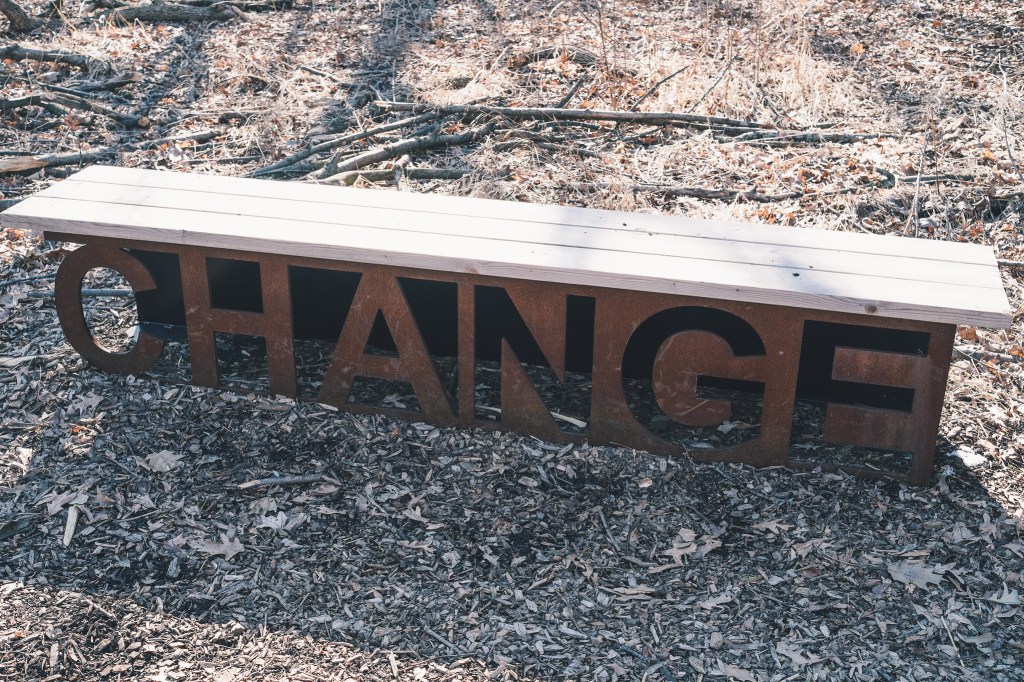
If you take the time to play with LinkedIn’s UI, you’ll find it’s not too difficult to understand. LI’s goal was to streamline the platform, make it lighter and quicker to use. Yes, it has done away with features that were once on the basic plan. Yes, we now have to pay for advance search and tagging and unlimited searches, but so be it.

You must also download the LinkedIn phone app to better understand it. This will help you to better understand the new UI; as they are almost identical. Embrace change, people. If you’re not willing to embrace all this change, LinkedIn isn’t for you.

8. You’re not looking for a job

I presented how to use LinkedIn for business to a local credit union. When I asked my opening question, “Why would you want to use LinkedIn?” someone said, “To find a job.” Laughter ensued. But this is how many people think, they only need LinkedIn when they’re out of work.

That’s a misconception people have; when they’re working, they no longer have to use LinkedIn. In this post, 10 reasons why you should use LinkedIn after you’ve landed a job, I give as one reason which is you never know when you’ll have to contact the people in your network. LinkedIn is insurance.

Did you know that LinkedIn was originally developed as a sales tool, not a job search application. Sales, marketing, and business development continue to use LinkedIn to build relationships. If you’re in a role similar to these, or any role for that matter, it’s important to represent you company with a strong profile.

9. One more

Another reason I hear from people who resist LinkedIn is their lack of desire to be an exhibitionist. While I find this a bit silly, I also wonder if by exposing my thoughts and feelings, I’m a bit of an exhibitionist.

Perhaps the word, “exhibitionist” is a strong word, but I sometimes wonder why I spend so much time on LinkedIn. Why do I share updates so often? Why do I distribute my and others’ posts? Why do I read posts to gather information. Shall we call it networking?

Photo: Flickr, Murel Merivee

Photo: Flickr, Brenda Valmont

9 facts about LinkedIn lite profile vs. the LinkedIn profile we knew

At this point I count roughly 10 posts and a few videos explaining the differences between the old (or for some, current) user interface (UI) and the new and improved one. I hope this isn’t the 11th post you’ve seen on this topic.

change2

Having played with the new UI—no I don’t have it—there are some very nice features and some disappointments. For this post, I’m going to focus on the profile.

My first thought is, be careful what you wish for. One nice thing about the new profile is it is slimmed down and more visual. However, it will take a learning curve for some to find the various sections of the new profile. Let’s start at the top.

1. The Summary

new-snapshot-areaI was warned ahead of time that the Summary section of the new profile is no longer titled Summary. In fact it’s not in the body of the profile; rather it’s in the Snapshot area (photo above, boxed in red), and…a visitor can only see the first two lines of it. Therefore, it’s important that you utilize these two lines to grab the reader’s interest.

Read The 39 most important words in your LinkedIn Summary*

My only concern here is that visitors won’t realize that they need to click “See more” in order to…see more. Get used to clicking “see more,” as LinkedIn has done its best to condense the profile as much as it could.

I heard there was talk about removing the Rich Media areas (under Summary, in Experience and Education), but LinkedIn held off on that silly idea. Rich Media is still there.

2. What About Those Three Dots and Contact and Personal Information?

new-information

The Three Dots. The placement of actions like removing connections, unfollowing, requesting and writing recommendations will take some time for recipients of the new UI to get used to, but the information is nicely placed.

Note: your profile only shows the top two commands. To remove a connection, request a recommendation, etc. you must go to that person’s profile.

The same applies to the Contact and Personal Info section which drops down to reveal the information visitors would see if they choose the Info tab on the older version. Unfortunately the public URL for someone is located in this area, instead of in plain view just below one’s photo.

3. Highlights and Posts and Activities

new-highlights-and-activities

Don’t blink when you near these sections because there’s a lot of information packed into these sections. In Highlights visitors can see our mutual connections, as shown. However, in order to see all my connections, one must click on this area and choose “All.”

Bob’s Posts & Activities. This is where a great deal of information is located, including my articles, posts, and all activities. Articles are ones I’ve written on LinkedIn; this is straight forward. What is not straight forward is the difference between posts and activities. As far as I can tell, they’re one in the same.

Note: Unlike the older version, only one article is displayed. In the older version, three were displayed, which meant you had to have at least three written on order not to be embarrassed, but I’m sure LinkedIn’s motive behind this wasn’t to save you from embarrassment.

4. The Experience Section

UPDATE

How often does LinkedIn reverse its decisions? Not often is the answer.

The good news is that LinkedIn has reversed it’s decision of showing only the first position in its entirety and truncating the previous ones. On May 26th, 2017, I noticed that LinkedIn corrected this faux pad. Now we can see most of the positions expanded.

This is great news, as visitors to your profile might not have known that they had to click “See More” in order to see your other positions.

Read this article to see my approval of this “change-back.”

5. Pause

Have you noticed that I’m talking about the new profile in a specific order, e.g. Summary followed by Experience. With the new profile, you cannot move the sections around.

This is a problem for me, because I prefer to follow my Summary with my Skills and Endorsements. I also have a problem with authority, and this is a total power play by LinkedIn, in my opinion.

Note: When I asked LinkedIn why it prevents its members from moving their profile sections, they said the way it’s structured is the way recruiters prefer it.

6. Education

Not much to report here. Because this section can’t be moved, this may cause a problem for students and recent grads.

7. Volunteer Experience

What surprises me is that this section comes before Skills and Endorsements. This section hasn’t changed much, save for the fact that visitors must expand each volunteer experience. I wonder what LinkedIn was thinking when they made this decision for me.

8. Featured Skills and Endorsements & Recommendations

new-skills-and-recommendations-section

Finally we see the skills and recommendations. First, visitors notice that only the top three skills are displayed. Secondly, only one endorser is displayed, whereas with the older UI, at least ten endorsers were displayed. This is not detrimental. In fact it can be seen as a positive when we’re talking about slimming down the profile.

What I find very promising is that Recommendations are just below Featured Skills and Endorsements. This is significant because in the older version, Recommendations was anchored at the bottom of the profile, giving me and others the feeling that perhaps this section was on its way out. At the very least, it was given less prestige; much like skills are given now.

One of my valued LinkedIn connections, Rich Grant, points out that in the older UI we were able to see from which companies the recommendations came. Further, in the Experience section recommendation givers were displayed with a link to the recommendation section for said people.

9. The Rest

Certifications, Organizations, and Projects are listed under Accomplishments. Prior, they had their own real estate, but now they’re buried under this header. And yes, they must be expanded like most sections.

Do you remember painstakingly listing your professional and personal interests under Interests? Well forget it; that section has been retired, as far as I can see. Shame.

Following includes my activities and interests. This is redundant information because visitors will see the section called Bob’s Posts & Activity directly below my Highlights section.

It makes sense that LinkedIn shows the influencers, companies, groups, and schools I’m following, all of which visitors must expand in order to see more of each.


Is Less Better?

I think you’ll agree when you receive the new UI that in some cases less is better. However, the inability to move sections around as you once had the ability to do; and making you have to expand most sections, including the Summary–you might find the older version more to your liking. Or you might appreciate the lighter version of your new profile. The jury is still out for me.

If you want to learn more about LinkedIn, visit this compilation of LinkedIn posts.

Photo: Flickr, Eva Woo

LinkedIn is NOT a dating site: 3 types of inappropriate daters*.

In my LinkedIn Unleashed workshop I make an off-handed comment that LinkedIn is NOT a dating site. I get chuckles from the attendees, but I never seriously consider that some people try to use LinkedIn as a dating site, until recently.

online-dating

A female job seeker told me she was hesitant to network because it involves reaching out to strangers. I told her her reluctance was not uncommon, but then she went on to tell me about a LinkedIn member who asked her out on a date.

Shocked, I asked her to repeat her claim. Not just once, she told me, but by numerous people. How, I wondered out loud, can men take advantage of people who are unemployed and vulnerable? The unemployed are looking for a job, not a date.

I’ve read claims from other women on LinkedIn who were hit on or received sexist remarks. One person went as far as to call out a person on a Facebook group, The Un*Professional LinkedIn Network, where shameless accusations were common.

The point here is that LinkedIn is intended for professional networking, which doesn’t include using it to ask for dates. Some people, however, haven’t gotten the message.

I classify the LinkedIn daters in three groups.

1. The oblivious. Not everyone knows better. They are oblivious. They don’t know they’re crossing the line. Their initial intention is to network professionally, but their overtures become too personal.

Their purpose to connect online and meet a woman for coffee may be for professional reasons at first, but they eventually develop a personal interest that isn’t returned. Nonetheless, their overtures persist, making it uncomfortable for the recipient of their advances.

2. The stalker is the next level of LinkedIn dater. They’re showing up on a person’s profile view on a daily basis. They really don’t have anything in common with the person, yet they’re ever present.

I’ve heard from some LinkedIn users who think that anyone who looks at their profile is a stalker. This is not what I’m talking about. Imagine someone looking at your profile everyday, without contacting you to provide an explanation. Creepy.

3. The level 3 type. Their advances are outright obvious and persistent, and will prompt the recipient to block this person. My client told me the man she spoke of in no uncertain terms asked if she’d like to meet for drinks.

As a job seeker, she wanted nothing more than to connect with people—men or women—who could be of mutual assistance, not people who wanted to approach her, based on her profile photo. This is what I find disturbing, namely that job seekers’ most important objective is to land a job, not be hit on.


A reader commented that “it is such a shame that some people do use their job titles and take advantage of vulnerability of those in job transition.” I agree that to use one’s power to hire, or introduce someone who has the power, is unethical. This is the greatest injustice of all.

I’m curious to hear of anyone who has met someone on LinkedIn, which developed into a romantic relationship. Please share your story if this happened to you.

*Perhaps “stalker” or even “predators” are better word for these types of people.

Photo: Flickr, Ashley Bishop

15 photos that will sink your LinkedIn profile

By now it’s a given that you have a photo on your LinkedIn profile. Without one, you’re as good as an outcast. However, the photos I’ve been seeing lately raise the question, “What are people trying to convey with their photof?” Are they hitting the mark?

angry-woman

What do I mean by this? Take the photo of the woman above. This is not hitting the mark unless she’s trying to appear otherworldly. Her photo does nothing but make me wish I never come in contact with her.

On the other hand, there are photos that are well done and prompt me to click “Like” or, in a few cases, write a comment complimenting the person’s photo for its quality. For example, a photo I show in my LinkedIn workshop prortays professionalism because it is a quality photo and the subject appears friendly, welcoming, and intelligent.

Now before you call me a photo snob, consider how important your photo is and why you shouldn’t slap just any one on your profile.

Photos are important. Our photo makes us memorable and trustworthy. Some, including me, won’t open a profile unless the person is known. According to some, profiles that have a photo are 14 times more likely to be opened than those that don’t.

Photos are part of your branding. The first thing people see on your profile is your photo, so make it count. They can say something positive about your personality; for example, you are caring, serious, creative, authoritative, outgoing and friendly, and so on. I demonstrate photos in my Advanced LinkedIn workshop. One of them is of a New York City photograper. Click here to see how he effective brands himself.

Quality is also important. My close connection, and published photographer, David Machowski says this about a quality photo: “A good headshot is a photograph of one’s face that is first and foremost flattering.  That fact is open to interpretation; but here is where many make the mistake of having their shot with too much detail, too far away, too close, out of focus, eyes not sharp and in focus, too much depth of field (ideally the eyes should be the sharpest point of the photograph).” He could go on forever.

The type of photo you choose is your choice. No one insists that you dress in your best suit and tie, or for you women a suit with a brilliant blouse and conservative jewelry; although that would be nice. You may want to go the route of business casual.   A black and white photo can look very creative or…hide pink hair. 

Photos that are inappropriate? This is really the gist of the issue I have with the onslaught of photos appearing on my LinkedIn homepage. Many of the photos are taken in haste, without forethought and planning, and negatively impact the subject. Some are just plain inappropriate, such as:

  1. The plain ole poor quality, like a blurry photo that appears to be taken with a Polaroid.
  2. The under water effect–this person looks like she’s literally under water.
  3. The selfie taken with a cell phone gives the amusement park mirror effect.
  4. The action shot of someone in his office, playing touch football, or climbing rocks, etc.
  5. The false representation photo of a person 10 years earlier should be a crime.
  6. The half smile or downright frown photo. Hey, people are drawn to happy people.
  7. The purple face or red-eye photo. I’ve seen this and thought there’s no way a person’s face can be purple like this.
  8. The “I’m taken off guard” photo with cinder block background. This does wonders…for a prison shot.
  9. The dating scene photo is one of my favorites. Not. Beautiful women and handsome men are great for dating sites, not LinkedIn.
  10. The “Look, I’m working” photo with the office wall in the background looks like the person is trying too hard.
  11. The bad-ass look, shades and all. This I’ve seen and wondered if the guy was in a gang.
  12. The family portrait. Whose profile is it anyways, yours or your wife and children?
  13. The photo with the person riding his Harley.
  14. The photo of an orangutan. Let’s be serious.
  15. The company logo. There’s a LinkedIn company page for that.

Additional photos suggested by LinkedIn members.

  1. From Rich Grant. The cropped photo. “What’s that random hand on your shoulder?”

I realize LinkedIn is trying to stress the importance of having a photo on your profile, but the annoying photo show is not accomplishing its intention. Or perhaps the people who are declaring their new photo are the ones who are not hitting the mark. Before you post your new photo, make sure it represents you as a professional networker, not a Facebook friend.

Photo, Flickr, Irene Ferrari

Default invites from LinkedIn members stink: 6 approaches to sending an invite


I estimate that I ignore 90% of invites from LinkedIn members, simply because they don’t include a personalized note. In fact, if I accepted all invites I’d probably have 10,000 connections in my LinkedIn network. This is not to brag; I’m just saying.

li-logoWhy am I so adamant about people taking the time to personalize their invites? Short and simple, default invites stink.


The default invite on LinkedIn is: I’d like to add you to my professional network on LinkedIn*. While it clearly states a hopeful networker’s intent, I need more. Something that tells me why we should connect.

Sending the default invite is akin to going up to someone at a networking event and saying, “Hi. What can you do for me?” It’s insincere and sends the message, “I’m inviting you to be in my network, but I could care less if you join.” Is this the type of message you want to send to a potential networker?

I believe there are three reasons why LinkedIn members don’t personalize their invites.

One, they just don’t get it. Or they haven’t been educated. I can only spread the word to the people who attend my LinkedIn workshops or read my posts. Even then they don’t get it. Some workshop attendees will invite me from their phones while I’m leading the workshop…void of a personalized note.

Two, they’re using their phone to connect with others on LinkedIn. Although there is a way to send a personalized invite from your phone, most people don’t know how to do it. The process is very simple**, so there’s no excuse.

To the people who invite me to their network from their phone, I tell them to wait until they’re at a computer so they can send a personalized note. What’s the hurry? I’m not going away.

lazy

Three, they’re plain lazy. I think this is really the heart of the matter, and I hesitate to say it, especially out loud; but in essence this is what it comes down to. To me, a default invitation is a statement of want without a sign of reciprocation. And this defies the true definition of networking.

I and others, I’m sure, are more likely to accept an invite if a thoughtful note is attached to it. So what should you write if you want someone to join your network?

1. You might have something in common with whom you’re trying to connect. “Hi Susan, I’ve been following your updates and feel that we have a great deal in common. Would you accept an invitation to be in my LinkedIn network?”

2. Maybe you’re the bold type. “Hey, Bob. You and I are in career development. Ain’t that cool? Let’s link up!” I like this confidence.

3. You might want to take the calculated approach. “After reviewing your profile, I’m impressed with its quality and your diverse interests.” A little flattery never hurts.

4. Do you need assistance? I received an invite with the following message: “Please have a look at my profile and tell me what you think. I’ve been on LinkedIn since before it was, well, LinkedIn!” I looked at his profile and was impressed. I gladly accepted his invite.

5. Inviting someone to be part of your LinkedIn network is a perfect way to follow up with that person after a face-to-face meeting. “Sam, it was great meeting with you at the Friends of Kevin networking event. I looked you up on LinkedIn and thought we could stay in touch.”

6. Boost the person’s ego. “Bob, I read one of your posts and thought it was spot on. I’d like to connect with you.” Or “Jason, I saw you speak at the Tsongas Arena and what you said really resonated with me. I’d like to follow up with you.”

These are some suggestions that would entice someone like myself to accept an invite. When I’m sent an invite, I only request a personalized note—it’s not that hard, really. So rather than just hitting the Send Invitation button, take a few seconds to compose something from the heart.


*A very simple solution is eliminating the default message altogether, thereby requiring someone to write a personalized note. LinkedIn suggests, “Include a personal note,” but this doesn’t seem to work for some.

**To send an invite from your phone, go to the profile, click the three vertical dots for androids or horizontal dots for iPhones, choose “Personalize invite,” write one and hit send.

Photo: Flickr, ruijiaoli

Photo: Flickr, Retroeric


LinkedIn status update etiquette. How often should you update?

man-walking-with-phone

I posted a status update asking LinkedIn members how often they update. Asking a question, after all, is one of the many updates you should post. The response wasn’t as great as I would have like, much like when I ask my 14 year-old son how his day went.

I did, however, receive answers like “once a day,” “four times a week,” etc. But I didn’t get the answer I wanted to hear: “four times a day.” Do I hear a pin drop? I can hear some of you thinking, “That’s crazy, dude.” And, “Get a life.” Perhaps, “I’d hide* that guy.” And I’m sure I have been hidden.

Some of my workshop attendees tell me that posting even once a week is too difficult. They also say that they don’t know what to post. (I refer them to Hannah Morgan’s great infographic of what you can update. Yes, one of them was posting a question.)

I’ve read from some LinkedIn pundits that once a day is the limit. How did they come up with that arbitrary number? Why not two updates a day, one in the morning, one in the afternoon for a total of 14 updates a week? Wouldn’t that make more sense?

I posted an article awhile back called 11 reasons why I share LinkedIn updates so often in response to an article called 6 Bad LinkedIn Habits That Must Be Broken, in which the author writes with conviction that one must update only once a day. He states:

“People don’t check LinkedIn nearly as often as Facebook or most other Social Networks for that matter. So I recommend that statuses are updated no more than once or twice a day. This is more for your benefit than for your network. Oversimplify here and focus on sharing much less frequently, while trying to find highly interesting content that will benefit your connections.”

In my counter article I explain that I update for nine reasons, two of which are to make LinkedIn a better place. I know that sounds conceited but I figure I manage to accomplish this 20% of the time. And the other times because I really enjoy it.

In my opinion, you should update as much as you like as long as you’re adding value for you connections. What defines value? Quite literally it means, according to Webster’s II dictionary, “A standard or principle regarded as desirable or worthwhile.”

Educational articles you share add value and can earn you the illustrious title of “curator.” In a long post on LinkedIn, I list 14 of my connections who do a great job of educating their networks, as well as write great articles themselves. Great industry advice adds value. And asking illuminating questions or even making intelligent statements also add value.

Another reason why you should update as much as you like is if you’re not annoying your connections. One barometer I use to determine if I’m annoying my connections is when they see me in public. If they say, “I see you a lot on LinkedIn. Good stuff,” that’s a good sign. But if they say nothing after telling me they see me a lot on LinkedIn, I figure that’s a bad sign.

Recently I hid one of my connections because her face appeared at least ten times in a row on my timeline; she was really annoying me. Worse of all was that the information she was sharing was inconsistent with her industry; it was all over the map. I imagined her clicking on every post or inspirational quote/photo that popped up. In this case, more is definitely not better.

Finally, if you are treating LinkedIn like Twitter, where there are little or no reasons why you’re updating, it’s time to take stock of why. If there’s no strategy, it would probably be best to develop some strategy behind your updating activity, or chill for awhile.

Do you remember when you LinkedIn’s status updates and Twitter’s tweets were synced to each platform? LinkedIn did away with Tweets migrating to its platform; people were tired of reading about what Twitterers were doing on the beach or eating for breakfast. We still get tweet-like updates on LinkedIn.

I can’t say for sure how often I update a day, but I haven’t been told to my face that I over due it. In fact, I receive compliments for what I share. When I’m told more than once that people are sick of seeing my face on LinkedIn, I will curve my action. By how much I can’t say. I’m just having too much fun.

*To hide someone, just hover to the far right of his/her name and a dropdown will appear with the Hide option.

Please share if you enjoyed this post!

Photo: Flickr, Tom Waterhouse

A little advice for my angry LinkedIn connection

When I was a youth, I had a friend who was angry all the time. Johnny was his name. He had a younger brother, Billy, who was a better athlete than him and more affable. Johnny was jealous of his younger brother.

angry man

When we played pick up football, Johnny was the slower and less nimble of the group. Billy and I were the better football players. This, I suppose, made Johnny even more angry.

At times Johnny would lash out at me for no apparent reason. I would disagree with him and BAM he would hit me. One time I ducked his punch and smacked him in the face. And then I ran like hell. I was a lover, not a fighter.

The other kids in the neighborhood couldn’t understand why Johnny was so angry; why he lashed out at me.

At the time I didn’t understand his anger. And then one day my father told me that some people are just plain angry, and there’s only one thing you can do about it; distance yourself from them.

So that’s what I did.

My angry LinkedIn connection, I see some of your posts on LinkedIn, and I think that you are angry. Angry all the time, like Johnny. And I think there’s no reason for you to show your anger, especially when others are watching you.

I recently read a post on LinkedIn that made a helluva lot of sense to me. It is called, “An open letter to Obama haters on LinkedIn.” The author of this post is Sherry Nouraini, PhD.

I took away from the article that employers/possible business partners are looking at what you write and think to themselves that angry verbiage is a sign of a problem maker, not a problem solver. Johnny was a problem maker.

What broke the proverbial camel’s back was the relentlessness smear campaign against LinkedIn. You made it your goal to bring LI to its knees by using long posts to do this. But what you wrote before was also full of anger.

I must profess that I have written out of anger, but not with as much vehemence as you do. I have, at times, criticized LinkedIn (I still can’t let go of losing unlimited searches). But how I criticize LinkedIn is nothing like the smear campaign you’ve started.

It’s not only your attack on LinkedIn that rubs me wrong, it’s also expressing your opinions on politics and religion that are inappropriate. First of all, I don’t care who you support in the upcoming primaries. Second, there’s no room for politics on LinkedIn.

Simply liking an article or photo that is politically minded is further evidence of your anger and negative attitude. To like something politically or religiously minded implies that you agree with its message, that you might also write it.

Have you not read that people don’t think LinkedIn is the forum for politics and religion? (Hint: Facebook is a better forum for expressing one’s political and religious views. I’m quite enjoying my new foray on Facebook.)

If you read the aforementioned article, the author talks about how bashing politicians or any other public figures is noticed by potential employers who are looking for people to solve their problems, not to create problems.

Your confrontational attitude will cause employers to think the latter of you; that you will cause problems.

You are currently unemployed, yet you continue to criticize how employers fail in the hiring process. I get it; employers don’t always make the best decisions–68% of them admit to making a bad hire at least once–but what good does it do you to criticize their practices.

Again, I admit to throwing mud at some recruiters, but not every single time I get the opportunity. If I did this, many of my connections would disown me.

Have you thought that it may be you who is at fault for not getting hired? Keep in mind that employers troll LinkedIn to find talent and if they see the way you bash them, you’re seen as an excuse maker and a complainer; both of which employers try to avoid.

It’s not only what you write that makes you come across as angry; it’s your photo. Your photo looks like a mug shot. You look angry enough to kill someone.

Johnny always looked angry, too. Your photo is your first impression. Do you want to turn away employers before they even read your profile?

What I find ironic is that you have the word “Professional” in your headline. You don’t come across as professional, not by my standards.

And in your Summary you talk about demonstrating a willingness to help others achieve their goals. I don’t buy any of it when I read your updates or spiteful long posts.

I’m sorry, connection, your anger is obvious, and I fear it is hurting your chances of getting a job. When you land your next job, I’m afraid that what you wrote on LinkedIn prior will come back to bite you in the ass.

I can only assume that 1) you don’t care if people are turned off by your angry verbiage, or 2) you don’t know you come across as angry. If it’s the former, I hope you read this and right the ship. If it’s the latter, I fear, like Johnny, there’s no hope for you.

Photo: Flickr, Oliver Nispel

8 LinkedIn types that are hurting their brand

angry-woman

Some people just don’t get how to use LinkedIn. As a result, they’re hurting their brand and it comes back to bite them in the ass in their community and their job search.

Your behavior is being observed by potentional hiring managers, recruiters, HR, and other people who can help you with your job search, namely network partners.

Therefore, it’s vital that you don’t come across as a certain LinkedIn type. Here are eight LinkedIn types you don’t want to become.

1. The Party Crashers. These LinkedIn members are everywhere and, in some cases, showing up 10 times in a row on your home page. They’re like people who are at every party. They’re also out to grab the glory, which is evident in their obnoxious activity.

Their goal is to appear as much as possible on their connections’ homepage, which annoys their connections to no end. They break the general rule of not sharing more than four updates a day.

2. The Hiders. I’m referring to people who don’t want to reveal their identity, so they post an image in place of their photo. These members do this for two reasons. First, it allows them to reach All Star status and increases their chances of being found.

Second, they don’t want their identity known, perhaps because of age, or they’re paranoid. This last reason only serves to make them appear untrustworthy.

It also defies the purpose of networking, which is to be recognizable and memorable. One’s brand is about them, not their company or hobby.

Read: 10 reasons why your LinkedIn photo is important to me.

3. The Ambiguous. Their comments or status updates don’t make sense. They think they write like Shakespeare or Ice Tea, but really what they write makes me wonder if they are on hallucinogens.

I have a connection like this, and so many times have I been tempted to ask him what the hell he’s talking about. I know he’s smart; that’s not the question. The question is if he is from our planet.

4. The Fly On the Wall. This LinkedIn member is one I wrote about in a post, Don’t disappear from LinkedIn, my valued connection, which talks about how some people join LinkedIn and then…disappear. In this post I talk about how a neighborhood friend started on LinkedIn with a great profile, and suddenly disappeared.

When I asked him where he’s been, he said he’s still on LinkedIn everyday but doesn’t care to contribute his thoughts or ideas. He reads a lot of articles and updates. That’s about it. To build a powerful brand, one has to be heard.

5. The Aloof. They don’t connect with anyone. They may have the best LinkedIn profile on earth, yet they only have 80 connections. They feel they must personally know every person with whom they’re connected.

Meeting unknown, yet valuable, connections is beyond their comprehension. When visitors, such as recruiters, see their dismal number of connections; they see these LinkedIn members as untrusting—a definitely blow to one’s brand.

6. The Negative Nelly. Little do these people know their words, which come across as angry and insulting, hurt their brand. Visitors’ antennae are alerted when they see the Negative Nellies complain about how unfair employers or disinterested potential business partners are.

Their words harm their image, but they don’t care. LinkedIn is their sounding board. They believe, based on their status, they have the right to offend other LinkedIn members. Of all the offenders, they fail in the emotional intelligence department.

7. The LinkedIn Hater. Look, I’ve been guilty of this myself. I’ve complained about certain inane changes LinkedIn has made—like take away our unlimited searches. I wonder if this hurts my brand. But these people bash LinkedIn like no one’s business.

They threaten to leave LinkedIn, stay away for awhile, only to return to continue to bash LinkedIn. I am far from a champion of LinkedIn, but I realize it for its remarkable power to provide job seekers the ability to network their way to a job.

8. The Bait and Switch. Perhaps the worst of them all is the LinkedIn member who connects with you and immediately hits you up for a sale. No foreplay, small talk, niceties, no nothing.

I recall a woman who set up a Skype session with the pretense of collaborating on career coaching, only to try to have me join her Tupperware business. To me her brand took a huge hit, as she appeared to me a liar. As well, she wasted my valuable time.

Read Three reasons why the Bait and Switch is downright evil.


If you are guilty of some of the above behaviors, it’s time to stop. We are a community, and as such we need to be cognizant of those in our network. To violate any of these faux pas will certainly hurt your online brand.

Do you want to come across as a Party Crasher, or maybe worse  yet a Hider. To Bait and Switch can drive someone away for good, maybe make them disconnect from you. The Negative Nelly can ruin the mood. The Onlooker is insecure in their ability to contribute to discussions.

30,000 LinkedIn connections. Really?!

30,000

I’ve read a number of posts from people who are complaining that some of their 30,000 connections are being reduced to followers. They apologize to their “valued” connections for the injustice LinkedIn has committed.

(LinkedIn has made some bonehead moves in the past, such as stripping us of unlimited searches, but this is not one of them.)

I know I’m going to anger a lot of my connections, but the way I see it, people with 30,000 connections are collectors who don’t understand the purpose of networking. They’re collecting connections like Imelda Marco collected shoes, but by tenfold.

But these connections represent opportunity, you argue. Bullsh#t, I say. Besides the thousands of fake profiles you have accumulated, 90% of your connections will never follow up in a meaningful way.

Some of you say you communicate with them on a daily basis. This is true but only because you share updates, which potentially all 30,000 connections can see. Not likely.

Be honest with yourself, how many of the 30,000 connections have you even communicated with after receiving their default invites? Eight percent if you’re lucky. Or 2,400 if you’re counting. You L.I.O.N.S out there, I’m speaking to you.

Lion

My number of connections is more than 2,500, and I have to honestly say I don’t recognize many of them. Which makes me wonder if I have done the right thing by connecting with them. Probably not.

According to Robin Dunbar, a anthropologist and physiologist, we can truly know know 150 people; I’m a living testament of this assertion. (Read The New Yorker article, The Limit of Friendship.)

So when people tell me they know all of their first degree connections, even if it’s 2,400, again I say bullsh#t. This is not to say you need to confine your network to people you can name; at least they should be meaningful.

Collecting LinkedIn connections is like going to a networking event and collecting 100 personal business cards; just grabbing them out of people’s hands. Will you follow up with 100 people? You might as well find the nearest waste basket immediately after the event and dump those cards into it.

If you are saying, “LinkedIn’s purge is arbitrary. Like, they’re taking away valuable connections and turning them into followers instead.” My response to that is if you miss them (as in you know them) then simply reconnect…after you’ve eliminated some of the chaff among your 30,000 connections.

Throw out your connection trash. None of my connections are trash, you argue. Have you, as a true networker, hand-selected these connections? I didn’t think so.

That teenager from Huston, TX, who you blindly accepted, won’t be of any assistance. But all’s good, right.? She got you closer to 30,000 connections.

Once, my son told me he had 500 Facebook friends. I asked him if he knew them. Sure, he told me. Bullsh#t, I told him.

It is time that you open networkers focus on the purpose of networking (this is actually what we’re supposed to be doing) which is to connect with people of like interests who can be of mutual assistance.

Photo: Flickr, d00133519x


Clichés on your résumé: damned if you do, damned if you don’t

SONY DSC


The summary statement began with: “Results-oriented Marketing Professional…” As if my hand had a mind of its own, I circled Results-oriented and wrote “Ugh” next to it.

I thought twice of erasing my first comment but in the end left it there. My customer did a double-take and pouted, hurt by my crudeness.

With all the negative press about using clichés or outdated words and phrases on your résumé and LinkedIn profile, there’s now a push to show how you possess important adaptive skills rather than to simply tell employers you have them.

Résumé experts say words like creative, team-player (ouch), innovative, hardworking, diligent, conscientious, and more are being thrown out the window. They’re seen as fluffy words with no substance.

Words like designed, initiated, directed, authored are more of what employers want to see on a résumé and LinkedIn profile. The big difference is obviously the “bad” words are adjectives and the “good” words are action verbs.

To complicate matters more; even some of the verbs have fallen in the cliché category, like led, managed, facilitated, etc.

From a reader’s point of view, this makes sense. Someone who claims he’s outgoinghighly experiencedseasonedresult-driven, etc., seems to…lack creativity.

Someone who can assert that he is results-oriented by showing he began and finished multiple projects in a timely manner, while also consistently saving the company costs by an average of 40% will win over the minds of employers. Showing is always better than telling.

Keywords and phrases: Here’s the rub—many job ads contains clichés; and if you’re going to load your résumé with as many keywords/phrases as possible, you’re almost inclined to use these outdated and useless words.

If you know your résumé is going to be scanned by an applicant tracking system (ATS), it may be imperative that you use clichés, especially if you want to pass the ATS and be one of the 25% of résumés read.

I performed a quick experiment where I looked at three job ads and attempted to find some of the overused words.

Sure enough words and phrases like team player, hard worker, ability to work independently and as part of a teamdetail-oriented, to name a few,  showed up in many of the ads.

Why do companies write job ads that contain words that are almost comical? Part of the reason is because the fine folks who write these ads don’t know any other way to phrase effective ads; and partly because these are qualities they’re looking for.

Almost every company is looking for a team player who can work independently as well. Every company desires people who are results-oriented, innovative, hardworking, etc.

This leads us back to our conundrum. What to do if you’re trying to write a résumé or Linked profile that includes the keywords and phrases? Not only to game the ATS but also to appease the eyes who’ll be reading your written communications?

The answer is: you’re damned if you do, you’re damned if you don’t. You can write your résumé and LinkedIn profile employing clichés, or you can avoid the them on your marketing documents, documents that are, after all, examples of your written communications. I say take the high road and don’t sell yourself out.

Photo: Flickr, Tom Newby