Tag Archives: LinkedIn profile

16 LinkedIn pros talk about creating a powerful LinkedIn About section

What happens when you get 16 LinkedIn pros together to talk about creating a powerful LinkedIn profile About section? You get an variety of incredible answers. You might think all of the answers would be similar. Not so.

One of our pros advises not to write a boring About section. Blunt as this might sound, it makes sense; don’t use your 2,600 characters to write a whole lot of fluff.

Don’t write a “wall of words,” another pro emphasizes; meaning keep your paragraphs short.

Your resume is 2D but your LinkedIn profile is 3D, suggests a third pro. It contains your inner world and outer world. Read what he means by this.

Yet another pro writes, “Think of your About section as a sandwich, the top slice of bread makes a personal connection, the middle is the meat, and the bottom slice ends with a personal morsel.” Yum.

A recruiter among the group stresses the importance of keywords. If you want to be found, know where to place them.

These are only six of our pros weighing in. There are 10 more who have different, yet valuable, advice to impart.

What makes the About section hard to create for some people? One person who’s been active on LinkedIn told me he didn’t know what to write, so he doesn’t have one. Apparently, this sentiment applies to many people. I’ve seen many profiles without About sections.

If you are one of those people who don’t have an About section, or if you want more ideas on how to make it better; read this article. It’s long, but you’ll get plenty of great ideas. The authorities who contributed to this article are the best in their trade. You won’t go wrong.

Hook the reader and demonstrate value

Virginia Franco, VirginiaFrancoResumes.com

Taking a page from journalism, I liken your LinkedIn About section to a lead (lede) paragraph in a news story that gives the reader a sense of what the story will be about. Can you imagine a news article that skips this critical section? You’d probably skip reading it altogether. Same goes with your LinkedIn About section.

Contrary to popular belief, powerful and descriptive adjectives aren’t what make your LinkedIn’s About section powerful. While adjectives may be effective in telling the reader something, they don’t really show them anything of value.

Instead, a powerful About section tells the reader about the types of problems you solve while also sharing some detail about what makes you tick and be successful. It also hooks the reader within the first two lines and compels you to want to keep reading.  Here’s an example of an About section intro designed to inform and propel further reading.

When pharma companies need sales strategy and leadership to drive transformation, turnaround, launch new products or markets, or catapult teams from good to great – I am brought in.

The results? Plans that convert customers, bring new products to market and unseat the competition.

In addition to including details about your story, I often recommend including an email in your LinkedIn About section – which provides an interested party with an easy way to reach out without having to do extra clicking to find your contact info on your profile.


Avoid these three mistakes

Susan Joyce, Netability.com

I see three very common errors in the LinkedIn About section.

The first error is an empty or very short About section. Why is this a mistake? Wasted opportunity!

The solution? Summarize your qualifications for the job you want in your profile’s About section. Highlight your relevant accomplishments, and demonstrate your ability to communicate clearly.

The second error is what I call the “wall of words” mistake. The wall-of-words mistake is an About section with one or two very large paragraphs of content. Why is this a mistake? Because it looks like a wall of words and is not easily scannable! We are all in a hurry now.

So, recruiters and anyone else looking quickly to learn more about you, especially if they are looking at your profile on a smart phone (which more than 50% of them are), are not going to take the time to carefully read each dense paragraph.

The wall-of-words solution? Bulleted lists of short sentences, preferably highlighting your relevant professional accomplishments, quantified if possible to demonstrate your positive impact. Copy and paste LinkedIn “eye candy” (a.k.a. imoji) into About as bullets in your bulleted list to draw attention to them.

The third error is omitting contact information. Anyone not currently connected to you (like a recruiter) will not be able to read what you have posted in your “Contact info” section at the top of your profile. Even if you are the perfect candidate for a job, opportunities lost!

The solution? Add a sentence at the bottom of your profile which includes your permanent, professional contact information (NOT your current work or home contact information). My recommendation is to use Gmail and Google Voice, both of which can be re-directed to your current email and phone numbers.


Don’t write a boring About section

Shelley Piedmont, ShelleyPiedmont.com

Too many About sections have nothing in them or are boring. I read the first few sentences, and my eyes glaze over. It is such a wasted opportunity. When I ask why the person hasn’t focused on this section, they tell me they don’t know what to say.

So here is my advice. First, who is your audience? What do they need to know about you? Write it for them, not yourself. If you are a job seeker, what would an employer find of value about you? Focus on that. Likely, they will want to know about your knowledge, abilities, experiences, and accomplishments.

The About section is not your resume, though. You want to tell a story about what you have done but also who you are. What motivates you? What makes you stand apart from your peers? This is an opportunity to give a glimpse of the person behind the results.

It would be best to have SEO in mind as you are writing, so the search engine selects your profile as relevant. Ensure you sprinkle this section with keywords used to search for someone in your field or industry.

Make sure your about section is concise. Every word you choose is important. Does it bring value and tell your story in the best way? Likely you will need to edit your About section a few times to get it right. I have. And if it makes it easier to read, feel free to use emojis if your audience appreciates them.

Lastly, do not think that the About section is written once and never touched again. You should once a quarter review your LinkedIn profile and make updates as needed. That may mean adding or deleting information from your About section, depending on the changing needs of your audience.


A.C.E. your About section: Be authentic, captivating, and effective

Shea Ki, UpGradeMyInterview.com

The LinkedIn Profile About section can be our career momentum’s greatest friend or foe. So much can work against us including writer’s block, keyword or industry jargon overload, and too much copycatting someone else’s format. If you notice any of these issues about yours, I encourage that you inner-view yourself first to turn things around.

Reflect on: Why are you attracted to the work you are doing or want to do?
What stories might other coworkers, bosses, or colleagues share if asked about your contributions? Which accomplishments professionally, personally, and academically are you most proud of?

Depending on your career goals, several parts of your answers can be included in the LinkedIn profile About section.

Be sure to evaluate this section every 3-6 months to confirm it is serving you well. Here is a communication strategy to help you ACE your About section on LinkedIn or upgrade any message about your professional value:

A = Authenticity     

Does it sound like YOU? Do what you can to provide a sense of what matters to you or activates your values when you are at work. That makes you stand out in a positive way from everyone else. 

C = Captivating     

Are you targeting your ideal audience (those you want to read your About section the most)? Address a problem or need they have and describe what you offer to improve their situation. That is how you hold their attention to read more and take action to connect with you further. 

E = Effective     

Is it getting the results and impact you want?  Gain clarity of what outcomes you are aiming to achieve so you can measure how it is going. That will make it clear what changes to make or if it is time to get more support with it. 


Throw out the “Old-School” About section

Sarah Johnston, BriefcaseCoach.com

Old School” LinkedIn profiles were told in the 3rd person and were more biographical. (Example:  Mark is an executive leader who works globally with senior management.  He has demonstrated strengths in helping companies make sense of their numbers; passionate about educating and sharing the story with the rest of the organization….). “Old School” profiles are known for feeling less personal and more jargon-y. 

 The “New School” or modern profile is engaging and tells a first person story and draws the reader in with a hook. With “new school” profiles, readers are more likely to read and remember the summary. Which is one of the main goals of personal branding: to differentiate yourself and be known.


The About section speaks to your “inner” and “outer” worlds

Nii Ato Bentsi-Enchill, AvenirCareers.com

If your resume is a 2-D representation of your candidacy, consider your LinkedIn profile to be your 3-D representative. The About section of your profile is really where your professional persona can truly come to life by sharing your bigger story. 

The best stories make readers feel something. Your About section has the ability to accomplish this by weaving together a tapestry of your inner and outer worlds. Your inner world comprises your deep seated beliefs, values, & passions, which represent the steady, animating forces of your career path.

Your outer world are the achievements you’ve consistently made throughout your career that are the manifestation of your internal drivers. By weaving these two core elements together you’re able to not only show what you stand for but also how you uniquely impact the world around you.

In addition to these two core components, it’s crucial to articulate what’s unique about you and/or how you do things. You’re not the only person with your job title or level of experience, so it’s critical to ensure that you stand out by honing in on an aspect of your career journey, background, or way of using your skills that will help you stand apart from the crowd.

If you’re in leadership, take the opportunity to define the type of leader you are and how you help create the conditions for success, and bring out the best in those on your team.

Finally, don’t forget to invite people to connect with you who are similarly aligned with your values and career interests. A powerful About section will serve as a rich conversation starter by giving your audience ample opportunity to connect to an aspect of who you are that sparks curiosity or emotion in them, and compels them to reach out to learn more.


Your About section is like a professional/personal sandwich

Loren Greiff, PortfolioRocket.com

The P&P (Personal & Professional) Sandwich. 

First,  imagine the start and end of your About Section as two slices of bread. The middle is the filling.

  • The top slice or up-front portion is where your story begins and your personal connection is established.  
  • Allow some of your personality to come out, writing how you speak in the first person, using. 
  • Create a “hook” to grab your readers’ attention,  with what makes you tick. 
  • Include keywords without overstuffing and steer clear of too much jargon. 
  • Remember you want them to be engaged and read until the end.

For the filling, it’s about quality meat (skip the cheese) to capitalize on your professional impact. 

Sprinkle in some metrics, without reporting data. 

Share quick examples of your career wins, a cool client you worked with and/or a memorable nugget not captured on your resume. 

Keep them captive.

The bottom slice and end should offer some parting personal morsels.

  • A few little known facts. 
  • Call to action. 
  • Contact information, making it easy for them to reach out, pronto. 

No matter what, avoid treating this section as regurgitation of  the same information on your resume. 

This is a rare opportunity for those who don’t know you, yet to get a peek inside and find out more about you outside of the required hiring documents. You can still be buttoned up and deliver outstanding value without being boring or cliche. 

Lastly, know that this takes time to construct, revisions and some finesse to strike the right tone. 

Have others read it. If it doesn’t sound like YOU, have another go until it does. 

Decision makers read the About Section and this is a piece of the hiring process you can control so 

deliver excellence, to attract excellence. 


Consider these 4 tips when writing your About section

Lezlie Garr, ResumeLezlie.com

Start with a hook

With your About section, you want to catch the reader’s attention right away. You have a limited number of visible characters before the See More, so make them engaging.

You can start by telling an interesting (relevant) story about you, showcasing an impressive achievement, or outlining the most important pieces of your professional brand.

Present a concise, consistent brand

Speaking of your professional brand, your About section should present your brand in a cohesive, concise way that is consistent with your resume and other job search documents.

You’re not looking to make an exact replica; just make sure the message you present about yourself and the major highlights, achievements, and skills you showcase are consistent from your resume to your LinkedIn profile.

Include targeted keywords

The About section is (like most other profile sections) keyword searchable by the algorithm, so incorporate the most relevant and important keywords for your target roles. This will help increase your ranking in search results for those keywords.  

Set your content apart

While the platform doesn’t offer many native options for formatting your content, there are two options to add a unique look that will make you stand apart from your competition.

Emojis – While it’s important not to over-use these, a few well-placed emojis can make a big difference in the engagement-factor of your content.

Yaytext – Yaytext.com (not an affiliate link) is a web-based tool that converts plain text into styled text (bold, italic, etc.) which you can then copy/paste into your LinkedIn profile.


The About section is like the back cover of a book: 10 best practices

Kevin Turner, TNTBrandStrategist.com

Imagine your LinkedIn [Profile] like one Book in a massive Bookstore of 760M+ Professional Stories. The [Top card] is like the spine of the Book; [Profile photo], [Headline], graphic [Background photo], and small details may be what gets someone to pull your story from the shelf. Once that interest is initiated, we all know the back cover turns the browser into a buyer; this is your [About] [Summary].

The Most Successful [About] [Summary]s contain the following:

Captures interest in the first couple of lines to get that browser to dig in deeper

Stands out, in a sea of competition, a little different can make all the difference

Recognizes People buy from People, so make it Personal

Knows the Buyer and speaks to solve their needs

Avoids too many adjectives, complicated word salads, and unfounded statements

Goes for impact by bringing in the proof metrics

Implements Internet best practices by presenting in short paragraphs

Stimulates the reader visually between paragraphs with 3 to 5 concise, hard-hitting bullets backed with business-appropriate emojis: 🔘, ►, ✓, 📱, ✉ , 🌏, 6σ

Closes the deal with a ‘Call to Action’ and provides a way to buy in; list your contact, so it’s recognizable but not scrapable by Bots. Example: ✉ Kevin @ TNTBrandStrategist .com: 📱 +1.214.724.9111

Presented in a Mobile Friendly way, so we maximize all our customers

If you build that [About] [Summary] correctly, you will drive your [Profile] browser to devour the chapters within your work & volunteer [Experience], dive into your proof of knowledge leadership [Activity], understand the categories you serve in your [Skills & endorsements] and be further sold by your written [Recommendations]. Hope these thoughts help you, Market, & Book Your Own Success!


Your about section answers, “Tell me about yourself”

Hannah Morgan, CareerSherpa.net

LinkedIn provides every user with the opportunity to write a summary about themselves. What is it you want someone to know about you?

You have up to 2,600 characters to answer the question “tell me about yourself?” This is time when less is not more! This is your chance to explain who you are and how you work.

You want to highlight your professional skills as well as your motivation and personality. There isn’t a one-size fits all formula or answer. Pick and choose what you want to include from the options below:

  • What got you started in your field or career
  • Why you love what you do
  • Your top achievement and why it’s significant
  • Work processes or procedures you enjoy
  • Certifications, degrees, memberships that are important to you and the industry
  • Problems you solve and who benefits
  • Breadth or depth of industries you’ve worked in
  • Why people like working for you or with you
  • A hobby or interest outside of work that’s important to you

How you string all this information together and structure your About section is equally important. Make your content skimmable by writing in shorter sentences and shorter paragraphs.

Writing your About section will test your writing skills as well as you creative thinking. Enjoy the process of detailing what you want to be known for!


Write in 1st person and explain what you can do for employers

Erin Kennedy, Exclusive-Executive-Resumes.com

Want to know a secret about how to get readers stop in their tracks when they read your LI profile?

Write your About section like your story, not like a biography!

Gone are the days when we would write our About sections like a formal, third person, boring biography.

Hiring managers and companies want to learn more about you by the way you write about yourself. Think of your About section as your story intertwined with your brand, specialties, and accomplishments. Write it in first person as if you are talking to your reader. Consider these ideas when writing it:

What problems do I fix?
What do I bring to the table?
How do I make a difference?
How do I contribute to team goals?
What are my leadership strengths?
What are my top contributions?
What is my value statement?
What is my communication style?
What am I known for?
What am I passionate about?

You can also break up and organize different sections of your About section with emoji’s like arrows, dashes, stars, etc. This is a great way to showcase your different skill sets into mini stories with headlines like:

BUSINESS & TECHOLOGY PROCESSES
ACADEMIC ORGANIZATION
LEADERSHIP STYLE
TEAM LEADERSHIP & SUCCESS STORIES

One thing to remember is to keep your reader in mind when writing your About section. They are thinking, “How can this person help us? How can they fix our pain points? What makes them different from everyone else in this role?”

Once you’ve completed the content, don’t forget your call to action! Offer an invitation to connect or follow, remind them to check out your portfolio of projects, work, or events in your Featured section, suggest a virtual coffee with people in your industry, or put a link to your website for more information.

There is so much you can do with your About section that will help it jump out and draw the reader in.


Make sure to list your skills; recruiters are looking for them

Ed Han, Job-Hunt.org

Despite its popularity with recruiters and omnipresence in hiring, LinkedIn is first and foremost a networking platform.That’s why Reid Hoffman created it in his living room in 2002. When viewing your profile, people want to know whether you are someone with whom they would like to network. 

But you’re not here reading this installment of Things Career Related because you just want to network. You’re reading this article because you’re in the job search and want to be found be people like me.

As a recruiter, when I am finding talent via LinkedIn profiles, I conduct a search based on keywords. Keywords can appear anywhere in a LinkedIn profile, but it’s easiest and most natural for them to appear in either the member’s 220 character headline or the 3000 character About section.

The specific keywords I might search are those based upon my understanding of the need that will unearth the most relevant candidates. 

For example: if I am seeking a senior information security professional, I might search CISSP, a well-regarded certification for such professionals. I might also search for specific experiences or skills (e.g., threat or vulnerability management or pentesting). CISSP, threat management, vulnerability management, pentesting…all of these are keywords.

Personally, I avoid focusing on job titles. This is because I learned long ago that titles issued by employers can be non-intuitive. I’ve seen marketers with the job title of technical writer, VPs who are individual contributors (looking at your financial services industry)…heck, I’ve been an editor who didn’t actually edit anything.

For a powerful About section: talk about specific skills you have, the experiences you have had, the things that set you apart. That’s how you will be found by recruiters.


Show your greatness with your About section

Bob McIntosh, ThingsCareerRelated

When I talk with my clients about their LinkedIn profile About section, I tell them it should tell their story. But that’s too vague. There’s more to your About section than this simple statement. Another way to explain this section is that it should encompass your overall value.

“Encompass your overall value?” you may wonder. People who understand what it means to encompass their overall value take the time to write compelling prose that clearly states their greatness. Yes, they don’t save all of their accomplishments for the Experience section; they present some of them upfront.

There’s more than showing your greatness to consider when you’re writing this important section for the first time or revising it. To read further about 8 general tips and some ways you can write your About section, click here.


Your About section should sell you to the reader

Austin Belcak, CultivateCulture.com

The About section of your profile is your chance to really sell your reader. There are many ways to optimize it, but the two most important things any job seeker can do are:

  1. Lead with a highly relevant introduction

Your entire LinkedIn profile should be geared towards your target audience.

If you’re a job seeker, that means you’re writing it for the recruiter or hiring manager at your dream company who might read it. What do those people care about? They care about finding someone who matches the criteria for their roles. A winning About section opens with that.

I like to include a line that covers my background, how many years of experience I have, and a pitch of the value I bring to the table. For example:

“Award-winning sales executive with 8+ years experience driving $10M in new business for early stage cloud-based SaaS companies.”

If a recruiter or hiring manger needs a competent sales person in the SaaS / cloud space, you just checked a lot of their boxes! Relevance is key.

  1. Provide supporting evidence of their experience with results-based “Case Study” bullet

Now that you’ve introduced yourself, you want to back up your intro with some specific case studies of your best experience.

I like to include ~ 5 of these bullets that cover the full range of experience and results that my target audience is looking for. Continuing on the example above, I want to include some bullets that speak to my ability to drive $10M in new biz:

• Generated 5 deals worth $12M at [Company] in my first 16 months as an Account Executive
• Won “OneTeam” award for largest deal of the year ($8.7M) in 2021 at [Company]

These bullets should speak to specific wins and include measurable / tangible outcomes that make your value clear.

If you leverage both of these strategies in your LinkedIn About, you’re going to be off to a great start!


Think of your About section as a sales pitch

Ana Lokotkova, CVLabs.ca

Before diving into what a powerful LinkedIn profile About section is, let’s start with what it isn’t: it is NOT a word-for-word copy of the summary paragraph from your resume.

Imagine you’re browsing for a book on Amazon. A few books happen to match your search criteria. You click on them, and your eye immediately goes to the book description on the sales page (aka the short blurb you’ll likely find on the back cover) where you can skim through a short summary.

Just like the ‘About’ section of your LinkedIn profile, this short book description usually plays a key role in the book’s marketing by enticing you to buy the book. Same principle applies here: think of your About section as a powerful self-pitch.

What makes a compelling pitch for the About section? First of all, your pitch should reflect who you are and what makes you unique without giving away too much. Take an objective look: if your About section makes you want to read more, its core mission is accomplished. If, however, it reads as boring, overwhelming, and cluttered, then it’s definitely time for a revamp.

Writing the About section is my favorite part of crafting LinkedIn profiles for my clients. This is the perfect place for the core parts of your value proposition, i.e.:

  1. Summarizing who you are and what you do (what would you say during a handshake introduction?)
  2. Showcasing what sets you apart from your competition (what is your secret sauce?)
  3. Telling your target audience what’s in it for them (why should they keep reading?)
  4. Letting people know the easiest ways to get in touch with you (you might want to include a couple of options, such as your email and Twitter)

Think about S.H.A.R.P. acronym when writing your About section

Adrienne Tom, CareerImpressions.ca

When creating a LinkedIn About section, think S.H.A.R.P:

Searchable: Build your profile around your value offering and strategically integrate select words and language that support your offering and relate to your industry/role. What keywords and language are common for what you want to be found or known for (as a job seeker or professional)? Do some research to find out.

Hook ‘em in: Make the opening count. If a person lands on your profile, will the first few lines of your About section pull them in and entice them to read more? Ensure the first ~250 characters of your About section are interesting and relatable to the types of individuals you want to attract. Be unique.

Action-oriented: Write your profile with an active voice and share a few career wins or measurable achievements that support your brand and offering. Be specific about who you are and the outcomes you have generated. Metrics can really pop off the page.

Robust: The About section allows up to 2,600 characters – put these characters to good use to fully maximize all the above and more. A few paltry sentences won’t cut it. Just remember to focus on the quality of content versus quantity. 

Personalized: Write the About section in the first person to create more connection with readers. Be authentic and consider using the space to tell a story. Outline who you are as a professional, what makes you unique, and the value you have to offer. 


Well, here you have it. If you read to this point, skimming or reading every work, thank you for taking the time to do it. Every point to make about the About section has been covered. Or are there other points that haven’t been made? If you can think of any, let me know.

Photo by George Milton on Pexels.com

Eye Candy Adds ❃ Interest ❃ to Your LinkedIn Profile, Posts, and Comments

Guest writer Susan Joyce.

Well, now I have a name for what I referred to as simply “color” that peppers my LinkedIn profile. Online job search and SEO expert, Susan Joyce, calls it, “Eye Candy.” This makes sense, as color is sweet to the eye. It draws visitors’ attention, makes the profile more attractive, and emphasizes points you want to make.

Read her awesome article here.

When I show eye candy on my profile in the form of colorful images of a trophy 🏆, fist 👊, and arrows ➡️; I wonder if the LinkedIn community likes them or are annoyed by them. It’s of no consequence to me because I like them.

I also have black and white eye candy on my profile like stars (★) for my accomplishments in the About section and hollowed out dots (❍) for accomplishments in my Experience section. I decided against color in these sections because…I thought it would be a little too much.

(These black and white eye candy are not as stunning as the colorful eye candy, but they beat the hell out of the hyphens (-) and asterisks (*) and small dots (ŸŸ•) which are transferred when you paste your Word doc to LinkedIn.)

The majority of people on LinkedIn don’t know about eye candy and are content with the basic symbols that replace the laborious formatting in their Word file.

Today I’m presenting an article from Susan Joyce, one of a few people I host on my humble blog, who explains why and where to use eye candy and provides more than 100 examples of eye candy.

Click here to read her article.

PS. Susan provides examples of LinkedIn members who utilize eye candy on their profile. I’m included! 👍

Photo by Karley Saagi on Pexels.com

👍

5 areas on your LinkedIn profile you absolutely must nail

No matter how you slice it, there are five areas you must nail on your LinkedIn profile. People’s opinions vary on the order of importance, so the best I can do is give you my take on this and why I list them in my order of preference.

In a poll I conducted a year ago, of 1,189 people who voted, 46% chose the Headline over the About and Experience sections. I was in the minority and chose About (24%). The runner up was Experience (30%).

I’m not going to rehash this poll other than to say I’ve changed my mind in terms of how I rank the sections. (Hey, if politicians can change their minds, why can’t I?) Were I to vote again, I would place the Experience above the other two.

Experience

I’m not trying to be contrary here. The reason why I think Experience is so important is that this is where you hit recruiters over the head with the accomplishments. Stick with only the accomplishments and chuck the mundane duties. This is how you nail the Experience section.

Many recruiters will skip the LinkedIn profile About section and leap to Experience. This is similar to how they treat your resume; they go directly to Experience because—quite honestly—the resume Summary is often filled with fluff, whereas you can’t fake the content in Experience.

I want to bring up one of my pet peeves. I see too many C-level job seekers make the assumption that their visitors know what they did/do at their positions. They simply list the company name, their title, and months/years of experience. By doing this, they’re robbing readers, namely recruiters, of valuable information. It also comes across as arrogant.

Here’s how it should be done from one of my former client’s job summary:

“As the Director, Marketing Communications at ABC Compnay, I planned, developed and executed multi-channel marketing programs and performance-driven campaigns, using digital marketing principles and techniques to meet project and organization goals.”

Notice how he used first-person point of view? Use first person point of view for your accomplishments as well. Take, for example, an accomplishment statement from a resume: “Volunteered to training  5 office staff on new database software. All team members were more productive, increasing the team’s output by 75%.”

The same statement on the LinkedIn profile sounds more personal: “I extended my training expertise by volunteering to train 5 office staff on our new database software. All members of the team were more productive as a result of my patient training style, increasing the team’s output by 75%.”

To read a more in depth article on the LinkedIn profile Experience section go to 5 reasons why you shouldn’t ignore your LinkedIn profile Experience section.

Headline

The Headline is my second choice of areas where you must nail one of the five sections. I’ve read thousands of LinkedIn profiles—this is a fact I had to double check—so I’ve seen the good, bad, and the heinous.

A Headline that meets the heinous criterium would be “Seeking Next Opportunity,” and that’s it. This adds absolutely no value to a potential employer; rather it simply tell them the job seeker’s situation.

Meg Guiseppi, Personal Branding Strategist says this about the Headline:

“I always want people to reinforce their personal brand by getting some personality in their headline. But I feel packing it with keywords is more important. For the most part, save the descriptive adjectives for your About and Experience sections, and elsewhere.”

Here’s an example she gives:

CFO, Senior Finance & Operations Executive – Alternative & Mobile Payments Pioneer, Global Monetization, E-commerce, M&A

Keywords are important, especially if you’re in the job search, but I also like to see a short, impactful tagline. Take Lezlie Garr’s Headline that includes a tagline following her keywords:

Career Change Advocate | Certified Career Transition Coach & Resume Writer | LinkedIn, Interview & Job Search Strategist | I help ambitious professionals shift out of soul-sucking work and into meaningful careers

About

Not to dwell on that notorious poll, but this section was my first choice a year ago. As I said earlier, people are allowed to change their mind. This said, About can be impactful if done correctly. But many people don’t put in the effort to make this section great.

To nail About you have to tell your story. Story, you may wonder? What does Bob mean by this. This is where you can describe what drives you to succeed or problems you face in your industry and how you solve them.

Here’s a brief example of a client of mine who’s baiting readers by asking them in the first paragraph if they need his services.

Are you looking for someone who can increase your ROI? With my product development, sales management, and channel management experience, I am a triple threat and will add great value to your company. I am a sales/product leader and global channel manager with a demonstrated history of working from startup to large… see more

Another LinkedIn member uses the body of his About section to explain his experience in product management/marketing with a brief caption below. He lists five areas of expertise in all to tell his story.

►DEEP PRODUCT/TECHNOLOGY CAPABILITIES: My roots are in product management/marketing. This strength has enabled me to understand and market complex technologies. I have had success with a wide variety of innovative B2B and healthcare products, including data analytics, data prep, data integration, cybersecurity/compliance, telecommunications, and IoT platforms.

There are various ways you can conclude your About section, one of which is to list a call to action where you list your contact information. You can also reiterate your value to employers or, in my case, tell readers that you see the bigger picture.

𝗜 𝗚𝗘𝗧 𝗜𝗧

If you’re unemployed, you don’t need to be told that being out of work can be challenging, both emotionally and financially. I know because I’ve been there. So I’ll be the last person to tell you to not feel bad. However, I will tell you that it’s temporary. I’ll also tell you not to go it alone.

A recent article I wrote goes into greater detail on how to write a killer About section: 8 tips on how to write your LinkedIn profile About section, plus sample text

Activity

Why do I list Activity as one of the sections you need to nail on your profile? It’s simple; you demonstrate one of the most important components of a LinkedIn campaign, engagement. If I see no pulse in someone’s Activity section, I assume they posted their profile and just let it sit there.

This article is about the LinkedIn profile, but you have to look at the big picture. It’s not worth writing a stellar profile if people don’t know you exist. There are four simple ways to engage with your network:

1. Start by following LinkedIn members

You might want to start following people before connecting with them. You will still see their content in your feed, but you won’t be able to communicate with them directly unless you have a premium account and use Inmail to send them a message.

2. Actively search for content from LinkedIn members

Hopefully your first- and second-degree connections, and the people you’re following are like-minded and produce content that gels with you. For example, if you are in Supply Chain and want to read, view videos, or hear podcasts on this topic simply type “Supply Chain” in the Search field at the top left-hand corner of any page. Then select Posts.

3. Search for content companies produce

LinkedIn allows you to select hastags (#) which categorizes content. Instead of spending time on your feed searching for your desired topics, type in the Search engine #(topic). For example, if you want to read articles on digital marketing, type #digitalmarketing and select Posts.

4. React and comment on what others write

Once you’ve chosen who to follow or connect with, their content will be displayed in your feed. However, LinkedIn doesn’t show all of the content that LinkedIn members you follow produce. You’ll have to actively search for it. This might seem like a needle in a haystack.

3 reasons why your Articles & Activity section is important

Education

If you’re wondering why I list Education last, it’s simple. This section is the last one before Licenses and Certifications, and it can’t be moved like in days past. This is one reason why Education comes in last place.

More so, LinkedIn members dismiss this section by treating it like their resume. What I mean by this is that most of them simply list their school, location, and degree. But there’s so much more a person can write about their experience in school. Madeline Mann is a great example. Here’s what she writes:

University of Southern California
Master of Science (M.S.) Field Of Study Organizational Development – Applied Psychology Activities and Societies: Phi Kappa Phi

• Part of the Phi Kappa Phi Honor Society – only top 10% of the program selected for this honor
• Served as the sole student representative on the program’s admissions board

Relevant coursework:

Managing and Developing People, Strategy and Organization Consulting, Statistics, Organizational Psychology, Facilitation Design, Research Methods, Group Dynamics and Leadership.

The program turns psychology insight into business impact with a rigorously applied curriculum that combines research focused material in Dornsife College with MBA courses in the Marshall School of Business.

Do you see how well she uses the description area, rather than leaving it blank. This goes to further nail her profile.


You are probably wondering why Skills & Endorsements and even Recommendations weren’t included as areas you need to nail on your LinkedIn profile. And this is a fair question. Here’s the thing, these two sections have taken a serious nosedive in recent years.

Think about the last time you were endorsed for a skill. Are you being endorsed on a regular basis? Are you endorsing others? Now think about the last time you wrote someone a recommendation or received one. I think this makes my point.

Further, these sections are buried so low on the profile that people rarely look at them. I only visit these two areas on someone’s profile when I’m doing a LinkedIn webinar or training. And this is simply to say that one of my connections has 99+ endorsements for many skills, and that he hasn’t received any endorsements since.

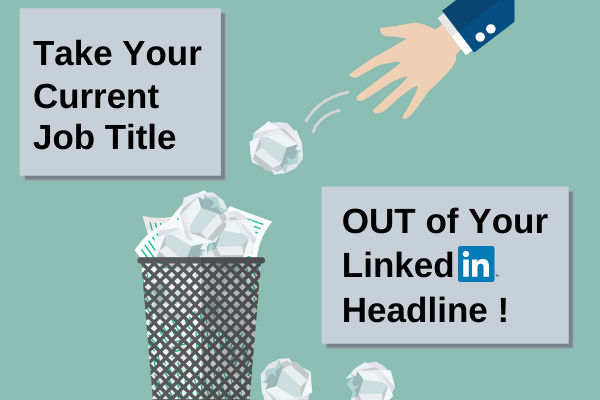
3 Reasons to Take Your Current Job Out of Your LinkedIn Headline

In this guest article by Laura Smith-Proulx, one of my favorite resume and LinkedIn profile writers, she talks about adding value to your Headline and not simply listing your title and the company’s name. After all, your profile isn’t about your company; it’s about you. Laura also provides great examples of strong Headlines.

Did you let LinkedIn put your current job in your Headline?

If so, you’re among the millions of LinkedIn users who fail to market their own personal brand.

Look around on LinkedIn and you’ll see the same scenario: too many people fail to uncheck that box in their current job that says “Update My Headline.”

As a result, you’re left with Sales Manager at XYZ Company or VP of Production at AB Manufacturing.

This could be one of the biggest obstacles in your job search! You’re MUCH more than a job title. With so many opportunities on LinkedIn to promote your value to employers, your Headline should be tuned more carefully.

Here are the 3 reasons why you should take your current job out of your Headline (and what to use instead):

Your Headline should market your personal brand, not your employer.

personal branding for LinkedIn

Your current job title probably does a poor job of representing your potential!

Not only was it designed by your employer, it also picks up your company name… and now you have a banner that clearly describes a position you may want to leave.

But if you design your OWN Headline, you’ll have a valuable opportunity to add a success story, keywords, and job titles that help others find you.

These Headlines show how you can “advertise” your skills for a future job search:

VP Sales & Marketing | 13 Winning Sales Teams Developed to Create #1 Market Performance | Global & US Revenue & Growth Strategies | Fortune-Ranked Technology, Government, OEM, Engineering, & Defense Markets

COO & VP Operations. Fast Turnarounds & Market Share Growth in EMEA, Americas, & APAC Regions. 299% Growth From New Revenue Streams, Corporate Contracts, & Transformation. Board Member, Mentor, Executive Sponsor

Your current job might not match your career goals.

Let’s say you’re aiming for the next level up in your career. By tuning your Headline for a promotion, you’ll come up in searches for the target job, not just the one you already hold.

This example shows how an Operations leader can show readiness for the COO position, referencing the skills they are already using and focusing on high-value keywords:

Healthcare Executive. COO-Level Authority for Clinical Operations, Patient Care Quality, Safety, & CMS Ratings. Relentless Drive for Excellence & Patient Satisfaction. Champion for Team Growth & Service Line Development

You can see that this Headline continues to mention Operations, making it possible to be spotted as a senior leader while leaving the possibility open to be found in searches for a COO.

No matter your career level, mentioning your desired role (which you can also add to the About section) helps show your intentions and position you more strategically as a rising leader in your field.

Your current job title is far too SHORT to describe your skills.

As described in The Surprising Problem With Your LinkedIn Headline, most Headlines that use current job titles don’t fill even HALF the 220 allowable characters.

LinkedIn SEO

This means you’re missing critical opportunities to further describe keywords and strengths. Remember, your LinkedIn Headline is a critical piece of LinkedIn Search Engine Optimization (SEO).

With a longer Headline, you’ll also gain the opportunity to switch out a few phrases or keywords to “test” which version produces more interest from employers.

These examples show Headlines that exceed 200 characters by adding insightful  details and leadership strengths:

Chief Strategy Officer. 45% New Growth From Corporate Direction, M&A, Product Strategy, & Operations Improvements. Customer-Centric Product Lines, Outreach, & Technologies Taking Regional Operation to US Powerhouse

Senior Director, Product Engineering – Driving Software Quality & Product Performance With Scalable Solutions. High-Productivity Engineering Team Leader Creating 13 Straight Quarters of Profit in Mobility Startup

Here’s how to remove the current-job default: go to your Experience section, select the pencil icon next to your name, and look for Update My Headline. Uncheck this box and hit Save.

There’s NO BETTER WAY to broadcast your personal brand than to craft a UNIQUE LinkedIn Headline!

By removing emphasis on your current job, you’ll free up space for a compelling, keyword-specific description of your skills and top career wins.

Out of the 3 components of a LinkedIn campaign the winner is…

It comes as no surprise to me that most people feel engagement is the most important component of a LinkedIn campaign. A poll conducted on LinkedIn clearly showed that almost half the voters (47%) agree.

The other two components are a branding/optimized profile, which garnered 29% of the votes and a focused network, which was narrowly beat out with 24% of the votes.

As a job seeker you might feel that having a branding profile is most important; and that makes good sense, especially if you’re trying to draw hiring authorities to it. Create it and they will come.

But how will you draw hiring authorities (recruiters, HR, and hiring managers) to your profile if you have an abysmal network? Someone with 87 connections will not create as many opportunities as someone with 500+ will.

Further, how will you show your expertise or thought leadership if you don’t engage with your connections. LinkedIn has stated that engaging with your network will increase your chances of appeasing the algorithm. In other words, a great profile and strong network still aren’t enough says LinkedIn.

So here’s the fact: they’re all important. And as one respondent to the poll surmised that choosing among the three “is like asking which of my children is my favorite.”

For me, the choice between the three is not that difficult. Engagement is what drives your LinkedIn campaign. But I also realize it’s tough for job seekers to put themselves out there; many have told me as much and it’s illustrated by their lack of engagement.

3rd place: focused, like-minded network

LinkedIn gives us mixed messages. On one hand it tells us to invite people we know and trust to our network. On the other hand, how do we create opportunities with a small network?

Job seekers need to look at building a network as a way to build relationships with people they DON’T know. Therein lie the opportunities. Only building a network with those you know and trust limits your ability to create these opportunities.

I see Introductions to potential connections as the ultimate gateway to possibilities. This requires strategy, though. As many LinkedIn pundits say, “You can’t just spray and pray.” You have to know who you want to connect with, who will help you in your job search.

One person called me on my definition of a quality network, which I call like-minded, where the people in your network have a lot in common. Said person claimed that my definition of a strong network is limited. They said like-minded would disqualified people from whom I could learn.

In my defense, I’m not suggesting that you only connect with people in your immediate family or friends. Those would be the people with 87 connections. When you’re in the job hunt you want to reach out to your former colleagues, people who work at your desired companies, recruiters in your industry, and the like.

I try to mix my network up with people in other industries like marketing, blogging, and academia. It wouldn’t make sense for the majority of my network to consist of engineers, lawyers, salespeople, accountants, etc. I wouldn’t be interested in their content, nor would they be interested in mine.

For people who make their living on the people in their network (I’m talking about career coaches, specifically), it makes great sense for them to branch out. Many career coaches I know have a diverse network of people who need their services. The occupations they don’t specialize in are referred to other career coaches.

2nd place: Your LinkedIn profile

Go figure, the profile isn’t as sexy as engagement. But I suppose this matters who you ask. Many of the people who chose engagement are those who are gainfully employed. The poll question begins with, “During the job search….” I guess this bit of clarification was overlooked.

Nonetheless, a profile that is optimized and brands you is important no matter your situation. Someone who’s in marketing or sales needs to be able to demonstrate their marketing or sales prowess to convince visitors of their credibility, correct?

A job seeker definitely has to have a profile that contains the proper keywords and delivers a value proposition. Branding is essential in the job search and this is where it starts. But branding also comes through thoughtful and consistent engagement. In fact, LinkedIn says your profile needs more than keywords:

More keywords aren’t always better – Our advice would be to avoid overfilling your profile with keywords and only include the keywords that best reflect your expertise and experience. If you integrate an extended list of keywords into your profile, it’s likely that your profile will be filtered out by our spam detection algorithms, which will negatively impact your appearance in search results.

I chose engagement as the most important component of the three. This leads me back to my statement above about thinking when you build it, they will come. Too many job seekers think this way. It’s like storing their resume on job boards like Indeed.com, Monster.com, and the others.

The winner: Engagement

I tell my clients that their profile is important, but it’s also important to engage with their network. Yet many of them don’t get it. I don’t think the “build it and they will come” attitude prevents them from engaging; I think they lack the confidence or don’t feel they have the right to express their expertise.

First of all, you have expertise in your field and, therefore, shouldn’t question your right to engage with your connections. One memorable client once told me this. He was the former director of communications for one of the largest school districts on the east coast. He was obviously a strong writer who had a lot to share.

My clients often ask me how they can engage with their connections. The first and most obvious way to engage is through personal messaging. You won’t reach as many people this way, but you can develop and nurture relationships.

Other ways to engage with your connections include:

1. Sharing and commenting on articles that will add value to them (just be sure to tag the writer of said article.

2. Writing long posts in which you express your thoughts and expertise.

3. Contribute to other’s long posts.

4. share photos and thoughtful captions.

5. and ask questions. These are a few ways to engage with your connections.

Easy peasy. Yet, it’s people like me and some of the others who voted for this component who are comfortable expressing their views. To call us exhibitionist would be crude, but maybe there’s a little bit of that going around.


In all fairness, I think the poll should have more clearly stated that those who voted must have thought about the LinkedIn campaign in terms of job seekers. Or at least more job seekers should have voted.

What some of the voters said

Virginia Franco: This is like asking which of my children is my favorite!!! No fair Bob McIntosh, CPRW! OK – if I have to pick I’d say the focused network – given that so many roles are filled through referral.

Hannah Morgan: Virginia Franco and Bob McIntosh, CPRW having a “meaningful” network is important. I don’t think that it necessarily needs to be consistent or Like-minded. Don’t we learn from those with diverse or different backgrounds? And how will we ever grow if we only “hang” with people who think like us? More importantly, growing our network with people who are in new industries or areas helps with survival (and career change).

Jennifer Bangoura: Wow! I am consistently surprised by these LinkedIn poll results – to me a focused network was the obvious choice, but I see I’m in the minority with that opinion 🙂 It seems like the other two options are of course important, but they ring a bit hollow if you’re not branding/engaging with the network you want to move into or galvanize. Interesting!

Jeff Young: 1st degree connection: Bob McIntosh, CPRW like many others, I think any ONE or TWO of these things is not going to make you successful. Therefore, I wish to cast my vote for all three. Since you forced me to vote for one above, I voted for Profile, because IMHO you have to start with that BEFORE you can work on the other two.

NAMASTE 🙏 🖖 Network And Make All Sorts of Terrific Energy

Maureen McCann: They’re interconnected.

1. You could have the best profile, but if you don’t engage with your network, then all you have is some window dressing.

2. You could have a focused-network, but if your profile is weak, you’re making a not-so-stellar impression on each person in that network

3. You could engage with people consistently, but if you are engaging with people outside your target, are you spinning your wheels and wasting a lot of time?

This is a tough choice, Bob. I want to pick all three!

If I had to pick, I’d say Branding/Optimized profile, with the hope you’d use it to network with your target audience and engage them consistently.

Ana Lokotkova: I’d love to choose all three, because all of these are important parts of a well-crafted LinkedIn strategy. I’m leaning a bit more towards consistent engagement for 2 reasons:

1 – It amplifies the results the other two can get you,

2 – It’s the one thing so many people overlook while focusing on the other two points. Consistent engagement is that one secret sauce that separates people who get great results out of LinkedIn from the ones who don’t see any results and wonder what they’ve been doing wrong.

Jessica Hernandez: That’s a tough one because as you said, they’re all important. However, if you’re engaging on LinkedIn and building your network but your profile is empty or weak you’re only holding yourself back. I think having a branded profile is the most important so that you have a strong presence to point your network to when you’re job searching.


Austin Belcak: Consistent engagement for me Bob McIntosh, CPRW! I know people who have professional headshots, custom cover photos, amazing About sections and…nobody finds them because they don’t put themselves out there.

I also know people with bare bones profiles who are consistently showing up and engaging with others. They’re getting tons of opportunities.

The most powerful way to leverage this platform is by showing up for others. That’s how you build the focused/like-minded network.

Jim Peacock: I think your branding needs to be the 1st step, so that when you go to network, you look your best. And when you do your “consistent engagement” your brand is still representing you. If you don’t get the branding right, then your networking and engagement is compromised.

Heather Spiegel: I echo what Maureen said! It’s hard to really choose one. However, to flip things, I think people spend the least amount of time on consistent engagement. Because it’s hard and sometimes it’s uncomfortable. However, building your network and consistently learning from the feedback and insights of your connections (and continually gaining comfort with sharing your unique value proposition) is invaluable in advancing your job search.

Sarah Elkins (she, her): Consistent engagement demonstrates your values and skills if you do it well. That means explaining why you’re sharing content, posting original content, and adding value in your comments.

This is far more effective than telling people what you do!

Photo by RUN 4 FFWPU on Pexels.com

3 tips on how to get LinkedIn users to see your recommendations

By Bob McIntosh


Raise your hand if you visit a LinkedIn user’s profile and get as far as the Recommendations section. Don’t feel guilty if you don’t. Rarely do most LinkedIn members travel that far down another member’s LinkedIn profile. I usually don’t.

Now raise your hand if you feel the recommendations you proudly tout on your profile are helpful or essential to your business. I don’t blame you if this request gives you pause. After all, the Recommendations section is anchored in the basement of your profile. It’s likely that even you have forgotten about this section. We tend to forget what we don’t see.

There was a time when Recommendations was one of the most valued sections on the profile. That time was so long ago that I can’t remember when this was the case. My LinkedIn historian, Kevin Turner, reminded me of when Recommendations were banished to the cellar of our profile, and we lost our ability to move all our sections about:

“Recommendations were banished to the bottom of the profile around 04.07.2018 when the New Look was established.  Around ~03.2017 we lost the ability to reorder, having the corresponding [recommendations] under each job, and the ability to pull it to the top of the profile.”

I believe there is a segment of the LinkedIn community who still believes in the value of Recommendations, particularly business folks who use them as testimonials. I recall some of my connections who would move their recommendations to below Summary—as it was called then—to highlight the excellent services they provided.

But I also believe recommendations on a job seeker’s profile is also of great benefit. Think about how some hiring authorities might be more interested in a candidate’s recommendations and not so interested in their skills and endorsements. Reading some stellar recommendations could lead to a telephone call and subsequent conversations.

So, how do you direct visitors to your Recommendations section? I put forth three solutions.

First solution: mention Recommendations in your About section

Given that your About section draws the attention of visitors, doesn’t it make sense to point your audience to Recommendations within this section? Unfortunately, we don’t yet have the ability to post links to Recommendations—similar to the links to our Current Employer and Education—so words will have to do.

Matt Warzel has this simple statement in his About section: “I’ve earned 740+ LinkedIn recommendations.”

Or you might want to give your visitors a taste of your recommendations by including a few excerpts from them. This is how I do it:

𝗪𝗛𝗔𝗧 𝗠𝗬 𝗖𝗟𝗜𝗘𝗡𝗧𝗦 𝗦𝗔𝗬 𝗔𝗕𝗢𝗨𝗧 𝗠𝗘 (𝗘𝗫𝗖𝗘𝗥𝗣𝗧𝗦 𝗙𝗥𝗢𝗠 MY 𝗥𝗘𝗖𝗢𝗠𝗠𝗘𝗡𝗗𝗔𝗧𝗜𝗢𝗡𝗦)

“Bob’s expertise regarding LinkedIn is second to none. He is always looking for ways to leverage the platform for the benefit of his clients and his approachable style makes it easy to work with him and understand what he is saying.”

“Bob is the real deal. With his consistently published articles, super actionable tips and daily dose of inspiration here on LinkedIn, Bob is really the King of all Things Career Related. He made an appearance on my weekly live broadcast a few months ago, and the audience loved him. No surprise why.”

There are two other excerpts from some of my recommendations I list in About . Following the excerpts, I direct visitors to my Recommendations section by writing: “⬇️ 𝐈𝐧𝐭𝐞𝐫𝐞𝐬𝐭𝐞𝐝 𝐢𝐧 𝐬𝐞𝐞𝐢𝐧𝐠 𝐦𝐲 𝐫𝐞𝐜𝐨𝐦𝐦𝐞𝐧𝐝𝐚𝐭𝐢𝐨𝐧𝐬? 𝐒𝐜𝐫𝐨𝐥𝐥 𝐭𝐨 𝐭𝐡𝐞 𝐛𝐨𝐭𝐭𝐨𝐦 𝐨𝐟 𝐦𝐲 𝐩𝐫𝐨𝐟𝐢𝐥𝐞 ⬇️”

Second solution: point visitors to your recommendations in Experience

If you want to include excerpts from your current or previous positions, they’ll make a splash as worthy accomplishments. As I tell my clients, “What others say about you weighs heavier than what you say about yourself.”

Susan took our marketing department to greater heights with her advanced knowledge of product marketing. She and her team increased revenue over the course of 10 years to the tune of $400 million dollars.

You can point your visitors to your Recommendations section in the same manner you use in About. Susan’s excerpt can be followed with: “To read additional testimonials, visit my Recommendations section.” Again, it would be nice to have a link bringing your visitors to recommendations.

Third solution: point people to your recommendations in Volunteer Experience

By this point, your visitors have traversed a great distance on your profile, but why not direct them here as well? I will read a person’s Volunteer Experience section if I want to know more about the work they’ve done. And yes, volunteer work is experience.

Again, the process is the same as it is in your About and Experience sections. Take another example of someone who has volunteered to perform duties for his alma mater:

“Jason put in endless hours developing the University of Massachusetts license plate initiative which has exceeded expectations by 30,000 participants. There are hundreds of thousands of cars donning UMass license plates. This is special.”

Jason writes: “To the full recommendation from the director of Alumni, scroll down to my Recommendation section. Can a say it again? It would be nice to have a link to Recommendations.


It’s unfortunate that you can’t move your Recommendations section to the top of your profile — like you could on your resume—or LinkedIn doesn’t allow you to link to it. For some people like Matt Warzel, he displays hundreds of recommendations to prove his work. I wonder if he would want to reorder his Recommendations section.

Photo by Andrea Piacquadio on Pexels.com

6 major reasons why it’s painful for me to read your LinkedIn profile

By Bob McIntosh

I’ve written or critiqued hundreds of LinkedIn profiles in my role as a career coach. Whether this impresses you matters not. I only mention this to let you know I’ve seen brilliant, so-so, and downright terrible profiles. In this article I’m going to address what makes a profile terrible.

You don't want to write your LinkedIn profile so it's painful to read. Here are 6 tips on how NOT to write your LinkedIn profile.

Don’t be offended if your profile falls under the following faux pas; not everyone has the gift to write their own powerful profile. Nor do they have the resources to hire a professional resume/LinkedIn profile writer (the two are mutually exclusive).

Let’s start at the top.

A painful background image

I experimented by searching for a Project Manager to see what the first profile would have for a background image. Much to my dismay the first one at the top of my list had the default one LinkedIn provides (below).

I say “dismay” because the person whose profile sports this background image presents an outstanding photo, which I’d show you if I weren’t afraid of retribution from said person. Why didn’t this person finish the job? Said person could have Googled “LinkedIn background images” to find a free one.

A painful photo

There are numerous photos that I find painful. Here they are in no particular order:

  1. The imposter. This photo is 10 to 20 years old. Come on, we al realize that people age. I’m not satisfied with the photo that depicts my age, but it is what it is.
  2. The over-the-top photo. You know these photos of people who are trying too hard to impress us with their creativity.
  3. The group photo. Not really a showing the group but someone who has an arm draped over their shoulder.
  4. The blurry photo. I can’t make out who the person is. This shows they don’t care about quality.
  5. The selfie. I’ve seen photos of people shooting selfies in their car.

These are only a few of the photos that make reading a profile painful. Trust me, it’s worth investing some money in your photo; it’s part of your personal branding.

A painful Headline

Some will tell you that the Headline is the most important section of your profile. In a poll I conducted on LinkedIn, 46% out of 1,176 voters concluded that the Headline is more important than the Experience (30%) and About (24%) sections.

I wouldn’t neglect this section if I were you. This is prime real estate that is weighed heavier than others in terms of keywords. Read this article if you need ideas on how to write your Headline: Is your LinkedIn profile Headline memorable? 5 ways to write it

A few painful Headlines include:

  1. Unemployed statement. Writing that you’re Unemployed, Seeking Employment, Open to New Opportunities, etc. do nothing for your branding. Save that valuable space by using the Open to Work badge LinkedIn provides.
  2. Your title and current employer only. If you have enough remaining space to show your value, it’s fine to state this. But it’s more important that you have keywords that help others find you. A branding statement is helpful, as well.
  3. The scatter-brained Headline. This Headline gives readers no idea what you do or want to do. Visitors must have a clear vision of your career direction and areas of expertise at least.

Here’s one from Elise Finn which is nicely written*

Director and Co-Founder of Nkuzi Change – helping large organisations unlock the potential of Middle Leaders through Coaching | Leadership Coach | Senior Exec in FTSE 100 Companies | She/Her

And read some of the best Headlines here.

A painful About section

Although the poll mentioned above might indicate your About section isn’t as important as the other two, it is extremely important. So don’t fudge on this one. The About section is read by people who want to know your story; it’s where you can describe your passion, excellence, and voice.

A painful About section looks like this:

  1. It’s your resume’s Summary. Enough said on this. I can see a person’s resume Summary a mile away. It’s short and devoid of first-person point of view and sometimes is full of cliches.
  2. It’s too brief. I wouldn’t assume that your About section should be as long as mine, but I will advise that it provides some value. Some visitors find this section to be of most interest, so don’t disappoint.
  3. It’s too dense. When I see a paragraph that’s 10 lines long, I ignore it. If I want to read something that long, I’ll read Moby Dick.
  4. There are too many keywords. Some people like to cram as many keywords in their About section in order to be found by recruiters who are looking for particular skills. It’s best to sprinkle them throughout your profile to create a flowing document.

I wrote a recent, comprehensive post on what a strong About section looks like, so I won’t go into great detail about what to include in yours.

A painful Activity section

If you’re wondering what I’m talking about, it means you’re not using LinkedIn for one of it’s greatest assets; allowing you to be heard. This is where I like to see that people have shared long posts, commented on what others have written, created polls, maybe written articles.

Read an article I wrote on 10 easy tips on how to communicate with LinkedIn members. In it I explain how to make your voice heard on LinkedIn through the aforementioned paragraphs.

A painful Experience section

This section is one of the most neglected ones on a LinkedIn profile. And I don’t understand why. Here’s where you can really tout your greatness through accomplishments that are hopefully quantified. If not quantified, you can qualify them using first-person point of view.

A painful Experience section looks like this:

  1. Only includes the bare basics. This means one’s title, place of employment, and months and years of tenure. Come on, show me the money! Give me some description.
  2. Like About, it’s the resume’s Experience section. Here’s where you want to include only the best of the rest. In other words, highlight the accomplishments and the accomplishments only. If you have mundane duties on your resume, no need to mention them here.
  3. It shows no character. Start creating your profile by copying and pasting your resume content to it, but then personalize it with, you guessed it, first-person point of view.

    For example, “The team I lead keys into the business priorities, builds learning experiences to amplify the superpowers of the organization, and crafts engagement experiences to retain and celebrate the employees who achieve incredible results. We have such a blast making Inspire a place where people feel connected and are stretched to reach new heights.” ~Madeline Mann
  4. You don’t utilize keywords. This is similar to your Headline where you simply write, “CEO at ABC Company.” Boring. Instead, write, “CEO at ABC Company ~ New Business Development | Global Strategic Relationships | Marketing and Sales

This article explains why you should ignore your Experience section.

A painful Education Section

Yes, your Education section can be painful. Many assume that LinkedIn wants you to write this section like it would appear on your resume. Wrong. You want to put some detail into it.

This is painful:

University of Massachusetts
Bachelor’s Degree, English

Here’s my colleague Stacy Thompson‘s profile’s Education section, which is much better:

Boston College
Bachelor of Arts Field Of Study Sociology, Pre-Law
Activities and Societies: Undergraduate Government of Boston College, AHANA Leadership Council-Event Planning Director, Voices of Imani Gospel Choir

Member of the Undergraduate Government
AHANA Leadership Council Member
AHANA Leadership Council Assist Director Event Planning
AHANA Leadership Council Director, Event Planning
Voices of Imani Member, Leadership Role

In case you’re wondering, AHANA stands for: African, Hispanic, Asian and Native American descent. I’m proud to say that Stacey is a member of our city’s Diversity, Equity, and Inclusion (DEI) committee.

A painful Recommendations section

I include this section because Recommendations (section) doesn’t get the respect it deserves. I recall when this section was considered to be one of the most popular among recruiters. Now it’s anchored in the basement.

Skills and Endorsements took its place as one of the criteria to have an All Star profile. Now S and E is also in the basement. There’s justice for you.

A painful Recommendation section looks like this:

  1. Poorly written recommendations. There are multiple typos and grammatical mistakes. Sharing them is just as much your mistake as the writer’s. You have the ability to send them back for revision.
  2. This section is all about you. So you have 20 recommendations. Great. But how many have you written for others? Are there crickets going off in your head?
  3. You got nothing. You’re so afraid of asking for recommendations that you literally have none to show. Which leads to….
  4. They’re old. The recommendations you have were written for you when you last looked for work, which was 10 years ago.

You might hate me for pointing out the faults of your profile, but I’m not writing this article for love. I’m writing it to make you better. When you write a strong profile–or have someone do it–it makes you think of your greatness. You need to think about your greatness.

*Elise has changed her Headline after this writing to include a tagline at the beginning of her Headline.

Photo by Andrea Piacquadio on Pexels.com

8 tips on how to write your LinkedIn profile About section, plus sample text

When I talk with my clients about their LinkedIn profile About section, I tell them it should tell their story. But that’s too vague. There’s more to your About section than this simple statement. Another way to explain this section is that it should encompass your overall value.

“Encompass your overall value?” you may wonder. People who understand what it means to encompass their overall value take the time to write compelling prose that clearly states their greatness. Yes, they don’t save all of their accomplishments for the Experience section; they present some of them upfront.

There’s more than showing your greatness to consider when you’re writing this important section for the first time or revising it. First, consider the following 8 tips. Then read about some ways you can write your About section.

Here are 8 tips to consider

1. Don’t skimp on your About section. If it’s similar to many of the ones I see, it lacks creativity. In fact, it resembles a résumé. This is what I call the bare minimum. You’re telling the world you don’t give a rat’s ass about your online image.

You’re allowed 2,600 characters—up from 2,000. It’s a lot, I know, but you’re not required to use all 2,600 characters. Some people write killer About sections with less words.

2. Make sure to include the keywords hiring authorities and other visitors are looking for. If you’re a project manager with expertise in Lean Sigma, list those words numerous times in your About section. It’s not only about the proper keywords; it’s also about density.

3. Write your About section in first-person point of view. In fact, write your whole profile in first-person to make it more personal. You can even write your Experience section in first-person.

4. Don’t be afraid to use some colorful symbols in your About section. It contributes to your personality. Just don’t over due it. You don’t want to distract your readers from the message you’re trying to deliver.

Karen Tisdell provides some symbols you can can copy and paste throughout your whole profile like 🔴 🌈 ✈️ 👉 I tend to be more of a black-symbol user; although, I have some color symbols in my About section, including a few 🏆s and a 👇.

5. Use some HEADERS to guide your readers as to what your paragraphs or bullets are describing. I use all-cap headers like JOB-SEARCH STRATEGY and WHAT MY CLIENTS SAY ABOUT ME (EXCERPTS FROM RECOMMENDATIONS 👇) to indicate exactly what I’m describing.

6. Keep your paragraphs short. Three or four lines should be the limit. I’ve seen About sections written like stream of consciousness. Dense paragraphs consisting of 10 lines will scare people away from reading your content.

7. Always include your contact information. At the very least list your email address. At best include your telephone number. Here’s the thing, hiring authorities aren’t going to spend time trying to find you. And, they might not be astute enough to look in the Contact Info drop-down under your name.

8. I saved the best for last. Use your About section to brand you. There is perhaps no better place to do this; you message must be compelling—who are you, what do you do, how well do you do it, and do your readers believe it? These are questions you need to answer.

Content

Intro paragraph

Three of the most important lines (approximately 50 words) are the ones that appear at the beginning of your About section; therefore they need to grab the reader’s attention and make them want to click …see more. I tell my clients they can talk about the following in their starter lines:

► A greater problem you solve
► What drives you in your occupation
► A question which you will address in the body

These will comprise your first paragraph. Here’s an example, from a salesperson in the LED lighting space, of the start of a great intro paragraph. He uses another approach for the intro paragraph by asking if the reader needs him, then explaining what he can do.

Are you looking for someone who can increase your ROI? With my product development, sales management, and channel management experience, I am a triple threat and will add great value to your company. I am a sales/product leader and global channel manager with a demonstrated history of working from startup to large… see more

Body of your About section

After your first and second paragraphs, it’s time to prove what you assert. Following is body content from a director of marketing. He chose to write his body highlighting areas of expertise, some of which follows what he wrote in his Header.

I offer:

►DEEP PRODUCT/TECHNOLOGY CAPABILITIES: My roots are in product management/marketing. This strength has enabled me to understand and market complex technologies and I have had success with a wide variety of innovative B2B and healthcare products, including data analytics, data prep, data integration, cybersecurity/compliance, telecommunications, and IoT platforms.

►DEMAND GENERATION SUCCESS: I’ve created modern demand generation engines that have led to fast growth (50% – 160% year over year growth). I’m experienced in different approaches, including account-based marketing, content marketing, digital marketing (SEO, PPC, email, website), product-led/freemium programs, and partner marketing.

►BRAND BUILDING / CATEGORY CREATION SUCCESS: I’ve helped companies become category leaders in the eyes of customers and industry influencers, such as Gartner and Forrester. Twice I have influenced Gartner to create new categories to reflect my company’s unique value. I believe customer advocacy and partner marketing are critical elements to making a brand grow.

►SALES/RESULTS FOCUS: Yes, I am a marketer, but I focus on driving sales results, not just marketing metrics. This focus permeates activities from buyer journey development to content generation and sales enablement. I’ve event built and managed business development and inside sales teams that generated $18M/quarter in pipeline.

►HANDS-ON CAPABILITIES: My hands-on capabilities span content development, campaign execution, marketing tech/CRM deployments, SEO optimization, ad campaign management, website optimization and more. I like to build and scale organizations, but I can do the job first to get things moving.

Note that my former client uses first-person point of view to add personality to his achievements. As well, he breaks down his achievements with all-cap headers. Finally, he provides some quantified results. And yes, he exceeds the three-line limit but only in one of his areas of expertise.

Concluding paragraph

Consider your About section a perfectly sculpted sandwich; the top bread is your intro paragraph, the middle is the roast beef and fixings, and the bottom bread is your concluding paragraph.

You need to tie it together with a paragraph that explains why you’ve written what you have above. I took the approach of ending my About section telling my readers that I get their plight.

I GET IT
If you’re unemployed, you don’t need to be told that being out of work can be challenging, both emotionally and financially. I know because I’ve been there. So I’ll be the last person to tell you to not feel bad. However, I will tell you that it’s temporary. I’ll also tell you not to go it alone.


Clearly there are many way to write your About section. Some choose to literally tell a story that describes their career trajectory. Others are all about the accomplishments. Some like to highlight their testimonials, which is a wise decision for entrepreneurs. However you cut it, your About section must demonstrate value and a reason for your visitors to read on.

Photo by Mikhail Nilov on Pexels.com

Your LinkedIn profile alone won’t get you an interview

Here are the 3 components of your LinkedIn campaign that will.

If you think your LinkedIn profile alone will get you an interview, you’re sadly mistaken. I wish it were that easy. Imagine that you could write a great profile and wait for the interview offers to roll in. Sadly, this is not the case; it takes more than just your LinkedIn profile to get to interviews.

This isn’t to say you don’t need a LinkedIn profile that is optimized with keywords and brands you with the proper message. It will have to show the value you’ll deliver to potential employers with strong accomplishments, preferably with quantified results.

Enough of the profile for now. You can read about how to create one at the end of this article. Let’s start with two components of your LinkedIn campaign that might be considered even more important than your LinkedIn profile.


1. Let’s talk about networking

It’s not evident to enough people that the foundation LinkedIn is built on is making connections and nurturing relationships. Yes, creating a strong profile is important, as is engaging with others; but building your LinkedIn network is essential to getting to interviews.

How NOT to Connect

The number one rule when connecting with LinkedIn members is to send a personalized invitation. There is no deviating from this rule. To click “Send now” lacks creativity and is lazy. Instead, always choose “Add a note.”

The following ways to connect will not give you the opportunity to send a personalized invitation:

  • “Your contact import is ready” and then choosing to send mass invites to your email contacts. You’ll find this option in the drop-down tab “My Network” on the top navigation bar.
  • “People you may know.” This option is also in “My network.” When you click Connect, your invite goes straight to the recipient. No chance to write a personal invitation.
  • Connecting with someone on your mobile app by simply hitting the connect button. This, like the aforementioned ways to connect will send along the default message.

The Correct Ways to Connect

Connecting correctly simply means taking the time to read a potential connection’s LinkedIn profile and then writing a personalized invitation. This is covered in step 4 below.

You can connect with second and third degree connections. You should focus on your second-degree connections first, but your might come across third-degree connections with whom you’d like to connect. For third degree connections, LinkedIn hides the connect request under the three horizontal boxes beside the message box.

Contrary to what many believe, you can connect with the LinkedIn mobile app and still send a personalized invite. It’s tempting to simply click “Connect,” but open the person’s profile first and then select the drop-down box. I’ve been guilty of accidentally hitting the connect button without going a person’s profile.

With Whom to Connect

Your LinkedIn network is your life blood. Without a strong network of people, you won’t be successful on LinkedIn. If you are weary of reaching out to people you don’t know, you’ll have to get over it. I tell my clients that the only way they’ll get to know people is by inviting them to their network, or accepting invites from the proper people.

LinkedIn members have opinions on how many people should be in their network. Some believe a smaller, more focused network is better; whereas others believe the more the better. How many people you have in your network is your prerogative.

Note: If you have less than 400 connections, you might not be taken seriously by some recruiters.

Regardless of how many people you would like to connect with, there are tiers of people you’ll want to approach. Note: these are interchangeable.

1st tier: Former colleagues and supervisors, as well as vendors, partners, distributors, etc. Connecting with these people first makes the most sense, as they know your work and can vouch for you.

2nd tier: People who work in your Target companies. Connecting with this group is your “in” to companies for which you’d like to work. Try to connect with people at your level or a someone who might supervise you.

3rd tier: Recruiters are an important group of people for many job seekers. I always suggest to my clients that they reach out to recruiters, as they have a pipeline of employers job seekers are unaware of.

4th tier: Same occupation, same industry. As an example, you’re an accountant in the manufacturing industry. You will search for other accountants in your industry.

5th tier: Same occupation but different industry. They have less in common with you, but can also be of assistance. A project manager in the software industry may know project managers in the medical device industry, and therefore can introduce you to them.

6th tier: Your alumni can be beneficial to you because of the bond you share–you attended the same university. This tier of people is particularly helpful to post grads entering the workforce who need connections to certain companies.

Tip: to get on someone’s radar or to be noticed by companies’ recruiters, follow said person and the the companies for which you’d like to work. Then comment on what your party of interests writes (this is discussed below).

How to Write Proper Invite Messages

The art of connecting with LinkedIn members is in the message you craft. There are essentially three types of messages:

The cold message. This is the most difficult to write successfully. In your message you need to provide a reason why your desired connection should join your network.

Using a reference. This message should garner success as long as the person you reference is well known and trusted by your desired connection. It’s important that your reference agrees to being mentioned in your invite message.

Asking for an introduction. This process is longer but involves sending a separate message or email to a trusted reference who can vouch for you. The person making the introduction for you must be a first degree connection with you and the recipient.

For the full article on how to send connection invites, read 3 Proper Ways for Job Seekers to Send Invites to Potential LinkedIn Connections


2. Be engaged, not just active, with your connections

To land an interview by using LinkedIn, you’ll have to show your areas of expertise or thought leadership. The key to doing this is engaging with your network and not just being active.

Write comments

To be engaged, you must read the post, interpret it’s message, and then Comment on said post. Do this first and then react to it. The poster will appreciate that you took the time to read their post. This can lead to further communications between you and the poster.

When you’re engaged, you elaborate further and demonstrate that you read the post, processed it, and respond to it in detail. For example:

“Great post, Susan. Your statement about a company lacking a social media campaign being akin to living in the dark ages really resonated with me. Facebook, Twitter, LinkedIn, Instagram, and other platforms can create that ‘like, know, and trust’ relationship between the company and its’ customers. You’re also correct in stating that all platforms should be connected, as well as linked to and from the company’s website.”

Note: always remember to tag a person with @name so they will be notified in LinkedIn’s Notifications. When you tag someone in a comment, their name will appear in blue.

Write long posts

To stay top of mind, your posts must show engagement. LinkedIn encourages you to share an article, video, photo, or idea. Take the opportunity to engage with your network by providing valuable content to them; content that elicits responses. A sign that you’ve succeeded would be the number of Likes and, more importantly, Comments you receive.

One type of update I find successful is asking an illuminating question. If you’re going to do this, be diligent in replying to your connections’ and followers’ responses. Failing to reply to your connections who answer your question does not demonstrate engagement.

Write and share your own articles

Writing an article with unique and fresh content shows you’ve considered what your audience would benefit from. My primary audience is job seekers and career coaches, so I write articles focusing on the job search and using LinkedIn in the job search. I know I’ve been successful when people react to what I’ve written.

Note: refrain from only sharing your own articles. This gives off the sense of superiority.

I include creating and sharing videos under being engage. This is not a new concept and requires feeling comfortable being recorded. If you are going to share videos, make sure you’re consistent and produce videos your network will appreciate.

Tip: by engaging with the public, your name and Headline will appear in your first-degrees’ timeline, thereby giving you more visibility. Further, if a second- or third-degree connection happens upon what you write, they can share it with their network.

Send direct messages

This is the most obvious way to engage with your connections. You won’t reach as many people as you would by commenting on others’ posts, writing long posts, etc, but it is a sure way to solidify relationships. I write or receive on average at least one direct message a day. These are people with whom I’ve developed a relationship.


3. Yes, you need a profile, and it needs to be strong

You need to know your story. As easy as this sounds, it might take some reflection. For example, are you pursuing similar work? What do you enjoy about your occupation? Adversely, what do you dislike about your work? Importantly, what value do you feel you bring to a company?

Questions like these are necessary to create a compelling profile that sends a strong message that brands you.

Writing your profile

The first rule is that you profile needs to be complete. When I talk to my clients about their profile, I use a checkoff list to guide them through the process. Although there are more than 10 sections that you need to complete, I’ll cover the most important five.

The Headline is a section that can tell visitors your value by your title, areas of expertise, and a branding statement if you want to add one. Here’s an example of one that I consider to be strong.

Career Change Advocate | Certified Career Transition Coach & Resume Writer | LinkedIn, Interview & Job Search Strategist | I help ambitious professionals shift out of soul-sucking work and into meaningful careers

It includes important keywords and adds a little humor in the branding statement. This article talks more about the ways you can write your Headline.

The About section should tell your story. It’s generally longer than a resume Summary statement. Written in first-person point of view, the first paragraph must grab the reader’s attention by talking about how you solve problems or what drives you in your occupation.

Following paragraphs can be examples of your greatness in bullet format. I prefer headers that are written in ALL CAPS to draw the reader’s attention to them. Here’s an example for a Information Systems Department Director who wants to highlight their ability to develop business:

BUSINESS DEVELOPMENT

  • Specializing in new project planning and achieving business objectives, I budget hundreds of thousands of dollars in project resources.
  • I Lead efforts that consistently generate sales exceeding $15K in a competitive pharmaceutical market.

Someone like this might have two or three additional examples of the value they can bring to employers.

Following the examples of what I like to call greatness, the profile writer might write about their client’s personality traits in the form of brief examples or even testimonials.

The Experience area is where you will take painstaking efforts to turn your duties into accomplishments. But before this, I like to ask my clients to give me a brief explanation of their overall responsibilities or even a mission statement. This is what I have on my profile:

I’m more than a webinar designer and presenter; I’m a career coach and LinkedIn trainer who constantly thinks of ways to better market my clients in their job search. Through disseminating trending job-search strategies, I increase their chances of finding jobs.

Here’s one example of turning a mundane duty into an accomplishment statement:

The duty: Used Lean methodology to increase productivity in a supply chain operation.

The accomplishment statement: I Increased productivity 80%—over a 3-month period—by employing Lean methodology in supply-chain operations. My CEO gave me kudos for this achievement.

Don’t be afraid to write some or all of your accomplishment statements in first-person point of view. Remember, you’re adding personality to this online document.

Education section. You earned Magna Cum Laude in university. I strongly suggest you include it in this section. As well, if you earned a degree while working full-time, include this in the description box. This makes the reader feel that you’re diligent and have strong time-management skills.

Skills and Endorsements. The reason why you need to focus on this section is because they will appear in recruiters’ premium package. You’re allowed to list up to 50 skills, but only list the ones that are relevant. And as far as endorsements go, they are looked upon favorably by recruiters. Want endorsements? Endorse others and hope they will return the favor.

Optimize your profile

Ensure your LinkedIn profile contains the proper keywords that will help you be found by recruiters and other visitors. The more keywords you have in heavily weighed sections, namely your Headline and job titles, the higher you’ll appear in searches.


Going beyond

Engaged—I’m brought back to the party analogy, where the person simply shows up and makes no effort to engage. I’m talking about going beyond the conversations you have with your LinkedIn connections. Yes, they constitute engagement; but there’s no effort to solidify the relationship.

Truly engaged—To truly show engagement, you must follow up with your connections. I have developed many relationships by reaching out to them via telephone, if they live a distance away, or meeting them, if they don’t live that far away. One of my connections and I had been exchanging discussions via LinkedIn. Yesterday we had our first phone conversation. Although we will not do business together, it was great finally “meeting” her on the phone.

4 Ways to Write a Knockout Headline

I put a friend to the test by having him tell me what I had just changed in my LinkedIn profile Headline. He couldn’t tell me. Which means he didn’t know what I had for a previous Headline. Which also means it wasn’t memorable.

Photo by Pixabay on Pexels.com

This begs the question if the Headline is so important, shouldn’t people remember it? The short answer is they should. A poll I conducted on LinkedIn, in which 1,883 people voted, concluded that the Headline is the most important section, followed by Experience and About.

Much has been written about the Headline. Some have opined on what makes a Headline strong. Today I’m going to suggest four ways to approach writing your Headline, none of which are wrong.

1. Keywords only

This is probably the most common way to write a Headline, and it was how I wrote mine back in the day. The purpose for doing this is to attract hiring authorities or business people to your profile when they do a search. It’s widely believed that the Headline is valuable real estate, carrying more weight than all the sections, save for your titles.

You can begin with your title followed by areas of expertise. Or perhaps you want to include multiple titles (guilty). Choosing the latter could spread you a bit thin. I went with titles that describe who I am:

LinkedIn Trainer | Career Coach | Blogger ~ LinkedIn and the Job Search.

Later I added a tagline and some awards when LinkedIn increased the character count from 120 to 220.

Note: I’m a strong believer that indicating you’re looking for work is a waste of space and, more importantly, doesn’t add value to your Headline. LinkedIn has made mentioning this fact unnecessary by giving you the option to wear the banner, “#OPENTOWORK.”

2. Tagline only

Those who feel comfortable being gainfully employed are more likely to write in their Headline a tagline similar to what would be listed on a personal business card. My valued connection, Austin Belcak, goes with a tagline:

I Help People Land Amazing Jobs Without Applying Online // Need Help With Your Job Search? Let’s Talk (Info Below👇)

Austin recently changed it to: I Teach People How To Land Amazing Jobs Without Applying Online // Need Help With Your Job Search? DM or Email Me For Coaching (Info Below👇)

This works well for him because his thing is emphasizing that searching online is not the way to go. Rather, one should tap into the Hidden Job Market by researching companies and then networking their way into said companies.

Another way to write your tagline is to begin with a question such as, “Ask me how I can consistently increase your revenue by 150%.” This serves as a viable hook.

3. Tagline and keywords

This is my preferred way of writing a Headline but as I said, it’s subjective; and you have to be comfortable with how you present yourself.

Tagline first, keywords following

One element of a strong Headline is a tagline–a sentence that stands out because it says what you offer employers or business partners. It effectively brands you by accurately depicting who you are and the value you’ll deliver.

A tagline with the previous 120 characters was hard to pull off, but now you have the space to comfortably include a tagline, albeit not too much space.

Where do you list your tagline, at the beginning or end of your headline? I suggest listing it first for the WOW factor. The keywords are important for searches. They are what helps hiring authorities or potential business partners find you. But the tagline is your value statement.

One thing to consider is that your photo and headline appear in people’s feed. We’ll call them your first impression. However, your whole headline doesn’t show; LinkedIn users seeing your first impression see approximately 70 characters or 10 words.

To illustrate what they’ll see, here is a segment of my colleague, Ana Lokotkova‘s headline: Helping hustlers tell their career stories & get hired | Career Advi…

Ana recently changed it to: I help a good candidate become the right candidate for the right opportunity | Career Advisor | LinkedIn Personal Branding | Resume Writer | Interview Coach | Speaker | YouTube Video Creator

This is now what visitors see when they initially search for her “a good candidate become the right…” get hired is made very clear. I can relate to this. Here’s the complete headline:

I help a good candidate become the right candidate for the right opportunity | Career Advisor | LinkedIn Personal Branding | Resume Writer | Interview Coach | Speaker | YouTube Video Creator

Keywords first, tagline after

Austin Balcak, suggest listing your keywords at the beginning of your profile. He calls them your hook. He writes:

“[A killer Headline is a] keyword filled overview of your role/abilities followed by an illustration of value (preferably with measurable metrics). For example, let’s say we’re a sales person in the market for an account executive or sales manager role. Our headline might look like this:

Account Executive, Business Development, Sales Manager | Helping SaaS Companies Accelerate Revenue To $10M+ In ARR

The beginning of the headline is packed with relevant keywords and the second half of this headline creates a clear illustration of the value we bring to the table.”

This approach is also good in theory, and many headlines I’ve seen lead with keywords. This method clearly says what the person does and their areas of expertise. They are an Account Executive, Business Development, Sales Manager.

The hybrid model (keywords, tagline, keywords)

Another option is starting your Headline with keywords, dropping in a branding statement, and then concluding with keywords. This is the Oreo method with the cookie (keywords) sandwiching the branding statement (cream). I go with this method because keywords do matter.

Career Coach ◆ LinkedIn Trainer ◆ Online Instructor ◆ Blogging Fanatic 👊 I’m on the frontline fighting 𝗧𝗵𝗲 𝗚𝗼𝗼𝗱 𝗙𝗶𝗴𝗵𝘁 against unemployment 🏆LinkedIn Top Voices 2019 | Avid Walker #LinkedInUnleashed

Opposed to the Headline I sported when we where only allowed 120 characters, I feel my current Headline (220 characters) delivers a stronger message.

4. How about a little color

You’ll notice that I include some emojis in my Headline. Other LinkedIn members do this as well. The emojis can be black or colorful. Mine includes both. Whether you use color or not, emojis draw the reader’s attention to your Headline. My advice is to use colorful emojis judiciously.

Here are some examples from people who employ color in their Headlines.

Kelli Hrivnak Recruiter partnering with companies to hire Digital Marketing & Technology Talent | Dream Team Builder 🏆 Career Growth Catalyst ✨

Gillian Kelly Bland and boring are lousy career strategies. ✩Talent Brand-builder ✩ LinkedIn Top Voice ✩ Award-winning Resume Writer ✩ LinkedIn Profile Writer ✩ Future of Work Nerd 🎤 Speaker 💙 More kindness.

Steve Levy 👋 Engineer turned Recruiting mentor (but not a “former engineer”) 👐 Humanity rules 🌊 ex-Jones Beach Ocean Lifeguard (way better than ex-MAANG) 💻 68 69 72 69 6e 67 20 74 65 63 68 20 2d 20 72 65 6d 6f 74 65


Here we have the four ways you can write your LinkedIn profile Headline. Again, none of them are wrong. Depending on your goal, you might choose a particular style. Job seekers, for instance, might go with keywords only; whereas those who are gainfully employed could opt for tagline or tagline/keywords.

Checkout the list of the top 100+ LinkedIn voices job seekers should follow, where you will find the Headlines for each person.