Tag Archives: LinkedIn

The differences between the Summary sections of your LinkedIn profile and résumé–Part 3

resume linkedin

In part 2 of this series, we looked at the differences between the résumé’s Core Competency and LinkedIn’s Skills and Expertise sections.

One of the most noticeable difference between the résumé and LinkedIn profile lies in the Summary. Simply copying and pasting your résumé’s Summary to your profile without any further action is poor laziness and cheating yourself of a great opportunity to show your value to visitors and potential employers.

As well, this is a great opportunity to tell your story, express your passion for what you do, and show your creativity.

Today’s résumé’s Summary is taking on a more concise, yet informative, presence.  This is due, in large part, because people who are reading a large volume of résumés value brevity over verbosity. Whereas the LinkedIn Summary grants you 2,000 characters, the résumé’s Summary is usually no longer than 500 characters, preferably shorter.

Your Résumé. Brevity without fluff and clichés are key to the success of your résumé’s Summary. As the cliché goes, “You must say more with less.” The goal is to express your overall value and promise for future success. Consider the following Summary that is three lines on paper and approximately 280 characters:

Senior Accountant with cross-functional expertise in all phases of accounting, including electronic processes
Manager—up to 18 staff—increasing productivity through clear communication and expectations
Operational skills in high-volume environments; consistently increases annual discounts taken in excess of $100K 

Some believe a Value Proposition should replace the typical Summary. Here is an example of a Value Proposition that immediately states one’s value.

Throughout my career, I’ve been hired to increase productivity by at least 50% at companies that required someone who identifies problems and attacks them with an eye on a quick and effective resolution.

My leadership style is fair, while also placing a demand for excellence on those who embrace a cooperative environment. Those I mentor have commented on my ability to see opportunities and act with conviction. (412 characters)

LinkedIn Summary. The LinkedIn Summary allows you more real estate to tell your story and/or state your immediate accomplishments. It’s your decision whether to enjoy the complete space allowed (my Summary is 10 characters short of the maximum) or be more concise.

I reiterate,  it’s a mistake to simply copy and paste your résumé’s Summary to your LinkedIn profile, as it should be:

  1. More creative and personable; remember LinkedIn is for networking and should read almost like a conversation.
  2. Be written in first or third person point of view, though first is preferred by most.
  3. Written with paragraphs, resembling a story format—or bulleted statements, resembling quantified results and easier to read.
  4. May be the only major section fully read by visitors, if your Experience section simply states your title, company information, and dates of employment.

One of my favorite examples of a LinkedIn Summary is from Louise Kursmark, a professional résumé and LinkedIn profile writer. Her paragraph format begins with:

I wear a lot of “hats” in the résumé/careers field, having honed my expertise during a long career as a résumé writer, career consultant, speaker, author and trainer.

EXECUTIVE RÉSUMÉ WRITING My expertise and my passion! I work with executive clients worldwide, creating highly strategic career-marketing documents that communicate credibility, expertise and value.

WORLD-CLASS RÉSUMÉ TRAINING As founder and director of Résumé Writing Academy, I have guided dozens of professionals through a rigorous training and testing program to sharpen their strategic thinking and writing skills. Our students truly EARN the prestigious ACRW designation!

Louise continues to use most, if not all, of the 2.000 characters allowed for a profile Summary. The content of this excerpt  begins with an overall statement of her career achievements and talks about her accomplishments in her writing and worldwide training.

On the other hand, Martin Yate, author of the Knock em Dead series, prefers a bullet-formatted direct impact approach to writing his LinkedIn profile Summary. Here is an excerpt of his Summary:

DOCTORS SAVE LIVES, I MAKE THEM WORTH LIVING, this what is I do, this is my life:
I have been delivering résumés, job search and career management advice for 27+ years; and LinkedIn profiles and SEO for the last three years.
Ive helped people get their first jobs after graduation and helped them climb to V.P. level in Fortune 100 companies and now I’m helping their children climb the same ladder of success. If you want better control of your career I can help.
If you are facing career challenges, I write the most effective résumé/LinkedIn profile you could ever own, and I GUARANTEE you’ll get INTERVIEWS IN 30 DAYS.
80% of companies use LinkedIn to recruit, so your profile needs to tell a convincing story and it must rank high enough in recruiters database searches, to be found. I can create a profile that is both credible and visible.
PROVE THIS TO YOURSELF: Do LinkedIn searches for LinkedIn coach, Linkedin profiles, Linkedin profile writer, LinkedIn SEO, LinkedIn writer etc and youll find me at the very top in every one.
Do the same test for a variety of résumé writer or career coach terms and you’ll get the same results…. at the very top in every one.

Unlike Louise, Martin has a little space left in his Summary, but both Summaries far exceed the character count you’d find in a résumé Summary. One thing for sure is that their Summary style effectively describes their story and expertise.

Readers of résumés want quick and easy. Visitors of your LinkedIn profile want a networking document, not a rehash of your résumé. Don’t disappoint the readers and visitors on any count. In the next post, we’ll look at the differences between the Experience sections of the résumé and LinkedIn profile.

The difference between the résumé’s and LinkedIn profile’s skills sections–Part 2

resume linkedin

Part one of this series addresses the differences between  LinkedIn’s and the résumé’s first impressions; the photo and Branding Statements. This post will address the differences between the résumé’s Core Competency and LinkedIn profile’s Skills and Endorsements, which are distinct in their own way.

LinkedIn enthusiasts create profiles that are dynamic, while others who don’t understand the purpose of LinkedIn, simply copy and paste their résumé  to their profile and call it a day; done, complete, finito.

That’s not enough if you want to attract visitors to your profile, including potential employers. If you believe your LinkedIn profile is your résumé, you are mistaken; there are distinct differences.

Of the résumés I critique on a daily basis, I notice that many people neglect to include a Core Competency section. This is a mistake, for this section provides an ideal place to highlight the must-have skills for a position, as well additional skills that can be a tiebreaker.

If you’re sending your résumé to large or mid-sized companies that uses an applicant tracking system (ATS), the Core Competency section is a great place to include those keywords. Skills that are easy to scan by human eyes and keywords that will be captured by the ATS are the goals for this section of your résumé.

Here’s an example of a Core Competencies section from an operations manager’s résumé:

Strategic Business Planning Project Management Cross-Functional Team Building IT/IS~Human Resource Issues Employee Benefits Risk Management Hiring, Training & Coaching Negotiations Research & Analysis Financial Modeling Business Modeling Portfolio Management Acquisitions & Divestitures Policies & Procedures

LinkedIn places a great emphasis on skills/areas of expertise as evidenced by its Skills and Endorsements area. This section allows you to list as many as 50 of your strongest skills. In addition, your first degree contacts can endorse you for any of your skills with a simple click. (The jury’s still out on the value of Endorsements).

The most obvious difference between the résumé’s Core Competencies and LinkedIn’s Skills and Endorsements is the quantity you would include on your LinkedIn profile vs. your résumé. The example of the operations manager’s above lists 15 core competencies, a good number for someone in that position.

On the other hand, the Skills and Endorsements example below lists close to 50, which would be far too many for a résumé. This is LinkedIn’s attempt at encouraging its members to tout their skills and expertise, as well as increase the keyword count.Skills and Endorsements

Another noticeable difference are the tidbits of information provided under the covers of LinkedIn’s Skills and Endorsements feature. If you click on a particular skill or expertise, you will be brought to a page that suggests jobs you may want to pursue, people with whom you could connect, and groups to join. I find this particularly useful if I want to connect with someone who has experience with LinkedIn, as well as other expertise.Information from Endorsements

I think you’d agree that LinkedIn’s Skills and Endorsements feature is interactive, whereas the résumé’s Core Competencies
section is not. This adds to Linked”s dynamism.

The next post will address the differences between the résumé’s and LinkedIn’s Summary statements.

2 differences between the Résumé and LinkedIn Profile–Part 1

resume linkedinI tell attendees of my Advanced LinkedIn workshop, “Your LinkedIn profile is not your résumé.” It’s important for me to say this, as some of their LinkedIn profiles resemble their résumé. I can spot a copy-and-paste a mile away.

A LinkedIn “résumé” gives off a generic look rather than a unique document that makes LinkedIn a powerful tool for the job search. Potential employers are not looking for a rehash of your résumé; they’re looking for more, another look.

Let’s examine two differences between the résumé and profile.

The most obvious difference between the résumé and LinkedIn profile is the Photo. Because LinkedIn is a networking application and the résumé is a job search document, here is one major difference. A photo on your LinkedIn profile is necessary, as it enhances your brand. It may tell visitor you’re creative, sincere and compassionate, a leader, ambitious, serious, etc.

As well, a profile with a photo is more trustworthy and memorable. A recent statistic states that a profile with a photo is seven times more likely to be opened.  I for one will not open a profile if it lacks a photo, unless it’s someone I know.

I tell my attendees that despite their fear of age discrimination, a photo is necessary to network. Imagine attending a networking event where people walk around with a paper bag on their head. Not very personal.

The headline is second on the list of differences between the résumé and LinkedIn profile. An Advanced résumé must have a branding headline that immediately tells potential employers that you are the right person for the job. The headline is a simple line or two of what you do and some of your areas of strength. Here’s an example of a position-specific branding title:
Marketing Specialist 

Public Relations ~ Vendor Relations ~ Staff Supervision ~ Web Design ~ Event Coordination

Look at another branding headline that is written for a similar job:

Marketing Coordinator

Social Media | Trade Shows | International Travel | Increased Production | Graphic Design

Your LinkedIn profile has a branding headline that is similar to your résumé’s headline, save for the fact the profile isn’t written for a specific job. It needs to include more general skills/keywords. You may choose to use a branding statement instead. The same position may resemble this:

Marketing Specialist with expertise in Public Relations, Trade Shows, Vendor Relations, Web Content,
Event Coordination;
leading to increased visibility and profitability for your company.

Furthermore, the branding headline adds to the keyword count for those whose résumé will be sent through an applicant tracking system (ATS). As well it makes being found on LinkedIn more possible with key skills of your occupation and industry/ies.

In the next post, we’ll look at the differences between the résumé’s Core Competencies and the LinkedIn Skills and Expertise sections.


9 features of a professional résumé…and thoughts on Italian food


My wife and I recently ate at an Italian restaurant in the North End of Boston, where I had Linguine Alla Pescatore and Caprese Salad (with fried tomato). To say the food was out of this world would be an understatement. The atmosphere was authentic and boisterous, the waiter attentive.

What does fine Italian food have to do with a professional résumé? It’s akin to a WOW moment you want the employer to experience when she reads your professional résumé. So what separates the extraordinary from the ordinary? There are nine distinct features of a professional résumé. Continue reading

The third of 3 steps for a successful LinkedIn campaign: being active

linkedin2

Previously we looked at connecting with others on LinkedIn, the second step for a successful LinkedIn campaign. Now we’ll look at being active on LinkedIn.

I tell my LinkedIn workshop attendees that one of my colleagues jokes that I need an intervention. Not for use of an illegal substance; no, an intervention for use of… LinkedIn. Too much use.

This little joke elicits laughter from my attendees, but I secretly wonder if there’s truth to his words. If using LinkedIn 365 days a year, including holidays, is considered abnormal; then I might benefit from an intervention.

This post is not about refraining from using LinkedIn often. To the contrary, this post is about the necessity of being active on LinkedIn. How many hours should they dedicate to LinkedIn many of my workshop attendees asks me.

There’s not a set number of hours or minutes you must dedicate to LinkedIn; but to be be productive on LinkedIn, you can’t sit idle. Here’s what you must do:

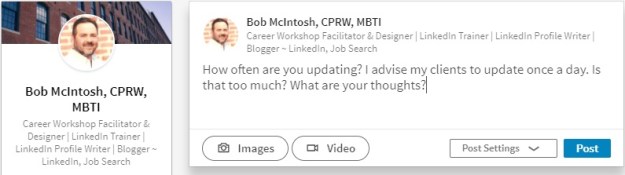
1. An obvious way to be active is to communicate with your connections by posting Updates. How many you post is up to you, but I suggest at least one a day. This is when I get remarks from my attendees about not having time to make one update a week.

To prove this is not a tall order, I show my attendees how I update providing tidbits of job-search advice, asking a question, or sharing an article I find educational. I tell them it’s important to share relevant information with their connections; that’s what good connections do.

2. Another way to be active is to “Like” what your connections update; or, better yet, comment on your connections’ updates. Liking their updates is great, but it takes very little effort to simply click the link. Be more creative and add a comment which can generate discussion, or reply to your connections privately.

3. I’ll visit my connection’s profiles–with full disclosure–many times a day. My connections will visit my profile many times, as well. When they “drop in” and have disclosed themselves (not Anonymous LinkedIn User or Someone from the Entertainment Industry), I’ll show my appreciation by writing, “Thanks for visiting my profile.” This will also lead to a discussion.

4. You’ve probably read many opinions from people on the topic of Endorsements–here we go again. Add me to the list of people who prefer receiving or writing thoughtful recommendations as opposed to simply clicking a button. And I’m not alone.

But, in fairness, Endorsements have a purpose greater than showing appreciation for someone’s Skills and Expertise; they act as a way to touch base. In other words, they’re another way to communicate with your connections.

5. Let us not forget your groups which give you another, significant way to be active. Participating in discussions regularly is a great way to share ideas with established and potential connections. I’ve gained connections because of the interests we shared revealed by discussions.

Did you know you can communicate directly with anyone in your group? That’s right, you don’t have to be a first degree in order to communicate directly with even a third-degree member. Trying to get the ear of someone out of your network? You may want to join a group that person is in.

6. If your connections blog and share their posts on LinkedIn, take the effort to read their blog posts and comment on their thoughts. This is an effective way of creating synergy in the blogging community. Now you can express your thoughts using LinkedIn’s Publishing feature. Take advantage of this if you have the ability to write and enjoy sharing your ideas.

Sharing blog posts on LinkedIn and making thoughtful comments in your groups can promote you as a thought leader in your occupation and industry. Don’t be shy about sharing your expertise. Employed or unemployed, you have important information to share. LinkedIn is not only about connecting; it’s also about information capital.

7. Pulse is one of the best ways to stay abreast of news in your selected industries (or channels), influencers, and publishers. LinkedIn delivers news to your homepage every day. And you choose which news you want to receive. When my workshop attendees wonder what they should update, I tell them sharing articles of common interest is a great way to start.

8. Companies feature. I saved one of the best features for last. Companies epitomizes networking on LinkedIn. It allows you to find people who are in a position to help you. It encourages you to be proactive. In my workshops I show people how to find people who have the authority to hire them by:

  1. Selecting a company for which you’d like to work;
  2. choosing second degree connections;
  3. typing keywords in Advanced Search;
  4. choosing “current” for currently working there;
  5. typing the person’s title, and;
  6. indicating the company’s geographic location.

Once you’ve located the person with whom you’d like to communicate, you can ask for an introduction from one of your first degree connections who is connected to said person.

These are some ways you can be active on LinkedIn. The first step is to create a presence with your profile, followed by connecting with others on LinkedIn, and finally being active. Combining all three will lead to a successful LinkedIn campaign.

The first of 3 steps for a successful LinkedIn campaign: creating a presence

linkedin2Some of my LinkedIn workshop attendees have told me they were encouraged to join LinkedIn because LinkedIn is the answer to their job search. I cringe when I hear this because what they were told is only partly true.

Being on LinkedIn will increase your chance of getting a job, but it isn’t a guarantee, especially if you don’t understand what it takes to be successful on LinkedIn.

I tell my workshop attendees their LinkedIn strategy involves 1) creating a presence, e.g. your profile, 2) connecting with others, and 3) being active. Without all three, your LinkedIn campaign will crash and burn.

Creating a presence. Let me make this easy for jobseekers who are starting their LinkedIn campaign. Leverage what you’ve already created, your professional résumé, by copying and pasting it to your profile. However, don’t stop there. After doing this you need to revise it to reflect a networking document.

Many pundits have written about how to create a powerful profile, so I’ll simply outline the necessary components:

Your Snapshot area is where you capture readers’ attention with your quality photo and branding headline. Don’t waste this area with a poorly done photo and a headline that simply states your title at your previous job. Both your photo and headline can brand you–a photo that shows you’re a professional and a headline that states your strong areas of expertise.

Let’s not forget how your headline can contribute to the keyword count. These are the skills recruiters/hiring managers/HR type into Search. Having the proper keywords and more instances of them will rank you higher and, consequentially, garner more visitors.

Make your Summary worth reading by writing it in first- or third-person point of view; include some Wow statements; and express your passion for what you do. You’re allowed 2,000 characters for your Summary, so use them all. This will allow you to tell your story, as well as give you more space for those ever important keywords. For more on this, read 4 reasons why you need a strong LinkedIn Summary.

Your Experience section can resemble your Work History from your résumé or you can simply highlight the accomplishments. I favor the latter, but some think their profile might be the only document an employer sees, so showing all is the way to go, duties included. One of the areas weighed heavily for keywords is the position’s title. You’re not limited to your title; you can add some areas of strength as well.

Ex. Project Manager | Budget | Lean Six Sigma | Cost Reduction | Leadership

The Media section is where your profile can be really dynamic. I tell my workshop attendees that it’s their online portfolio. There are a number of different media you can include in your Summary, Experience, and Education sections. On mine I share PowerPoint presentations and a link to my blog. Others, like my valued connection Anton Brookes, have YouTube videos and/or documents.

Your Education is more than what you include on your résumé. It allows…or rather encourages you to expound on your degree and/or training. Along with the traditional information–college or university, dates attended (optional), GPA (also optional)–you’re given the option to include Activities and Societies, as well as Description.

Next we’ll look at the second of three components necessary for a successful LinkedIn campaign, connecting with other LinkedIn members.

Don’t disappear from LinkedIn, my valued connections

disappering

How to stay in touch with your LinkedIn connections.

I connected with a childhood friend on LinkedIn about a month ago. It was like a reunion where we caught up on good times, exchanged professional information, and were happy to reconnect. For the last two weeks, though, I haven’t seen hide nor hair of him.

What’s funny is that his profile was respectable; nay strong. He even used the media feature in his Experience section. He put real work into it and wrote to me, “I don’t know why people think building a profile is so difficult. All you have to do is play with it.”

But this post isn’t about the best way to build a profile; there have been many posts on this topic. What I’m constantly wondering is where are the people? The people who seem to be going strong, like my childhood friend, but suddenly disappear as if they’ve gone on an extended vacation.

One of the most important aspects of networking—online or personal—is maintaining a presence. I tell my LinkedIn workshop attendees to update at least once a day. That’s correct, once a day. This is how you communicate with your connections and…stay on their minds.

Of course there have to be viable reasons for updating daily. It’s not like you can write, “I’m off to the beach; let’s meet up,” like you might on Twitter. No there must be intelligent and professional topics on which to update.

Let’s start with the most common:

  • Sharing articles—One of my favorites, especially articles from which people will learn. A good source for articles is Pulse.
  • Writing articles—I know, scary. But if you like writing, LinkedIn makes it possible to share your writing via Long Posts with your connections…and their connections.
  • Posting quotes—Some enjoy doing this. I’m not a big fan.
  • Writing about skills you’re developing—Great for jobseekers to show their value.
  • Letting people know what classes or conferences you’re attending—Perhaps you can meet up with people while you’re in DC.
  • Hosting an event—One of my connections hosts business networking events and uses LinkedIn to announce his events.
  • Provide tips—This demonstrates your expertise.
  • Ask questions—Ask illuminating questions that generate replies.
  • Are you leading workshops—Updating is a great way to promote them, as well as strengthen your brand as a workshop facilitator.
  • A great book you’re reading—Keep it professional. Because LinkedIn eliminated its Reading List feature, you might want to let people know you’re reading Twitter 2.0, for example.

Maybe updating on a regular basis is not your thing. You might simply want to:

  • “Like” what others update.
  • Write a short comment to someone’s post.
  • Thank people for visiting your profile.

The point is to be active and maintain your presence. It’s really not that hard, my valued connections.

I guess what I’m saying is I miss you. You are part of my network, so don’t disappear like a poof of dirt. Are you getting tired of LinkedIn? Are you spreading yourself too thin? Did you feel forced to join? Be persistent because, as you know, success only comes to those who work hard.


Photo: Danielle Nelson, Flickr

11 reasons why we are a community on LinkedIn

communityTwitter has been called a “community.” It’s an appropriate designation for this open-ended platform that asks, “What are you doing and thinking?” Twitter is a place where people go to talk, offer advice, ask questions; but mainly talk–and all within 140 characters, including spaces.

LinkedIn, on the other hand, isn’t heralded as a “community” as much as a professional network, where people connect for business and job search possibilities. But a community?

Although LinkedIn doesn’t promote itself as a community of followers who want to know what you’re doing, LinkedIn is a strong community from which my close connections and I derive many benefits. Here are 11 reasons why LinkedIn is a strong community.

  1. We help each other. Whether its posting an article that points out important information on the job search or answering a question from a connection or providing advice on professional branding or generating sales leads; LinkedIn is about making people better.
  2. We celebrate each others’ successes. Nothing satisfies me more than to see someone land a job or announce a speaking engagement or gain some business. A community celebrates the successes of its members.
  3. We don’t disappear. My reliable connections will rarely drop off the face of the earth, not to be heard from for months. If they take a reprieve, I’ll write, “Great to see you again on LinkedIn” upon their return. Occasionally people need a break.
  4. We join and participate in groups.  At the moment, for example, I’m engaged in a group discussion which has been going for approximately two weeks. There are 40 responses multiple “Likes” to the discussion I started. It’s a nice conversation that’s taken a life of its own. Being a member of groups is truly a feeling of community.
  5. We are professionals. “Fun” is a word associated with Twitter. But LinkedIn?  I love LinkedIn for its professional business approach to online networking which is devoid of conversations you’d find on Twitter. To me, LinkedIn’s approach to professional networking is fun.
  6. NofoulWe enjoy LinkedIn’s reputation. In almost every article you read, LinkedIn is lauded for its use by recruiters and hiring managers to find talent, not to mention its use for relationship-building in business. No foul language or inappropriate conversation allowed.
  7. We display professional photos. The majority of the members in my community understand the importance of a professional photo. I will not accept in invite from LinkedIn users who don’t have a photo; it’s pet peeve of mine.
  8. We keep no secrets. Honesty is my policy when it comes to visiting someone’s profile. In my community most people feel the same. For those who don’t, I ask why? I don’t bite.
  9. We blog. Many members in my LinkedIn community blog and eagerly share our posts with each other. We find this a great way to demonstrate our expertise. I enjoy reading the works of my community and commenting on their opinions.
  10. We update on a regular basis, as well as communicate in other ways, such as “Liking” and commenting on updates. People in my community know I’ll thank them for visiting my profile (related to #7) by simply writing, “Thanks for stopping by.”
  11. We reach out to each other. My connections in my community are bona fide ones, because we reach out to each other via phone, if long distance, or in person. Twitterers converse online without the pretense of networking face-to-face.

These are but 11 reasons why LinkedIn is a community. When I think of it as a community, I think of my connections who appear on my homepage on a regular basis, reminding me of the impact they have on my LinkedIn involvement. Thanks I say to those who contribute to my community.

10 signs your job search resembles The Middle

The middleOne of my favorite TV shows is ABC’s The Middle. You know, the show about a family struggling just to get by. The character I like best is Brick, the youngest of the Hecks who is a genius yet oddly strange. (“Oddly Strange,” he whispers to his chest.) I also like Mike who my kids say I resemble, until I threaten to cut off their food supply.

Watching The Middle reminds me that some people conduct their job search as if it’s…The Middle. How, you may wonder? Think about the way the family never seems to get ahead, how their lives remain the same; and despite the fact that the show makes us laugh, we find it somewhat depressing. This is my point. There are 10 signs of your job search that resembles The Middle.

  1. No game plan. Does this not describe the Heck family to a T? Having a plan and goals also means you need to know what job you want to pursue, which can be the most difficult part of the job search for some. Without a plan, you’ll have no direction, which is essential if you don’t want to be stuck in The Middle land.
  2. A résumé that fails to brand you. Most important is writing a résumé that is tailored to each job, showing employers you can meet their specific needs. A Summary that fails to attract the attention of the reader, lacking a Core Competency section. no accomplishments to mention; are all signs of a The Middle job search.
  3. No online presence, namely LinkedIn, the premier social media application for the job search. At least 87% of recruiters/employers use LinkedIn to find talent, so if you’re not on LinkedIn you’re definitely hurting your chances of advancing in the job search.
  4. cover letter that doesn’t excite. You’re writing cover letters that fail to express your personality and are, well, boring. Worse yet, you’re sending form cover letters that don’t show you meet the specific requirements of the job. Further, you’re a believer of not sending cover letters. The Middle material for sure.
  5. Only applying online for positions. I’m not saying not to use job boards, but don’t use them as the foundation of your job search; networking still is, and will be, the most successful way to find employment. Don’t be fooled into thinking that sending out hundreds of applications will advance your job search…definitely reminiscent of The Middle.
  6. Networking isn’t part of your vocabulary. If you’re not going to networking events, meet-ups, or connecting with everyone you know, you’re missing the boat. Networking is proactive and a great way to uncover hidden opportunities at companies/organizations that may be hiring.
  7. Informational interviews are alien to you. The goal behind information interview is networking with people who are in your desired industry and selected companies. Impressing the people with whom you speak can create opportunities that might include being recommended for a job developing in the company, or may lead to speaking with other quality connections.
  8. Following up with potential connections is missing from the equation. You’re great at meeting people at networking events or other places to connect. You promise to e-mail or call your connections. But you don’t. This is a sure way to be stuck in The Middle, where nothing seems to change.
  9. Preparing for interviews as an afterthought. Oops, you go to interviews without having done your research on the position and company. You think you can wing it because you know your business like no one does. You’ve heard of behavioral-based questions but aren’t too concerned. You don’t get the job because of your lack of preparation.
  10. Not sending a follow-up note clearly says you don’t care. And simply thanking the interviewer/s isn’t enough; show the interviewers you were listening and engaged by mentioning some points of interest or revisiting a question you didn’t elaborate on. If you want to remain in The Middle, don’t send a follow-up note. But if you want the job, show the love. And no form thanks-yous please.

The Middle teaches a good lesson about how we need to put more effort into the job search. Doing a few of these activities does not make a successful job search; they must all be done to shorten the search. Can you think of other components of the job search that are necessary to make it a success?

If you enjoyed this post, please share it on LinkedIn and Twitter.

11 ways to communicate with your LinkedIn connections

A blast from the past, but well worth repeating. I’ve added one more way to communicate with your connections.

Having a strong LinkedIn profile is essential to being found by other LinkedIn members and employers, but you’re job isn’t complete unless you’re communicating with your connections and the LinkedIn community as a whole.

business_communication

I tell my LinkedIn workshop attendees that I spend approximately an hour a day (it’s probably more) on LinkedIn. Their faces register surprise; and I’m sure some of them are thinking, “Does this person have a life.”

Part of the workshop is about explaining the need to communicate with their connections because networking is about communication.

1. The most obvious way to communicate with your connections is to message them directly. Awhile back LinkedIn changed the way we message our connections. Now, our messages are a running stream beginning when we first started a message.

It took a while to get used to, for me, but now it’s nice to have a history of a conversation I have with one of my connections. In addition, the ability to begin a message is available on every page you’re on. This is an obvious sign that LinkedIn wants you to communicate with your connections.

2. Another great way to communicate with your connections is by is posting Updates. How many you post is up to you, but I suggest at least one a day. This is when I get remarks from my attendees about not having time to make an update a week.

Update oftenYou’ll notice that LinkedIn has given its members the ability to create and post videos. Although a nice feature, not many people are using it. This feature is similar to what Facebook has offered for many years.

3. Another way to communicate with your connections is to “Like” their updates. Liking their updates is great, but it takes very little effort to simply click the link. Like, Like, Like. Be more creative and add a comment which can generate discussion, or reply to your connections privately.

4. I’ll visit my connection’s profiles—with full disclosure—many times a day. My connections will visit my profile many times, as well.

When they “drop in” and have disclosed themselves (not Anonymous LinkedIn User or Someone from the Entertainment Industry), I’ll show my appreciation by writing, “Thanks for visiting my profile.” This will also lead to a discussion.

5. You’ve probably read many opinions from people on the topic of Endorsementshere we go again. Add me to the list of people who prefer thoughtful recommendations, both receiving and writing them, as opposed to simply clicking a button.

But, in fairness, Endorsements have a purpose greater than showing appreciation for someone’s Skills and Expertise; they act as a way to touch base. In other words, they’re another way to communicate with your connections.

6. Participating in discussions regularly is a great way to share ideas with established and potential connections. Yes, I’ve gained connections because of the values we shared as revealed by discussions.

Just today I connected with a great resume writer who impressed me with comments she made regarding a question I asked from my homepage.

7. If your connections blog, take the effort to read their posts and comment on their writing. This is an effective way of creating synergy in the blogging community, but blog posts have made their way into the Updating scene, as well.

The majority of my Updates are posts that I’ve read and commented on.

8. I turned 50 yesterday. Not surprisingly I received happy wishes from some of my connections. When your connections have an anniversary (work, that is) or have accepted a new job, you’ll be alerted and be given the opportunity to communicate with them.

A small gesture but nice to recognize your connections and generate some discussion.

Take it a step further

So far I’ve written about how you can communicate with your online connections. You can’t lose sight of the fact that an online relationship will not come to fruition until you’ve reached out and communicated with your connections in a more personal way.

9. A very simple way to extend your communications is by e-mailing them. I know, it doesn’t require a lot of effort, but it’s another step toward developing a more personal relationship.

Because you are connected by first degree, you have access to their e-mail address, access which can come in handy at times. Note: LinkedIn users can disclose their email to anyone on LinkedIn, not just their first degrees.

10. Naturally the second act toward strengthening your relationships is to make that daunting phone call (for some it is a big step), Let your connections know, through e-mail, that you’ll be calling them.

Write the reason for the call, such as explaining who you are and what goals you have in your professional life. Nothing is as awkward as dead air and running out of things to say, because the recipient of the call is caught off guard.

11. Finally comes the face-to-face meeting at a place that is convenient for both of you. If your connection lives in a distant location, you may suggest getting together when you’ll be in their city or town. Plan to meet at a coffee shop or a personal networking event if your connection lives close by.

When you meet in person with a connection, he/she becomes a bona fide connection. This is the ultimate way to communicate with a LinkedIn connection. It may not happen often, particularly if he/she lives a great distance from you, but when it does possibilities may present themselves.


Having a great profile is not enough. It’s a start but only the beginning of communicating with your connections. I’ll write LinkedIn profiles for people, and they might have questions about what to do next. Sometimes it’s your activity on LinkedIn that really makes the difference between standing still and realizing success.

Did you like this post? Please share it if that’s the case.