The Best Way to Direct Visitors to Your Important LinkedIn Sections

Raise your hand if you visit LinkedIn members’ profiles and get as far as their Additional sections. Don’t feel guilty if you don’t. Rarely do most LinkedIn members travel that far down the LinkedIn profile. I usually don’t.

Accomplishments2
Photo: Flickr, Amit Shetty

Now raise your hand if you list your volunteerism, publications, projects, patents, organizations, and other noteworthy achievements. I think I’m hearing crickets?

Quite honestly I don’t blame you if you didn’t raise your hand to the questions above. After all, these major achievements (classified by LinkedIn as Additional) are buried in the basement of your profile; they can’t be moved. (I wrote about this here.)

I wonder if LinkedIn users even know if these additional achievements exist.

Note: these achievements were once bundled in what was called Accomplishments but are now separate, as they should.

The question now is how do you alert visitors of your LinkedIn profile to your major achievements?

One solution: mention them in your About section

You can write about your outstanding projects and other notables in your Experience section, which is a good policy. However, I suggest making note of them in your About section.

About is most likely the first section visitors will read. Unlike your resume, it is more personal and, in my mind, more enjoyable to read.

Enjoyable in what way, you might wonder? In About you can: provide a creative hook in your first three lines; express your passion for what you do; describe the problems in your industry and how you can solve them. It’s a section where you can tell your story. Read what I wrote about here.

How to point your visitors to your Additional sections

Given that your About section can draw the attention of visitors, doesn’t it make sense to point your audience to your major achievements? Unfortunately, we don’t yet have the ability to post links to them, so words will have to do.

For Projects you can write a brief statement:

“If you would like to read about my outstanding projects in Landscape Architecture, scroll down to Projects.”

Perhaps you Published a book or article. Offhand I can think of three of my close connections who’ve written books, Jim Peacock, Brian Ahearn, and Donna Serdula. The could write in their About:

“Do you know I wrote a book called (name of book)? Well, you can find it in the Publications section at the bottom of my profile.”

Many of my clients have Patents for products that they’ve created in their career. This can’t go unnoticed. If you’ve own patents, draw your visitors’ attention to them:

“I’m proud of the patients I own in the field of medical devices. They’re listed in my Patents section below.”

College students should make use of the Courses they’ve taken and Test Scores they’ve achieved. If you earned outstanding Honors and Awards, use About to point visitors to them.

Other types of accomplishments not obvious unless you point your visitors toward them include: Languages, Test Scores, and Organizations. You now have the idea of how to help your visitors find what can be a bona fide feather in your cap.


Recently I shared a long post titled: YOUR LINKEDIN ABOUT SECTION IS MORE IMPORTANT THAN YOU THINK. This post is relevant because it shows how others feel about the importance of the About section. Thus, it can be a vehicle for directing your visitors to notable achievements.

10 LinkedIn New Year resolutions I know I WILL achieve

Like many people, I dislike New year resolutions, mainly because we rarely achieve them. But this year I’m going to set some resolutions that are attainable. The resolutions I vow to achieve are ones that relate to LinkedIn. These are ones I can do.

2020

I also hope my resolutions will benefit other LinkedIn users, namely job seekers; that they will emulate them. The following are 10 actions I will take in 2020.

1. Reach out to more people in a personal way. Admittedly of the nearly 4,000 connections, I haven’t met, in person, most of them. I plan to meet at least 40 of them. I will be a guest speaker at the Merrimack Valley LinkedInLocal, so this will be a great opportunity. Zoom and Skype count as making a personal connection.

2. Spread the word to people on LinkedIn. There are too many young adults and older adults who are not benefiting from LinkedIn. Sure, they have a LinkedIn account, but they’re not using it as it should be used.

Many people erroneously believe that a profile loaded with keywords will draw the attention of hiring authorities. Read 3 ways job seekers will be found on LinkedIn.

3. Get a newer photo taken. In 2016 I wrote an article entitled 4 ways your LinkedIn photo is an imposter. It feels as though my current photo is now an imposter. I’m thinking that my new one will be more theme-based, maybe one of me talking to a client. I’m not sure yet.

4. Produce even better content. I was awarded one of LinkedIn Top Voices for the content I delivered in 2019. I will continue to write articles, posts, and even videos for the upcoming year, but they will be more focused and relevant. Trending stuff.

5. Be more consistent in posting. Related to number 4, I aim to post at least four articles on a weekly basis. I will also follow my own words and improve how I comment on other’s posts. Sure there will be times when I will only react, but quality comments mean so much more.

6. Become a better curator. There are LinkedIn members who curate other’s content like pure champions. People like Mark Anthony Dyson, Hank Boyer, Sarah Johnston, Hannah Morgan, and Susan Joyce come to mind. Then there are others who only share their content. The ones who only share their content tend not to garner as many viewers.

7. Make my network even more focused. It’s important to create a like-minded network. I’ve done my best to do this, but there are many in my network who are…”dead wood.” They are not like-minded and, therefore, the content we share isn’t relevant.

8. Update my profile. I said earlier I’m going to update my photo but like many, I don’t visit my own profile as often as I should. I need fresh material and to add accomplishments to my Experience section.

9. Follow LinkedIn changes. Admittedly I don’t follow LinkedIn changes as best I can. I’m sure you’re familiar with the feeling of visiting LinkedIn and noticing something has changed, whether it’s small or big. My friend Keven Turner keeps me up to date on these changes.

10. Spend less time on LinkedIn; think quality, not quantity. I estimate that I spend close to an hour, if not more, on LinkedIn per day. I’m also on it every day of the week. The only time I wasn’t on LinkedIn were a few days when I vacationed in Italy. This will be the toughest one.


I’m sure I haven’t covered all I need to improve upon. So I will continue to add to this list of resolutions throughout the year. As a practice, I’m not a fan of New Year resolutions. I haven’t set any for my personal life. Better habits will be developed over time.

I’m curious if you have New Year resolutions for 2020. Feel free to list them in the comment section below or comment on LinkedIn.

Photo: Flickr, cg “Chasing the Light”

18 reasons why companies should hire mature workers

I woke up this morning with the same neck pain that’s been plaguing me for two weeks. I developed the pain when I was toweling off after a shower and WHAM, it felt like someone stuck a knife in my neck. Sometimes life sucks getting older.

CEO

I may be getting older, but I’m not too humble to say I’m good at what I do. I get to work early and often leave late. If it weren’t for the fact that I’m driving my kids around town almost every night, I’d probably take on another job. I like working and know many people my age who do as well.

So I wonder why some companies are downright ignorant and won’t hire mature workers like me. Don’t they realize we have a wealth of experience and a truckload of accomplishments, not to mention life experience that allows us to handle small problems our teenagers can’t? Don’t they know mature workers want to work?

One of my favorite workshops that I lead is called Mature Worker. In this workshop we laugh, kvetch, and sometimes cry about our unemployment status. What we wonder is why employers don’t see the value we bring to the table. Yeah we have experience that younger workers don’t, but we have much more:

  1. We can party. That’s right; we can party with the best of them. We just don’t do it the night before work and especially the night preceding a trade show.
  2. We are dependable. Did you ever notice who’s always at work and always on time? That’s us. We don’t have the responsibilities we once had when we attended school events, stayed home during snow days, and tended to our children when they were sick.
  3. We have better taste in music. Lady Gaga? AC/DC, Bob Dylan, Led Zeppelin, and U2 are more our style.
  4. We’ve been there done that. We’ve made our share of mistakes; and unless we’re total morons, we don’t repeat them. This speaks to our life experience.
  5. We have no life. Well, that’s not totally true. When my daughter comes home for college break, I see her maybe three hours at most. We’re less likely to come in with a hangover is a better way to put it.
  6. We can still talk on the phone. Our interpersonal skills are exceptional, because we aren’t texting all the time like our kids are.
  7. We know technology. Case in point, a 60+ year-old jobseeker told our Mature Worker group that he had saved his former company considerable time when he reduced a process from 60 minutes to 6 minutes by converting a program from Java to C++.
  8. We work smarter, not harder. “Done right the first time” has real meaning with the mature worker. Let others work at break-neck speed and repeat their actions; don’t take our focus and steady work as being slow.
  9. We’re great at customer service. We’ve waited in line at Wal-Mart, McDonalds, and other places where cashiers were distracted by their coworkers of the opposite gender. We realize how important it is to satisfy the customer.
  10. We’re confident in our skills. We know we can lead projects, coordinate teams of 25 people, run a global marketing campaign, etc. Can we still do a bicycle kick? Hell no.
  11. We are composed. Many of us have been through the ringer. We’ve suffered losses. We’ve raised our kids to be responsible individuals. This life experience has prepared us to keep our heads and remain calm.
  12. We can laugh at ourselves. So maybe my memory isn’t what it used to be, but it was funnier than hell when I wore two different shoes to work. No problem, I had an extra pair in my cube.
  13. We cope well. See number 12.
  14. We’re mature. We appreciate a good time or two, but the office is professional. Gone are the days when I would toss the Nerf football around the office or put Vaseline on my colleagues’ telephone receivers or put rubber eyeballs in the water cooler. (That was a good one.)
  15. We’re everywhere. Have you ever noticed that a large majority of CEO’s, presidents, VP’s, and managers are mature workers? You can’t get rid of us…unless you want the ship to sink.
  16. We’re great mentors. Perhaps it’s because we’ve had our share of screw-ups that we don’t want our younger colleagues to do the same. We’ll try to prevent this as much as we can.
  17. We want the company to succeed. This is a better way to say we’re loyal; but let’s face it we don’t plan to jump ship after one year on the job.
  18. Our work ethic can’t be beat. I ask my Mature Worker workshop participants how many of them grew up cutting their neighbors’ lawns, rather than playing Call to Duty or putting a dent in their parents’ couches.

I don’t know when my neck will feel better or when I’ll reduce my walking time, but I know that, like fine wine that ages with time, I’ll only get better at what I do on the job. As time goes on, I’ll impart my wisdom, level-headedness, and sense of humor on those who are less fortunate than mature workers.

If you have additional reasons why employers should hire mature workers, let me know in a comment below.

Photo, Flickr, CEO Headshot

9 major areas where your LinkedIn profile brands you

It’s safe to say I’ve critiqued or written hundreds of LinkedIn profiles. What’s most important in a profile is that it brands the LinkedIn member; it sends a clear, consistent message of the value the member will deliver to employers. Does your profile brand you?

linkedin-alone

In this article we’ll look at nine sections of your profile where you should focus on branding yourself. When you accomplish this, you’ll have a profile that will help you land a job.

1. Snapshot Area

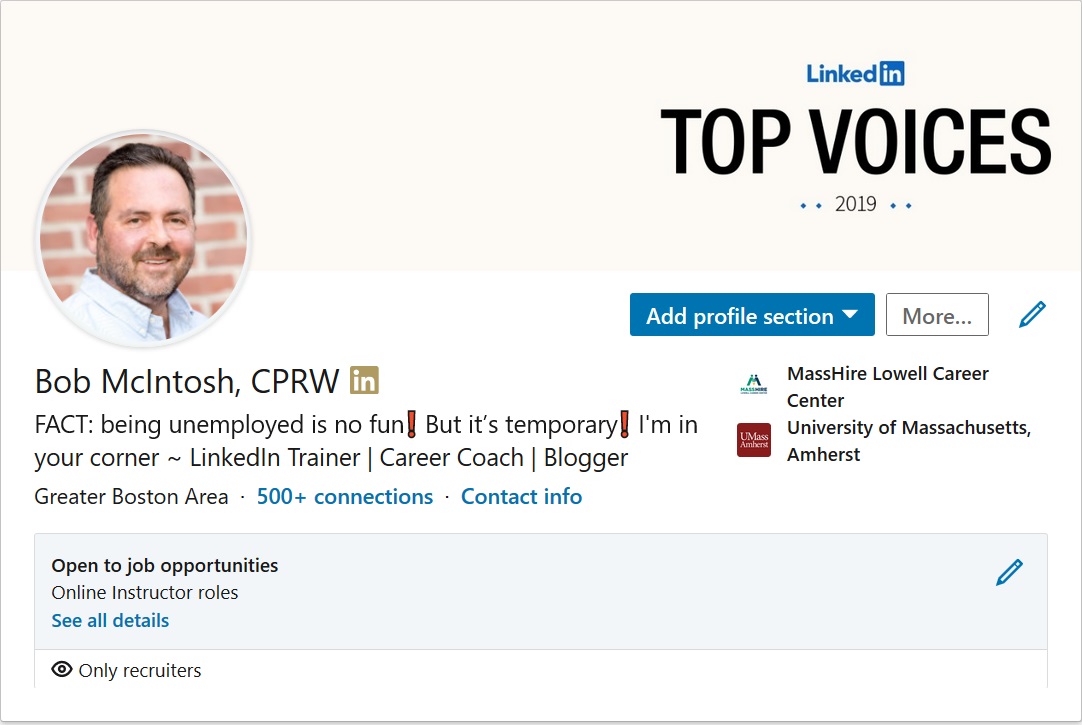
I call this section the Snapshot area because that’s exactly what it is: a snapshot of who you are. This section includes your background image, photo, and headline as the major components which have an immediate effect on your branding.

New Snapshot Bob

Your background image can serve to brand you by letting visitors know the type of work you do. For my background image, I display my LinkedIn Top Voices recognition. Other members might use a background image that speaks more to their personal interests.

If you think a photo is unnecessary, you are sadly mistaken. A profile sans photo gives the impression you can’t be trusted. In addition, people won’t recognize and remember you. LinkedIn says profiles with photos are 21 times more likely to be viewed than those without.

Perhaps most important is your headline. It’s what people first read about you and can determine if they open your profile. It might be enough for someone to accept an invite from you if written well.

Headlines that say things like “Seeking Employment” or “Finance Manager at Company X” are ineffective, as they fail to show value.

Rather, your Headline should brand you like this: “Finance Manager at Company X | Financial Planning and Analysis | Auditing | Saving Organizations Millions.”

2. About Section

This is where you tell your story, which can include the passion you have for your occupation, a statement about your expertise, or even explain how you’re changing your career. Here’s how your profile can brand you.

  1. It allows you to tell a story that can include the, why, what, who, and how. In other words, why are you passionate about what you do, who you do it for, and how you do it. Similar to your résumé’s Summary, you should list accomplishments that immediately speak to your greatness.
  2. Your About section is written in first- or third-person point of view, giving it more of a personal feel than your résumé’s Summary.
  3. It is significantly longer. You’re allowed 2,000 characters to work with, which I suggest you use.
  4. Finally, you can highlight rich media such as video, audio, documents, and PowerPoint presentations.

Read this article that describes how to craft a kick-ass About section.

3. Articles and Activity

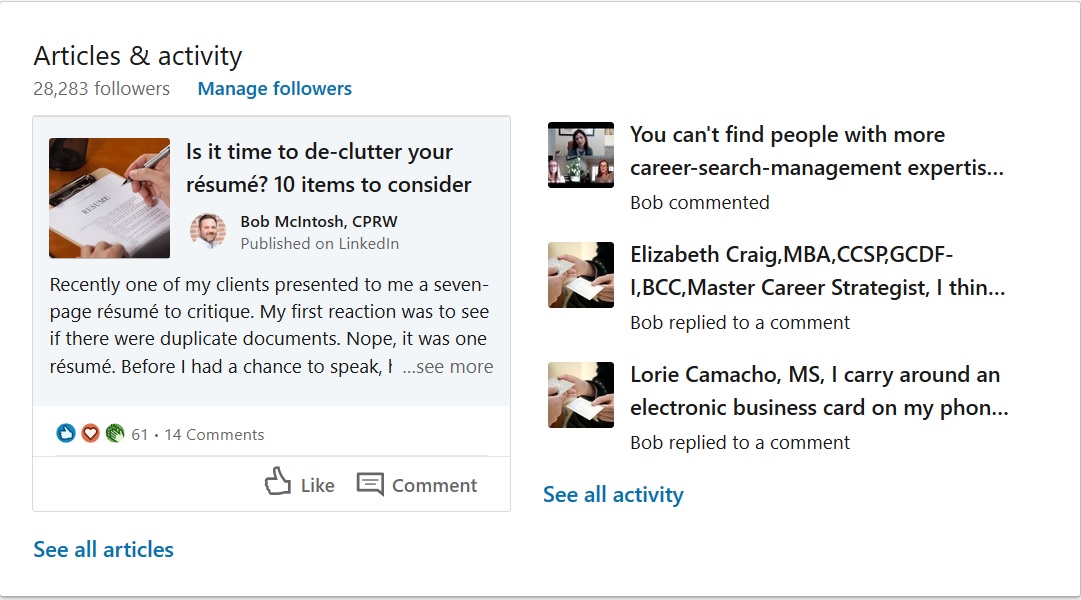
When I review people’s profiles, I pay special attention to this section. It tells me how engaged a person has been on LinkedIn. To brand yourself successfully, you want to show that you’ve engaged with your connections. Do you have to write articles? That would be ideal but not necessary.

Articles and activities

I will click “See all activity” to see how if a person is a player on LinkedIn. If I see the person hasn’t used LinkedIn in months, I will not be impressed; neither will hiring authorities.

4. Experience

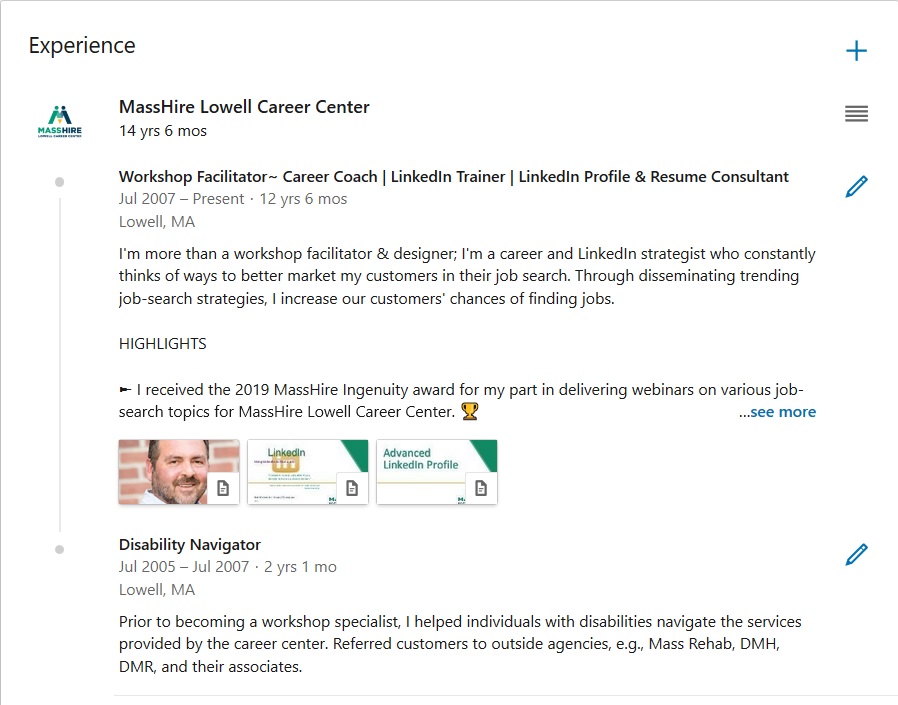
Bob Experience

I’m often asked by job seekers how they should address the experience section of their profile. I tell them they have two options: They can either write a section that resembles the work history found on their resume, or they can use their experience section to highlight only their most important accomplishments.

I favor the latter approach, but some think their profile might be the only document an employer sees, so they believe showing all is the way to go. What’s most important in building your brand is listing accomplishments with quantified results.

Good: Increased productivity by implementing a customer relations management (CRM) system.

Better: Initiated and implemented – before the deadline – a customer relations management (CRM) system that increased productivity by 58%.

It’s a good idea to use bullets to highlight your accomplishments. One of my LinkedIn connections, Donna Serdula, has created a handy list of bullets and symbols you can copy and paste for use on your own profile.

5. Education

Many people neglect this section, choosing to simply list the institution they attended, the degree they received, and their date of graduation. This might be the norm for resumes, but LinkedIn gives you the opportunity to further support your brand by telling the story of your education.

Take Mary who completed her bachelor’s degree while working full-time – a major accomplishment in itself. If she wants to show off her work ethic and time management skills, she might write a description like this:

University of Massachusetts, Lowell, MA
Bachelor of Science, Mechanical Engineering, Magna Cum Laude

While working full time at Company A, I attended accelerated classes at night for four years (two years less than typically expected). I also participated as an instructor in an online tutoring program, helping first-year students with their engineering classes. I found this to be extremely rewarding.

6. Volunteer

Build your brand by showing visitors that you are utilizing your skills and developing new ones. It’s fine to volunteer for what I call “a good cause,” but to show people you’re serious about your occupation, you’ll volunteer at a host agency that requires your expertise.

(If you volunteer for a significant amount of time, I feel it’s fine to list this experience in your Experience section, as long as you write “Volunteer Experience” beside your job title.)

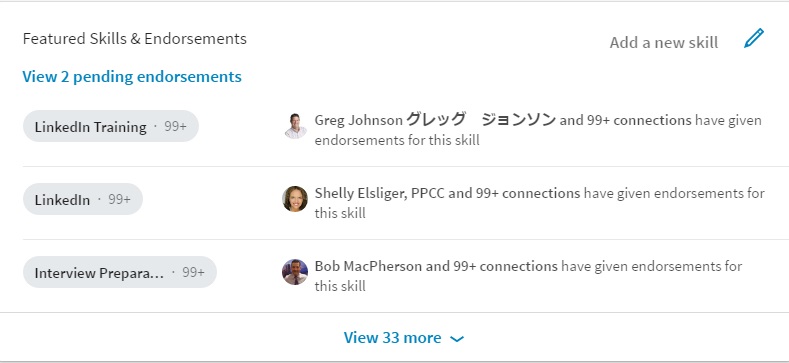
7. Featured Skills and Endorsements

A healthy Skills section consisting of 30-50 skills is another way to strengthen your brand. The skills you decide to list should demonstrate your expertise. Do not list skills you are simply familiar with.

To further enhance your brand, the skills may be endorsed by your first-degree LinkedIn connections. If you’re unsure as to which skills to endorse, here is a previous article of mine that can help you.

endorsements

8. Recommendations

This is a section I talk about in my LinkedIn workshops, and I always stress how valuable it is to receive recommendations from others, as well as write them for others. By receiving recommendations, you show the value you bring to employers. Meanwhile, writing recommendations shows your authority and what you value in workers. Either way, recommendations are a great way to brand you.

9. Accomplishments

Certifications, Organizations, and Projects are listed under Accomplishments. Prior, they had their own real estate, but now they’re buried under this header. And yes, they must be expanded like most sections.

You can still brand yourself by pointing out in your About section a project or two that you completed on time and under budget while managing a team of six.


These are just some sections on your LinkedIn profile that contribute to supporting your strong personal brand. I’m curious to know about other sections that can brand you.

Next read 5 Types of People You Should Connect with on LinkedIn.

This post originally appeared on Social-Hire.com. 

No job is permanent: 20 career-development pundits weigh in

This article is the result of a post I wrote recently, answering the question, “What was the best career advice you received from someone?” Currently, there are close to 84,800 views, more than 850 reactions, and more than 130 comments. I’ve compiled the best comments received from this post.

laid-off

Four years ago I was leading a LinkedIn workshop at a local community college. One of the members arrived early and was quietly working on his laptop. To start a conversation, I asked him why he was taking the workshop.

He responded by saying he was told he had to take it. You see, he really didn’t need it to find a job. Smugly he told me he worked for the City Mayor; he would never have to look for a job. I wasn’t going to debate with him about job security. My workshop was about to begin.

People were entering the room. The young man continued to work on his laptop and ignore what I was teaching.

Months after our conversation, when the City Mayor changed hands, I saw him working at a local coffee shop. I asked him how things were going. He responded by saying that he had lost his job, proving that NO job is permanent. 

What the career-development pundits have to say

My advice is told through this story which illustrates that no job is forever. Following are some of the best quotes from job-search pundits who contributed to the post mentioned above.

“We have insurance for our homes and our cars, but not for our careers. Career development is like career-insurance. It’s having a plan in place, should, heaven forbid, you lose your steady income.Maureen McCann

“There is never job security. The first problem is that people see LinkedIn as just a job search tool. I start off my workshops stressing that LinkedIn is NOT a job search tool, but a career management tool.” Greg Johnson グレッグ ジョンソン

“…A great reason to etworking and helping others on their Journey. Do all of it for the right reasons but also know that strong social currency may be the down payment on your next big opportunity.

“The tough truth is that no job is truly safe, and no one’s employment future is set in stone. With so many variables beyond our purview—I advise clients to control what they can. We should always have a plan B. Period.” Virginia Franco

“And we career professionals aren’t immune either. I too was laid off, but I followed my own advice & got a new job long before my severance ended. It’s a hard lesson to learn though.” Edythe Richards

“One of the best things you can do for yourself—and your career—is to stay prepared, even if you feel comfortable in your job. Research, foster your network, keep your resume updated, and invest in professional development.” Adrienne Tom

“A recent lay-off caused me to face my pretense about “permanent” placement, and I now consider the full range of employment possibilities having let go of the self-importance that formerly kept my options self-limiting.” Justin Birnstihl

The parachute applies in cases especially like this. We should always be developing ourselves for inspiration, professionalism, but also in case we have to make a switch unexpectedly.” Sarah-Joy Kallos

“I’ve said many times that the jobs of the future are entrepreneurial in nature, yet our schools prepare us to be the same kind of employees they always have. With a little sense of business, we can see a layoff coming a mile away and be ready for it, including when it might impact us.” Phil Kasiecki

“I am always prepared to put my best foot forward in the workplace and continue to build my skills but also remember in the back of my mind that the job market is always changing and nothing is entitled to me.” Caitlin Outen

“A career search shouldn’t just be when you want/need a role. It should be part of your ongoing career strategy. Things like: ✅ Keeping a record of your career achievements. ✅ Keeping your CV up to date. ✅ Consistently building your networks. ✅ Establishing & maintaining a personal brand ✅ Using LinkedIn regularly for posting, establishing expertise and building connections.” Elaine Weir

“I read recently that 80% of people will lose their job at some point over their careers—and it is rarely ‘a good time.’ As Diana YK Chan, MBA coined, ‘You have to ABC—always be connecting’ and looking for the next opportunity.Sarah Johnston

“The good news is you are in charge of your own career: continually improving your skills and developing yourself, becoming an expert at something, delivering quality work, maintaining a strong reputation, building a solid internal and external network, etc.” Karine S. Touloumjian

“I suggest to any young person that they ought to continually work on developing their skills and adding to their toolkit…Also, work on a side hustle. I see a side hustle as an insurance policy in case the day job disappears. Lastly, networking is your best friend…Those seeds you plant bear good fruit for your soul and career.” Maisel Mazier

“Ideally, yes, where the business and the employee’s goals, aspirations, etc. align, it can be a great thing – but it doesn’t mean it’s forever….making connections, becoming more visible, and promoting your career when you don’t need to is far easier than having to do so when you’ve lost your job.” Barry Braunstein

“Had I not been proactive, this could have caused me great financial hardship. This is why you ALWAYS need to network, no matter how long you have been in a job. You just never know what will happen.” Shelly Piedmont, SPHR SHRM-SCP

“Think not just employment but go even further and envision the possibility of being an employer yourself! All the above can only be achieved with flexibility and open-mindedness.” Everline Griess

“It’s easier to stay ready than to get ready. Always prepare for your next opportunity as if you’ve already thrown your name in the hat for consideration.” Ashley Watkins

“I was laid off back in August and am proud that I had ‘packed a reserve parachute’ by way of savings and several side hustles as a website builder, marketing ghostwriter, and an EMT. It truly is up to the individual these days to write and stamp their own ticket.” James Finn


As a career coach and workshop facilitator, I see many people who tell me that they never saw their layoff coming. At 50-years-old and 30 years at the same company, they thought they would retire from their company. They never saw their layoff coming.

The majority of our career-development pundits say that staying ready while working is key to rebounding after losing one’s job. I like Maureen McCann’s term “Career Insurance” as describing the process of being prepared for the inevitable.

#LinkedInTopVoices

Photo: Flickr, Martin Sharman

3 types of job-search mentors who can guide you in your journey

And five places you can find them.

When you think of mentors, you probably think of someone who advises you through school or your career. But have you thought of someone who can offer you sage advice and nurture you through your job search? This, I argue, is one crucial time in your life when you should have a mentor.

wise man

You might wonder who could mentor you through your search, and where you can find a mentor. These are fair considerations. But first consider how important a mentor could be in your job search.

Like a mentor you might have had at a job, your job-search mentor would make you far more successful in finding your next job. Would your mentor cut your job search in half? Perhaps not.

You should look at your mentor as someone whose goal is to guide you toward a rewarding job, whether it takes three weeks or three months. Your mentor wants you to stay at your next job for years to come. This is how important a mentor can be.

Three types of mentors

Who makes a great mentor? There are three characteristics of a great mentor. A person who possesses one of these characteristics is a find. A person with all three is gold.

The wise person

In the job search, this person can be invaluable. You might have questions about various aspects of your job search. You wonder how to best represent yourself in your written and verbal communications. This person will guide you, based on our occupation and industry, with the proper verbiage.

You’re an engineer. Your former director of engineering will help you structure your résumé and LinkedIn profile. They’ll help you with your networking and interview techniques. They speak the language and know what people who have the authority to hire. They’ve hired many people of your status.

The facilitator

Where are the jobs? That’s what every job seeker wants to know. Here’s a fact: most jobs aren’t advertised. They’re hidden and to find them requires a facilitator to lead you to them. A facilitator is someone who’ll connect you to almost anyone you want. They are well known in your industry and know the key players.

You want to connect with someone in Fortune 100 companies. No problem. Start-ups are your target companies. Again, no problem. If they don’t know someone at a company, they’ll find out who you need to know and make the introductions for you. “When E. F. Hutton talks, people listen.”

The cheerleader

Better known as a closer, this person won’t let you quit. They are enthusiastic and stand in your corner. You feel like giving up on a possible position, they won’t let you. I’ve spoken to many job seekers who say they’ve just had a bad day or week. I get this; the job search is a grind.

I can offer a pep talk, but a dedicated cheerleader will do more. They’ll call you in the morning; and if you don’t answer the phone, they’ll drive to your house. If you’re a member of a buddy group, the cheerleader will be the one who’ll stay later to provide encouragement. Have an interview, they’ll encourage you to the point when the interview begins.

Where you can find a mentor

Have I convinced you to find a mentor? I hope I have. Now you’re wondering where to find the person or people I’ve just described.

Former colleagues

One person to turn to is a former colleague. Perhaps you had a director of marketing who always offered you sage advice related to work. That person even gave you career advice while you were working for them; when you were laid off they told you to contact them at any time.

Little did you know that your former director knew many people in your industry. They could make phone calls or introduce you on LinkedIn. Think about people like this and reach out to them. Ask if you can call them occasionally. You might find that they’ll reach out to you on a regular basis.

Networking buddies

I’ve had the privilege of knowing many job seekers who made it their mission to help their networking buddies. One person who comes to mind was a true facilitator. He started a networking group. At meetings he was always throwing out names during Needs and Leads.

You’ll know when you’ve found the networking buddy who will fit the role you need, be it the wise person, facilitator, or cheerleader. Don’t look at this relationship as one-sided. Your networking buddy is looking for work as well, do your best to help them.

Career advisors and coaches

As a career coach working for a One-Stop career center, I’ll tell you I see thousands of people a year. There are so many job seekers coming through our doors that it’s hard to keep them straight. One type of job seeker who stands out is the one who is totally dedicated to their job search.

Should you find a mentor, show them that you’re motivated to succeed in your job search. Make the effort to send pings on a bi-weekly basis, letting your career advisor/coach know your progress. This will keep you on their radar—especially important if your career coach is extremely busy.

Searching online

Although a slower method, finding people who are thought leaders in your industry is a possibility. When you send a potential mentor an invite, don’t make the ask immediately. Develop a relationship first. Get a feel for some of your connections and, if they’re local, ask to meet with them in person.

The ideal person might not live locally. No problem; use Skype, Zoom, or even Facetime to conduct sessions. I have a friend who I’ve Zoomed with on many occasions but never met him in person until just recently. He was like I had imagined. Over the years he has given me sage advice, so I consider him to be my online mentor.

Happenstance

It’s true that things happen when you least expect it. Your goal might be to find a mentor, and you try your best to find one. However, “that” person is nowhere to be found. Perhaps you’re trying too hard. Does it make sense to write on the Internet that you’re looking for a mentor? No

Like that great job that happens when you don’t expect it, meeting your mentor might be by happenstance. Imagine you’re at a holiday party and you strike up a conversation with a complete stranger. That person comes across as very knowledgeable in your industry and others. Furthermore, they know almost everyone who you should meet.


A great mentor in your job search can be the difference between landing a rewarding career quickly or enduring a long job search. Of the three types of mentors, either one can be important.

5 tips for busy people using LinkedIn

I’ve often said that my use of LinkedIn can be classified as extreme, almost bordering on a sickness. No lie; I’m on LinkedIn every day of the year for at least half an hour a day. There are other people like me, maybe worse.

busy people

You might be wondering why I use LinkedIn as often as I do. First, I teach hundreds of LinkedIn workshops and individual sessions a year. Second, it’s great advertisement for my side hustle, LinkedIn profiles and training. Third, I enjoy using LinkedIn.

If you think this article is about using LinkedIn as often as I and others do, don’t fret. In fact, I’m going to suggest that you don’t follow my lead. As I tell me clients, “Don’t be like me.”

So let’s talk about you. You are unemployed, underemployed, trying to leave your current job for a better one, or running a business. You don’t see using LinkedIn as often as Facebook, Instagram, or Twitter. LinkedIn’s not your priority. You’re busy.

However, you realize that you have to use LinkedIn to accomplish your goals.

This article is for you busy people. I’m going to make LinkedIn doable for you by offering five tips.

  1. How much time to dedicate to LinkedIn.
  2. How you should create your profile.
  3. How to connect with other LinkedIn members.
  4. How to engage with your network.
  5. What to do after your land your job or have established your business.

But first, why you should use LinkedIn

Perhaps you’ve been told by do-gooders that if you use LinkedIn alone, you will land a job easily and quickly or business will pick up in a snap. That’s bunk. LinkedIn is part of your networking campaign; you’ll also have to network face-to-face. Consider LinkedIn a supplement to your face-to-face networking.

Here are three strong reasons why you should be on LinkedIn. One, anywhere between a 78%-95% of recruiters use LinkedIn to find talent. Two, LinkedIn is a great research tool, which will allow you to locate and follow or connect with pretty much anyone you want to. Three, LinkedIn can be a great professional community.

1. How much time to dedicate to LinkedIn

I’d like to say, “Whatever makes you comfortable,” but some of you might follow the average LinkedIn user who is on LinkedIn a mere 17 minutes a month, according to various sources. You might consider me judgemental when I say those people should leave LinkedIn immediately.

If you fall under the 17-minutes-a-month category, heed what I write next or close your account.

I suggest you use LinkedIn two days a week, 10 minutes a day, at a bare minimum. Better would be four days a week, 15 minutes a day. You’ll make more progress. But I know you’re busy, so do what you can.

2. How you should create your profile

Do yourself a favor by having a professional who won’t break the bank write your profile. This is if you have the resources. Most people don’t have the resources, so I’ll make this short and sweet. Copy your résumé to your profile for the time being.

Some of you LinkedIn profile pundits are groaning, even cursing me for saying this; but I’m not finished. After this—when you have time—revise your profile.

If you are struggling with verbiage, look at other profiles that reflect what you do, but do not plagiarize.

Read this article to learn how to take your profile to the next level.

3. How to connect with other LinkedIn members

Here’s the thing: despite what you’ve been told and what you’ve seen written, connecting with others and networking online strategically, is more important than creating a kick-ass profile. More groans from the pundits in the wing.

Here’s my challenge for you: send connection invites to 10 people a week. This might seem like a lot, but my goal is to get you to 250 LinkedIn connections as quickly as possible. The question now is who to connect with? Connect with the following people:

  1. Your former colleagues, if you haven’t done this already;
  2. like-minded people who do the same type of work you do and are in similar industries;
  3. people at your desired companies, and;
  4. your alumni.

At this point, you’re wondering how you find said people, how you properly invite them to your network, and what you do after you’ve connected with them. To answer how you find them, let me simply say, “Make All Filters your best friend.” Read this now, or come back to it. But do read it.

The key to properly inviting LinkedIn members to your network is by the personalized messages you send. You might want to create templates that fit most connection-types, strictly to save time. The proper way to write invites is to tailor them to each position.

I’ve included some examples at the end of this article of the messages you can send.

The last part of the “invite process” is where most people fall down. Don’t be this person. Of course I’m talking about following up with the people you’ve invited to your network. I believe that the people who fail to do this are afraid of rejection or insulting their new connections.

4. How to engage with your network

You’re busy, so this component will also trumps a kick-ass profile, for now. You’ll have time to create a profile worthy of greatness, one that demonstrates your value through compelling narrative and knock-em-dead accomplishments.

The goal is to be noticed. To be top of mind with your network, you have to be present on LinkedIn. The old saying, “Out of sight, out of mind” is so true when it comes to LinkedIn. People in your network will see in their timeline your photo and Headline.

However, the Notifications feature will alert you to when:

  • you react to or comment on a post your connections have written,
  • your connections have commented or reacted to a post you’ve written,
  • they’ve tagged you in a post or article,
  • they’ve shared something you’ve written,
  • basically anything your network has done concerning you.

You’re busy. I get that. So I’m going to ask you to take a few actions at first. See the little buggers below? When you read a post or article, hit one of them in the response to a post from one of your connections. Gasp from the LinkedIn pundits.reactions

Next you will be writing a comment on something you’ve read or a video you’ve watched. Nothing huge, because you’re busy, but something that shows you’ve read or viewed the content. Contrary to what you might think, you do have the right to write your own content.

Total time to do this, 15 minutes. You can break it up into chunks throughout the day.

Read this article on how to engage on LinkedIn. You can simply react to it or write an insightful comment.

5. What to do after your land your job or have established your business

I know you don’t think I’m going to say, “Put LinkedIn to bed.” To the contrary; use LinkedIn as much as I’ve told you. This especially goes for you business owners but also applies for you former job seekers.

I wrote a post that has had more than 40,000 views about 8 reasons why you should still use LinkedIn after you land. It’s called I HAVE A JOB. WHY DO I NEED TO USE LINKEDIN. Read it to better understand why using LinkedIn is important after you’ve landed your next job.


Three invite examples

The cold invite

Hello Susan,

We met at the Boston Networking event. You delivered an excellent presentation. The way you talked about interviewing resonated with me. As promised, I’m inviting you to my LinkedIn network.

Bob

The reference invite

Hi Dave,

You and I are both connected with Sharon Beane. She and I work for MassHire Lowell Career Center as workshop facilitators. She strongly encouraged me to connect with you and would be willing to talk with you about me. I believe we can be of mutual assistance.

Sincerely,

Bob

The introduction invite (probably best sent via email)

Hi Karen,

I see that you’re connected with Mark L. Brown, the director of finance at ABC Company. I’m currently in transition and am very interested in a senior financial analyst role.

Although there is no advertised position at ABC, I’d like to speak with Mark about the responsibilities of a senior financial analyst role in ABC’s finance department. It is early on in the process, so I’m also scoping out the companies on my bucket list.

I’ve attached my resume for you to distribute to Mark and anyone you know who is looking for a senior financial analyst.

Sincerely,

Bob

PS – It was great seeing our girls duke it out in last weekend’s soccer match. I hope the two teams meet in the finals.


Is it time to declutter your résumé? 10 items to consider

And comments from résumé authorities at the end of this article.

Recently one of my clients presented to me a seven-page résumé to critique. My first reaction was to see if there were duplicate documents. Nope, it was one résumé. Before I had a chance to speak, he said, “I know, it’s too long.” Too long was an understatement.
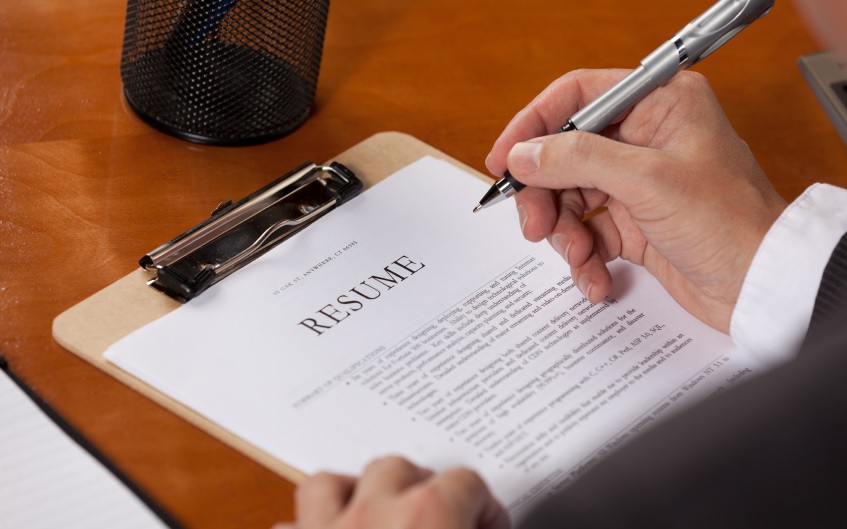
Reading a Resume

I’m not a proponent of limiting the number of résumé pages to one, or even two. But seven-pages is definitely overdoing it. There was what I refer to a lot of clutter on this résumé. To begin with, I noticed multiple duplicate duty statements; some of them were repeated verbatim. This résumé needed to be de-cluttered.

Now, I’m asking you what has to go when you declutter your résumé. Here are 10 items you should remove from your document before submitting it for a position.

1. Home address

There are two reasons why you shouldn’t include your home address on your résumé. The first is pretty obvious. We no longer communicate via snail mail. Hiring authorities will contact you with email, LinkedIn messaging, and even text.

The second reason is that you can exclude yourself from consideration if you live beyond what hiring authorities consider commuting distance. Years ago a recruiter was kind enough to review my client’s résumé for an opening. He looked at it for two seconds and said, “No good. She lives 50 miles from our company.” Case in point.

2. Fluff

My gag reflex kicks into gear when I read a Summary that begins with: “Dedicated, results-oriented, Sales Professional who works well as part of a team and independently….” There are so many violations with an opening like this.

The solution is obvious; stay clear of meaningless adjectives. The golden rule is show rather than tell. Try: Sales Manager who consistently outperforms projected sales growth by double figures. Collaborate with departments company-wide, ensuring customer satisfaction is achieved.

3. Graphics*

Graphics are cool. They add panache to your résumé, are visually appealing, and say a thousand words. However, the applicant tracking system (ATS) doesn’t digest them well*. For example, one of my clients used a graphic for his name. Stunning. But when we tried to look him up with Bullhorn, he didn’t appear in the database.

Graphic artists, web designers, photographers, and other artistic types rely on graphics to demonstrate their work. Business developers, marketers, salespersons, etc. feel numeric graphs make a strong point when expressing their accomplishments. The ATS will kick these out.

If you feel your résumé could benefit from graphics, the solution is to get your résumé in the hands of the hiring manager, which is a good policy anyway. Or if your résumé will be opened as an attachment, format your résumé to your heart’s content.

4. Objective statement

These words should be erased from your vocabulary. There is nothing redeeming about an Objective Statement. Most of them read: “Seeking an opportunity which provides growth, stability, and a rewarding opportunity.” Where in this Objective Statement is there mention of what the client brings to the employer?

Nowhere. That’s where. A Summary, on the other hand, does a better job of showing what value you’ll bring to the table. That’s, of course, when fluff is excluded from it and an accomplishment or two are included. If you’re wondering how your résumé tells the employer the job you’re seeking, simply write it above the Summary.

5. Duties

Everyone performs duties, but who does them better; that’s what employers are trying to determine. Take the following duties my aforementioned client showed me followed by my reactions in parentheses. Then read my suggested revisions below them.

Client’s duties

  • Responsible for terminating 40% of employees. (That’s unfortunate, but so what.)
  • Led meetings every week. (This is a given.)
  • Spearheaded the company’s first pay-for-service program. (Ditto.)
  • Developed a training program that proved to be successful. (How?)

Accomplishments

  • Surpassed productivity expectations 25% while reducing sales force by 40% due to budget restraints.
  • Increased sales 30% in Q4 2018 by spearheading the company’s first pay-for-service program. This garnered the Sales Department Award of Excellence.
  • Developed the company’s first training program which was adopted by other locations nationwide.

Notice how one of the duties of this sample were excluded from his résumé. It was irrelevant. He was reluctant to let go of other duties, but I told him fewer duties and more accomplishments are the way to go.

6. Death by bullets

Have you been told by recruiters that they want your résumé to consist of only bulleted statements? And have you read a two-page job ad that consists of only bullets? Do you get my point? Reading a résumé like this is mind-numbing. It is hard to differentiate the duties from the accomplishments.

A well-formatted résumé will have a three-to-four line Summary in paragraph format which shows value and promise of what you will deliver to the employer. Each position you’ve performed should have a Job Summary which is exactly that; it summarizes your overall responsibility for that job.

7. Killer paragraphs

The opposite of death by bullets is death by paragraphs. Some job seekers don’t understand that paragraphs—especially ones 10-lines long—are excruciating to read. So excruciating that hiring authorities will take one look at a paragraph laden résumé and file it in the circular filing cabinet.

My general rule is that a Summary in paragraph format should not exceed three-four lines. Similarly, a Job Scope or summary of a position should be brief. (If you’ve noticed, this article’s paragraphs don’t exceed four lines.)

8. Any positions beyond 15 years

Experts will agree that listing history beyond 10-15 years is a deal-breaker. There are two primary reasons for this. First, what you did before 15 years is probably irrelevant to what employers are looking for today. Software, hardware, procedures, licenses probably are considered ancient. Think DOS.

Another reason is ageism. Unfortunately there are stupid companies that discriminate against age. Hiring authorities can roughly estimate your age based on the years you have been in the workforce. Why rule yourself out of consideration immediately. Once you get to an interview, you can sell yourself based on the value older workers bring to employers.

9. Years you attended university

This is another way to date yourself and face possible discrimination. Hiring authorities don’t expect to see it on your résumé. The only exception would be if you graduated from university within the past four years.

10. References

I’ve seen a handful of résumés that included references. The reason why job seekers list their references is to include them in one document. By listing your references on your résumé, you 1) give employers authority to call them before an interview even begins, which might hurt you if your references say something negative; and 2) it lengthens your résumé.

In addition, References Available Upon Request is unnecessary.


By the end of our one-hour session, I was able to point out various items my client could remove from his résumé. I was also able to point out where he could write his duties as accomplishments, with quantified results.


Jessica Hernandez, owner of Great Resumes Fast, feels strongly about avoiding fluff and objective statements:

Fluff and objective statements are by far my two biggest résumé pet peeves. People just love to stack adjectives together when writing their summary, and objectives are focused on the job seeker and not the employer.

My advice is to scale back the adjective use and replace an objective statement or a generic career summary with a position title and snapshot that uses keywords, metrics, and hard skills. Don’t wait to sell them on what you’ve accomplished. Start mentioning it from the get-go.

Here’s what Rich Marsh, author and professional editor, has this to say about objective statements:

I often have to teach people that unless you’re straight from school with no work experience, you do not want an Objective Statement. The problem is that most folks I help haven’t looked for work in 15 years, and they used to use it back then.

I’ve had recruiters tell me that “An Objective Statement is the kiss of death.” That and putting “Cell:” or “c:” next to a phone number in your contact info. Both are signs that the candidate is “old.”

My valued LinkedIn connection, Candace Barr, Certified Résumé Writer, writes this about graphics:

While I do often add some small visual elements where/when appropriate, content is still king.  I see some beautiful, highly designed résumés that look amazing, but fail to tell a powerful story or quantify achievements.  It’s a fine balance to find – and another reason why working with an expert provides so much value. We do so much more than write documents. There is strategy and positioning behind each element of the résumé.

*My colleague and owner of Write Step Resumes, Ashley Watkins, says this about graphics:

As far as graphics, they’re actually fine for the ATS. The system will simply delete it. As long as the information you include on the graphic is listed elsewhere in the document, you should be okay.

Kate E. Williamson, Executive Resume Writer, warns against listing information in your Word header:

I see a lot of resumes that use headers and footers, specifically including name and contact info in the header. While this approach may seem like a great way to organize information, many ATS used by HR departments cannot extract info from headers and footers, which, in turn, causes issues in filing your resume into an HR database.

Photo: Flickr, Helen Greene

8 ways you can benefit from a great mentor in your career

I had a mentor once who taught me all I knew about the job search up to a point where I was ready to fly free. My mentor, Ellen, was extremely knowledgeable about the job search. She set the foundation of my career.

mentoring

Ellen was also one of the best speakers I knew. I used to say she could talk like an angel, so fluid and effortless. Yet, she never over acted like some speakers do; she was a natural. Ellen was also meant for the role of a mentor.

I learned from Ellen that a mentor can be a valuable person in your career. Without a mentor, you go it alone; you don’t benefit from their sage wisdom and career support. So, what are the aspects of a great mentor?

1. Provide advice and support

The Oxfords Learner’s Dictionary describes a mentor as simply “an experienced person who advises and helps somebody with less experience over a period of time.”

It’s a given that your mentor will have knowledgeable of your occupation and how you should perform to positively impact the organization. You can trust that what they advise will only help you succeed in your job.

Whether you ask for advice or support, your mentor will give it when needed. They might see you failing in an important aspect of a project or assignment and let you know how to approach it in a better way.

2. Allow you to fail

A mentor will also let you experiment and allow you to make mistakes from which you will learn. Failing is part of the learning process. If you’re afraid of failing, you’re not going to advance in your career. You should seek out a mentor who understands the learning process.

Your mentor should give you that leeway and not step in before you make that small error. Sure, your mentor can see it coming a mile away, but they will allow you to make that mistake and call it a learning moment. A great mentor will then explain how not to repeat that mistake.

3. Go to bat for you

I remember a time when I had totally forgotten about a workshop I had to deliver. It slipped my mind. I went to lunch and didn’t check the multiple text messages sent by Ellen, which told me I had a workshop. What did Ellen do? She did my workshop even thought she had a ton of other work to do.

Naturally I was called to the carpet for spacing my workshop, but Ellen was there to tell our boss that all ended well and that I wouldn’t repeat that mistake. Because if I did, Ellen would kill me. Needless to say, I didn’t repeat the mistake again.

4. Give you credit

A mentor will never take credit for what you’ve accomplished; rather they will share your successes with the organization. At staff or department-head meetings, your mentor will purposely and clearly announce your accomplishment.

The opposite of this would be taking credit for what you’ve accomplished. Someone who does this is not a mentor. Similarly, a mentor will not describe your successes using the pronoun “we.” They will say, “Joe wrote the all the content for our Product X page.” You will do the same for your mentor.

5. Point out their own weaknesses

A mentor will not be afraid to point out their weaknesses. By telling you what they did wrong can also be a learning lesson for you. If your mentor blames others for their mistake, they are not mentoring you; it is telling you that blaming others for your mistakes is acceptable.

Ellen would not blame others from her mistakes; rather, she would talk about them openly and end by telling me not to commit her mistake. I appreciated this because it gave me the freedom to talk about my errors.

6. Will ask for your advice

Your mentor should recognize your strengths and emulate them to better perform their job. When I created the first LinkedIn program at the career center, Ellen would ask me to share my knowledge. I was glad to provide it because I saw it as an honor to be asked.

You should not keep your “secrets” from your mentor in fear of losing job security. Your mentor doesn’t hold back advice and information. Neither should you. Your mentor is secure in their position and, as such, freely offers advice when you ask for it.

7. Their door is always open

I mean this literally. You might need a place to vent or talk about personal issues. A good mentor will give you that space. Just make sure you don’t take advantage of your mentor and constantly use them as a shoulder to cry on.

Your mentor is not your therapist, so don’t treat them as such. One of the things I miss about Ellen is the ability of talking shop with her. We would bounce ideas off each other. And, yes, we would vent every once in awhile. We tried to keep these venting moments to a limit.

8. Keep things real

Of course there will be moments when you’ll need to talk about difficulties happening in your workday. This is an important time where your mentor can provide advice as well as tell you to “suck it up.”

When my attitude became unnecessarily negative, Ellen would tell me to snap out of it. Your mentor will do you the favor of keeping it real. They will not let you complain when there’s nothing to complain about.


Your mentor can be a part of your professional and personal growth. Don’t underestimate the importance of a great mentor. Does your mentor have to be your boss? No, they don’t. Can your mentor be someone younger than you? Of course they can. You can learn from anyone who has the right qualities.

There came a time when I had learned all I could from Ellen. I started revamping the workshops which she had developed. She approved of my changes, realizing I was learning at a faster rate. I will forever be grateful to Ellen.

3 challenges to improve your LinkedIn engagement

At work we’re involved in a citywide step challenge. Our organization, MassHire Lowell Career Center, is currently in first place with 10 days to go. One of my team members is in second place, 3,060 steps behind the city leader. I’ve taken it upon myself to coach her to the top. I’m pushing her to walk farther everyday.

challenge3

Now consider me your coach. I’m going to push you to engage on LinkedIn. I’m going to provide guidelines for you. When you read the entirety of this article, you’ll probably be relieved. It will make sense to you. It won’t seem so daunting. My goal is to get you up to speed in a month. That’s right, one month. Here’s what you will do.

You’ll increase your presence on LinkedIn

Of all the criteria, this is an important one. It’s important because you’ll increase your visibility and climb higher on the LinkedIn ladder (algorithm). Just so you know, it’s important to have a kick-ass LinkedIn profile and a focused network; but to really make an impact, you have to be seen.

One source says the average time people spend on LinkedIn is an abysmal 17 minutes a month. My challenge to you is to almost double that…per day. That’s right, I strongly suggest you spend seven days a week, 30 minutes per day, on LinkedIn. This might seem unrealistic, but if you break down your day to morning and night, morning, mid-day, night, or little segments all day, you can do it.

Here is something that will help you; the LinkedIn mobile app. Approximately 60% of LinkedIn members use the app. While the features are limited, you will still be able to perform most of the functions I explain below. Use the app while you’re waiting for the train or your child to get out of school or just hanging out in the park.

You’ll go from reacting to engaging

I’m glad you’re reading to this point, after having read the proceeding section. This means you’re serious about LinkedIn engagement. Let’s look at some ways to be present on LinkedIn.* I’ll start with the least amount of effort followed by the most.

Reacting—least amount of effort

If you’re a beginner, reacting to what people share is a good place to start. This will help you with LinkedIn’s algorithm but not as much as what follows. I have a feeling that after only reacting to what people share, you’ll get bored.

1. Reacting with the five icons. You might want to begin with reacting to what people post or share. Reacting means you can Like their content or more. LinkedIn as recently added other types of reactions. They are Celebrate, Love, Insightful, and Curious. I react with Insightful in most cases. I have used Celebrate when a LinkedIn user has received good news. You’ll never catch me Loving what people share.

2. Reading articles and sharing them. This is another way to react which takes little effort if that’s all you do. My advice is to actually read the articles and then share them; not just share your favorite connections’ articles unread. Clearly by reading the articles, you’ll form an opinion of their content.

3. Give someone Kudos. This is as simple as going to someone’s profile, choosing More, and clicking Give Kudos. Then you can choose why the person deserves Kudos. I rarely use this, but you might want to for people who’ve been helpful in your job search.

4. Endorse your connections’ skills. While you’re on someone’s profile, why not endorse them for their skills. The debate here is that you might not have witnessed the person perform said skills. Read their profile carefully to see if they back up their skills. Maybe you’ve seen them share posts and articles on LinkedIn and have determined that they know what they’re talking about.

Engaging—more effort

Now you’ve reached the point where your presence shows more value to your network. You’ve gone beyond simply reacting to a post or article, given Kudos, and endorsing your connections. This is what I call the breakthrough moment where you’re noticed more by your connections, as well as by LinkedIn’s algorithm. Let’s break this down.

1. Comment on other’s posts. Read someone’s post and instead of just clicking Like, Celebrate, or the like; write a thoughtful comment reflecting on what the author wrote. Try to be as positive as you can; however, it’s okay to disagree with someone. For example, I wrote a post about being sold to on LinkedIn. One of my connections opposed my opinion, which I respected. He wrote:

Bob, in my line of business, I am responsible for buying products and services. Therefore, I appreciate when people approach me on LinkedIn with a sales inquiry. I can say, “no” in a respectful manner and in most cases, the person respects my wishes. I enjoyed your post, nonetheless.

2. Write a comment for someone’s article. After reading someone’s article—either published with LinkedIn’s Publisher or linked to their blog—you have the option to share it with your connections or directly comment on it. Do both. Of course you can react to it, as well. After reading an article titled Five Steps to A Winning CV Structure, I wrote:

Andrew, I agree with so much of your article. I really try to drive home with my clients the importance of keeping the CV structuring their roles for ease of reading. I’m glad you mentioned this because it is important, especially if someone is reading a ton of resumes. Another point you make which resonates with me is keeping it brief. I can’t stand reading paragraphs that at 10-lines long. Three lines, four at most, are my idea of a good paragraph length.

Note: Be sure to tag the author with @Andrew Fennell; he’ll be notified that you commented on his article.

3. Write your own post sharing your expertise. This, for some, is difficult because they feel unsure of their writing or believe they’re not worthy of sharing their thoughts. This second point, I find, applies to job seekers who see their unemployment as a scourge. One of my clients, a director of communications, once told me that because he’s out of work, he doesn’t have the right to share a post. Nonsense.

I don’t care if you’re unemployed; you’re still an expert in your field. You wrote whitepapers, proposals, press releases, web content, etc. up to three months ago. You still have the ability to write relevant content for your network.

4. Create a video. I’ll admit that this is not in my comfort zone. Some people excel at this, while others make it painful to watch. I feel that I fall in the later category. So I’ll leave this up to you. Some believe the LinkedIn algorithm ranks videos higher than other forms of content. If this is true, it’s probably because LinkedIn wants to encourage people to share more video.

On the flip side you might feel more comfortable producing video because you have confidence in your ability to speak versus writing. The easiest way to create video is by using your phone, where the segment will be stored. Then you can upload it directly to LinkedIn. Like Facebook, LinkedIn has a live version of video production; but you better be able to do it right the first time.

You’ll rinse and repeat

As I mentioned earlier in this article, dedication is required if you want to successfully create a presence on LinkedIn. Engaging with your network once a week will not accomplish this. As your coach, I expect you to share a post at least four times a week. If writing articles is your thing, shoot for one a month and gradually increase that number to twice a month. I personally attempt writing a new article once a week, but you don’t have to follow my lead.

Consistency is key. You won’t appear on your connections’ and  hiring authorities’ radar unless you are seen. Are recruiters paying attention? Sure they are. Your posts might not be directly shared with them, but they’ll be notified of likes, comments, and shared from their first degree connections.

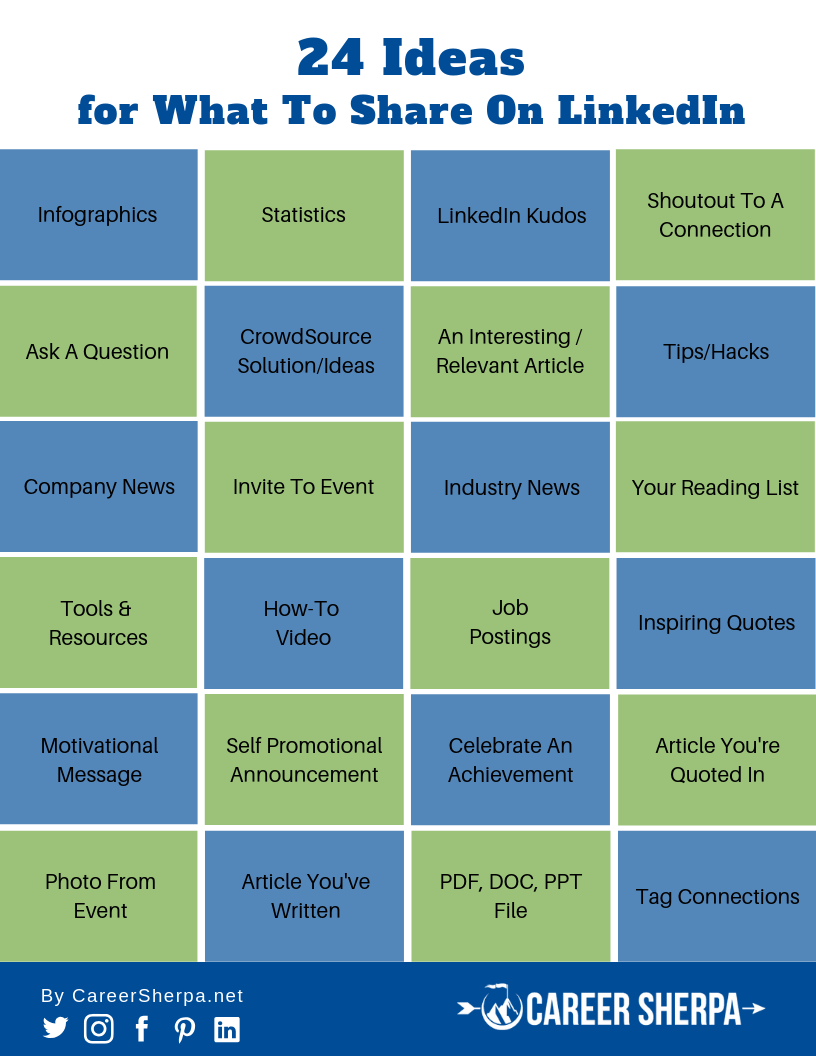
I’ve given you a few ideas on how to react and graduate to engaging on LinkedIn. My colleague, Hannah Morgan, provides 24 ideas of the actions you can take on LinkedIn.* Take a look at her infographic (something else you can share or create for LinkedIn). This will give you some ideas that you might implement in your communications with your network.

24 Ideas Share On LinkedIn

This post originally appeared on Social-Hire.com

Photo: Flickr, Stein Liland